Jellystat on GKE Autopilot
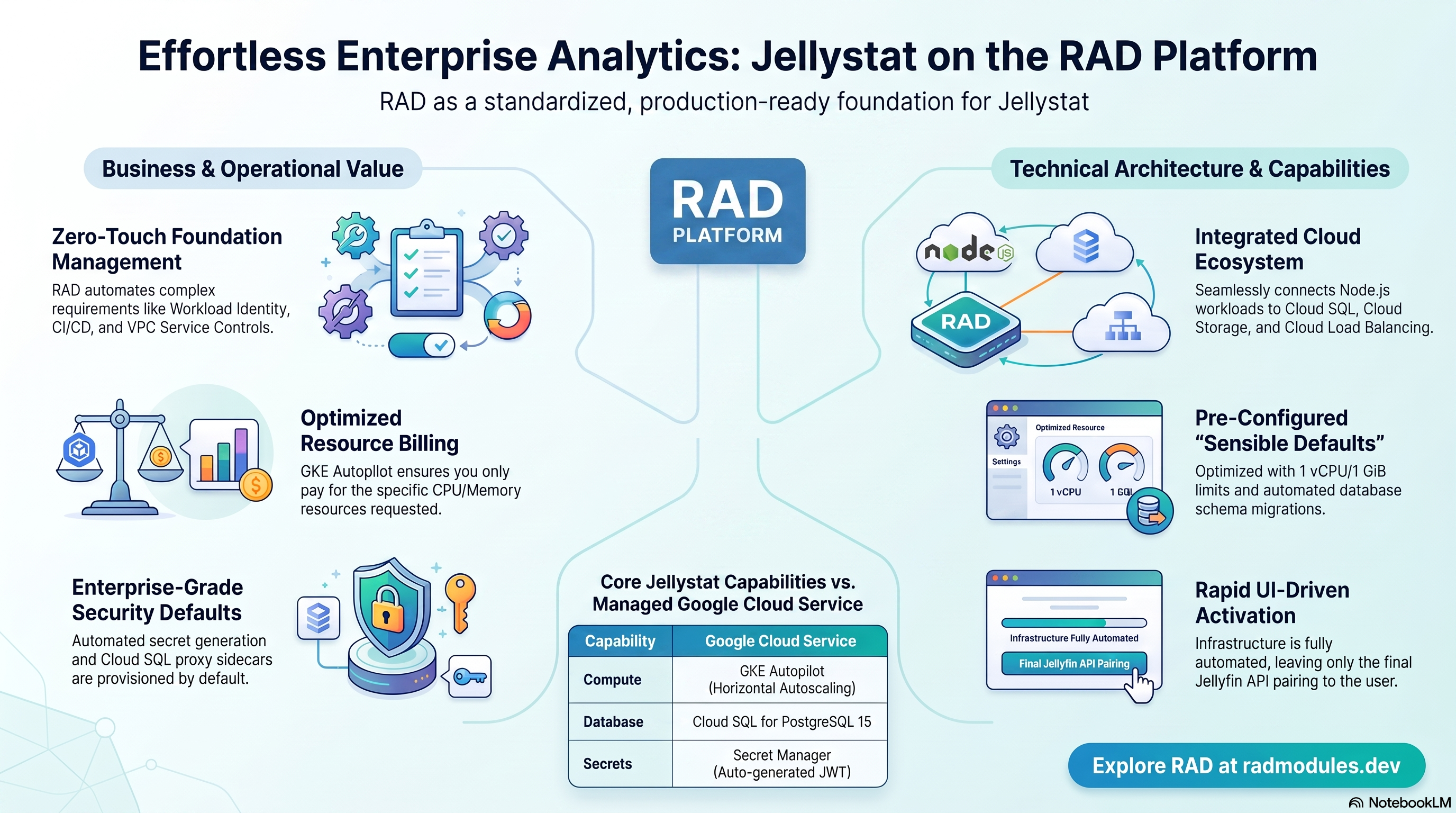
Jellystat is an open-source statistics and analytics dashboard for Jellyfin media servers, tracking playback history, active sessions, user activity, library growth, and viewing trends. This module deploys Jellystat on GKE Autopilot on top of the App_GKE foundation, which provisions and manages the shared Google Cloud and Kubernetes infrastructure.
This guide focuses on the cloud services Jellystat uses and how to explore and operate them from the Google Cloud Console and the command line. For the mechanics common to every GKE application — Workload Identity, ingress, autoscaling, CI/CD, Cloud Armor, IAP, Binary Authorization, VPC Service Controls, backups, and the deployment lifecycle — refer to the App_GKE foundation guide rather than repeating them here.
What Jellystat costs on RAD, and how that compares
Jellystat on RAD's GKE module costs about US$93 a month in your own project, plus a 40-credit (US$4) module fee once per deployment. If you only need it while actively tuning your media server, see "Pause it for free" below to stop paying without losing that history. Jellystat also ships as a Cloud Run module, which is the lower-cost option here (about US$68/month) — see the Cloud Run guide unless you already run GKE Autopilot for other apps.
What you pay on RAD
| In a Google Cloud project you own | In a project RAD manages for you | |
|---|---|---|
| Module fee, once per deployment | 40 credits (US$4.00) | 36 credits (10% lower) |
| Build time | A few credits per build | The same |
| Google Cloud running cost | Billed by Google to your own billing account, about US$93.10 a month for the default configuration (table below) | Metered hourly in credits; RAD publishes 91 credits a day |
| Who owns what | You own the project and its billing; RAD deploys and updates it | RAD owns the project, with guardrails, quotas and budget alerts; you get console access, and a minimum purchased balance is held in reserve |
10 credits cost US$1 on a one-off top-up, less on a plan. In a project RAD manages, the database, file server and network are shared by every application in the project, so a second application does not add a second database.
Default running cost in your own project (us-central1, Google list prices):
| Resource (module default) | Per month |
|---|---|
| GKE Autopilot pod, 1x vCPU / 1 GiB | US$36.08 |
| Cloud SQL for PostgreSQL, 1 vCPU / 3.75 GB, zonal, 10 GB SSD | US$51.02 |
| Cloud NAT and networking | US$5.00 |
| Cloud Storage (add-ons, backups) | US$1.00 |
| GKE cluster management fee | shared across every GKE app in the project; $0 if this is your only cluster, else ~73 |
| Total | about US$93.10 |
How it compares
- Jellystat is a companion analytics dashboard for a Jellyfin server you already run, not a product with its own hosted plan, so there is nothing to compare it against directly.
- Its own footprint is light (1 vCPU, 0.5–1 GiB), so a Hetzner CPX22 or DigitalOcean 2 vCPU/4 GB droplet (about $24/month) is more than enough on its own — most of this module's cost is actually the PostgreSQL database it needs to retain playback history, which a bare VPS would also need you to run and back up yourself.
- Because Jellystat is usually deployed alongside Jellyfin in the same project, the database here may be the one genuinely new cost of adding it — worth checking whether your Jellyfin deployment already has a database you could point this at instead of provisioning a second one.
Pause it for free: delete a RAD-managed project, restore it when you need it
If Jellystat runs in a project RAD manages for you and you expect to come back to it — a break between courses, a seasonal lull, or simply not knowing yet whether you'll need it next month — this is the better option, and it costs almost nothing.
Deleting a RAD-managed project unlinks its billing first, then asks Google to delete the project outright: Google's own 30-day recoverable soft delete. Unlike deleting Jellystat as a single module, this does not tear down the Cloud Run/GKE service, Cloud SQL database and networking one by one — the whole project simply stops, and nothing is charged while it waits, because billing is already unlinked.
Restoring, within 30 days and only by the project's owner, asks Google to undelete the project and reattaches its billing account, then asks you to run Update on each deployment to confirm everything came back. Because nothing was individually destroyed, that Update finds the same resources already there — it is a check, not a rebuild, and an Update never charges the module fee again. This costs only a handful of credits (under US$1) in build time for a typical chain of deployments.
What this needs: you must own the project (not one RAD only manages billing for), you must restore it yourself within 30 days — after that Google deletes it for good — and restoring is admitted like creating a new project, so your purchased credit balance must still clear the tier's floor (100 credits for the sandbox tier most use fits). Google says most services are fully working again within 36 hours of a restore.
One real gap: nightly backups are written to a bucket inside the project, and that bucket has Cloud Storage's soft-delete explicitly turned off, so it is very likely gone as soon as you delete the project, even though the project itself is recoverable for 30 days. Jellystat's own nightly export of its database is kept in that bucket; for a default install this is the only copy of your viewing-history data worth keeping.
Pay only while you use it, the other way: delete and redeploy
In your own project, or once the 30-day window above has passed, the fallback is to delete Jellystat outright and redeploy it later.
- What a redeploy costs: the module fee again, plus the builds — roughly the module fee shown above plus 3–6 credits of build time.
- When it's worth it: deleting saves money only once Jellystat would otherwise sit unused for about 2 days or more in your own project (under a day in a RAD-managed one). The PostgreSQL database and the GKE cluster management fee are most of the running cost here, so deleting Jellystat alone saves only its own share if the database or cluster is shared with other apps.
- Keep data first. Nightly backups are written to a bucket inside the deployment, and that bucket is deleted with it — copy the latest backup out (to Google Drive, or a bucket you keep) before deleting if you want to keep it.
Lab sessions and Managed Environments
- Lab sessions, for training. A trainer runs a session for a class. Each participant gets the app in their own Google Cloud project for 15 minutes to 24 hours, within an allowance the trainer sets. Either the trainer funds every place, or each participant pays for their own. Everything is deleted when the session ends and unused credits go back to the trainer.
- Managed Environments, for consultancies. A partner runs the app for a client from a ring-fenced wallet it funds, and settles with the client directly. If the wallet runs low, billing pauses and the data is kept, so nobody receives an unexpected charge. At the end the partner hands the project over and the deployments become the client's own.
- Credits can be bought in more than 20 currencies, including XAF, XOF, NGN, GHS, KES and ZAR, by card, bank transfer or mobile money.
Sources (8 October 2026): Google Cloud list prices from the Cloud Billing Catalog API; RAD fees and the daily-credit estimate from radmodules.dev/pricing; Google Cloud: delete and restore projects for the pause/restore mechanism. Prices change; check each source before relying on a figure.
1. Overview
Jellystat runs as a single Node.js/Express Deployment (with a bundled React frontend), fronted by a Kubernetes Service. The deployment wires together a focused set of Google Cloud services:
| Capability | Google Cloud service | Notes |
|---|---|---|
| Compute | GKE Autopilot | Node.js pod, 1 vCPU / 1 GiB by default, horizontally autoscaled |
| Database | Cloud SQL for PostgreSQL 15 | Required — non-standard POSTGRES_* env var names |
| Object storage | Cloud Storage | A small optional backups bucket for database export archives |
| Secrets | Secret Manager | Auto-generated JWT_SECRET; database password |
| Ingress | Cloud Load Balancing | External LoadBalancer by default, optional custom domain |
Sensible defaults worth knowing up front:
- PostgreSQL 15 is mandatory. The database engine is fixed by the shared application layer.
- Non-standard database env var names. Jellystat reads
POSTGRES_IP,POSTGRES_PORT,POSTGRES_USER,POSTGRES_PASSWORD, andPOSTGRES_DATABASE— not the platform's genericDB_*names, and specifically notPOSTGRES_DB. Both sets are injected side by side. On GKE, the standard names resolve through the cloud-sql-proxy sidecar's127.0.0.1loopback (enable_cloudsql_volume = true). container_port = 3000is fixed. Jellystat's server hardcodes this port; it is not configurable via environment variable.service_type = "LoadBalancer"by default. Jellystat is a browser-facing dashboard.reserve_static_ip = falseby default. Jellystat has no self-referencing URL baked into its own boot-time config, so a reserved IP is unnecessary — this also conserves the project's limited static-IP quota.JWT_SECRETis generated automatically and stored in Secret Manager.- No Redis support. Jellystat has no native Redis integration.
- No environment variable pairs Jellystat with a Jellyfin server. The Jellyfin connection (server URL + API key) is entered entirely through Jellystat's own web UI after first boot — see §3 below.
2. Google Cloud Services & How to Explore Them
All commands assume you have run
gcloud container clusters get-credentials <cluster> --region <region> --project <project>
and that PROJECT, REGION, and NAMESPACE are set. The namespace and other
identifiers are reported in the deployment Outputs.
A. GKE Autopilot — the Jellystat workload
Jellystat's pod is scheduled on Autopilot, which bills for the CPU/memory the pod actually requests.
- Console: Kubernetes Engine → Workloads → select the Jellystat workload for pods, revisions, and events. Kubernetes Engine → Services & Ingress shows the external IP.
- CLI:
kubectl get pods,svc -n "$NAMESPACE"
kubectl logs -n "$NAMESPACE" deploy/<service-name> --tail=100
See App_GKE for Autopilot scaling and the workload lifecycle.
B. Cloud SQL for PostgreSQL 15
Jellystat stores all playback/analytics data in a managed Cloud SQL for
PostgreSQL 15 instance, reached via the cloud-sql-proxy sidecar on
127.0.0.1. On first deploy an initialization Job creates the application
database and user; Jellystat then applies its own schema migrations on
startup.
- Console: SQL → select the instance for connections, backups, flags, metrics.
- CLI:
gcloud sql instances list --project "$PROJECT"
gcloud sql connect <instance-name> --user=<db-user> --database=<db-name> --project "$PROJECT"
C. Cloud Storage
An optional, small Cloud Storage bucket (backups) is provisioned for
Jellystat's own database export/backup archive feature.
- CLI:
gcloud storage buckets list --project "$PROJECT"
D. Secret Manager
One cryptographic secret is generated automatically: JWT_SECRET, used to
sign Jellystat session/auth tokens. The database password is managed
separately by the foundation.
- CLI:
gcloud secrets list --project "$PROJECT"
gcloud secrets versions access latest --secret=<secret-name> --project "$PROJECT"
E. Networking & ingress
The Kubernetes Service defaults to LoadBalancer, giving Jellystat an
external IP directly. A custom domain via Gateway HTTPRoute, Cloud Armor, and
Cloud CDN can be layered on.
- CLI:
kubectl get svc -n "$NAMESPACE" -o wide
F. Cloud Logging & Monitoring
Container logs flow to Cloud Logging; GKE and Cloud SQL metrics flow to Cloud Monitoring, with optional uptime checks and alert policies.
- CLI:
kubectl logs -n "$NAMESPACE" deploy/<service-name> --tail=100 -f
3. Jellystat Application Behaviour
- First-deploy database setup. An initialization Job runs
db-init.shusingpostgres:15-alpine, creating the application role and database. The job is safe to re-run. - Database migrations on start. Jellystat applies its own schema migrations automatically on every startup.
JWT_SECRETis generated once and stored in Secret Manager. Rotating it invalidates all active sessions but causes no data loss.- Health path. Startup, liveness, and uptime probes target
GET /auth/isConfigured— a public, unauthenticated endpoint. - Manual Jellyfin pairing is required after first boot — this cannot be
automated by Terraform. Jellystat has no environment variable for the
companion Jellyfin server's URL or API key; the pairing is entirely
UI-driven:
- Open the deployed Jellystat URL (the Service's external IP, or your custom domain) and create the first admin account.
- In your Jellyfin server's own Dashboard → API Keys, generate a new API key for Jellystat.
- In Jellystat's settings, enter your Jellyfin server's URL and paste in that API key. If you don't already have a Jellyfin server deployed, deploy one first with the sibling Jellyfin_GKE module (or Jellyfin_CloudRun).
- Inspect job execution:
kubectl get jobs -n "$NAMESPACE"
kubectl logs -n "$NAMESPACE" job/db-init
4. Configuration Variables
Variables are grouped exactly as they appear on the deployment platform. Only settings specific to or notable for Jellystat are listed; every other input is inherited from App_GKE with its standard behaviour.
Group 3 — Application Identity
| Variable | Default | Description |
|---|---|---|
application_name | jellystat | Base name for resources. Do not change after first deploy. |
application_version | latest | Container image version tag. |
Group 4 — Runtime & Scaling
| Variable | Default | Description |
|---|---|---|
container_image_source | prebuilt | Deploys the official cyfershepard/jellystat image directly. |
container_port | 3000 | Fixed — matches Jellystat's hardcoded internal port. |
cpu_limit / memory_limit | 1000m / 1Gi | Container resources. |
min_instance_count / max_instance_count | 0 / 1 | Replica autoscaling bounds. |
enable_cloudsql_volume | true | Cloud SQL Auth Proxy sidecar (loopback connection). |
Group 6 — Networking & Kubernetes Service
| Variable | Default | Description |
|---|---|---|
service_type | LoadBalancer | Jellystat has a UI — externally reachable by default. |
service_port | 80 | Kubernetes Service port clients connect to. |
Group 13 — Filesystem (NFS)
| Variable | Default | Description |
|---|---|---|
enable_nfs | false | Off — Jellystat has no shared-file storage need. |
Group 14 — Cloud Storage
| Variable | Default | Description |
|---|---|---|
create_cloud_storage | true | Creates the small backups bucket. |
Group 16 — Database Backend
| Variable | Default | Description |
|---|---|---|
database_type | POSTGRES (resolved to POSTGRES_15 by Jellystat_Common) | Fixed engine. |
application_database_name | jellystat_db | Injected as both DB_NAME and POSTGRES_DATABASE. Immutable after first deploy. |
application_database_user | jellystat_user | Injected as both DB_USER and POSTGRES_USER. |
Group 15 — Redis (not consumed)
| Variable | Default | Description |
|---|---|---|
enable_redis / redis_host / redis_port / redis_auth | off / empty | Not consumed. Jellystat has no native Redis integration. |
Group 19 — Custom Domain & Static IP
| Variable | Default | Description |
|---|---|---|
reserve_static_ip | false | Jellystat has no self-referencing URL — conserves the project's static-IP quota. |
All other inputs are inherited from App_GKE.md with standard behaviour.
5. Outputs
| Output | Description |
|---|---|
service_name | Kubernetes Service name. |
namespace | Kubernetes namespace. |
service_cluster_ip | ClusterIP of the Kubernetes Service. |
service_external_ip | External LoadBalancer IP. |
service_url | Service URL. |
database_instance_name | Cloud SQL instance name. |
database_name / database_user | Application database name / user. |
database_password_secret | Secret Manager secret holding the DB password. |
database_host | Database host (127.0.0.1 via the Cloud SQL Auth Proxy sidecar). |
storage_buckets | Created storage buckets (backups). |
container_image / container_registry | Deployed image and Artifact Registry repo. |
initialization_jobs | Names of the setup jobs (db-init). |
kubernetes_ready | Whether the Kubernetes provider connection succeeded. |
deployment_id / tenant_id / resource_prefix | Naming identifiers. |
vpc_sc_enabled / vpc_sc_perimeter_name / vpc_sc_dry_run_mode | VPC-SC status. |
6. Configuration Pitfalls & Sensible Defaults
Risk: Critical (data loss / outage / security) — High (service degraded) — Medium (cost or partial degradation) — Low (minor).
| Setting | Sensible value | Risk | Consequence if wrong |
|---|---|---|---|
application_database_name / application_database_user | Set once | Critical | Immutable after first deploy; renaming recreates the DB/user and destroys all data. |
JWT_SECRET (auto-generated) | Only rotate deliberately | Medium | Rotating it invalidates all active sessions but causes no data loss. |
container_port | 3000 (informational) | Low | Jellystat's server hardcodes port 3000 regardless of this variable's value. |
| Jellyfin URL/API key pairing | Manual, post-deploy | High | There is no environment variable for this — skipping the manual UI step leaves Jellystat showing no data even though the deployment is healthy. |
service_type | LoadBalancer | Medium | Overriding to ClusterIP makes the browser UI unreachable without a separate ingress path. |
startup_probe_config/health_check_config path | /auth/isConfigured | High | Pointing probes at an authenticated endpoint causes 401/403 and the pod never becomes Ready. |
enable_redis | leave false | Low | Jellystat has no Redis integration; setting true has no effect. |
For the foundation behaviour referenced throughout — Workload Identity, ingress, autoscaling, CI/CD, Cloud Armor, IAP, Binary Authorization, VPC-SC, backups, and image mirroring — see App_GKE. Jellystat-specific application configuration shared with the Cloud Run variant is described in Jellystat_Common.
Related guides
- Hands-on lab: Jellystat on GKE Autopilot — deploy it step by step, with the console screens and commands at each stage.
- Jellystat on Google Cloud Run — the same application on Cloud Run, for when you need the other deployment target.
- Jellystat Common — Shared Application Configuration — the configuration shared by both deployment targets.
- Deployed alongside Jellyfin on GKE Autopilot, Prowlarr on GKE Autopilot, Seerr on GKE Autopilot, Homepage on GKE Autopilot in the Media Server solution.
Need RAD to do something it does not do yet? Request it on the roadmap, or vote on what is already there.