Certification track: Associate Cloud Engineer (ACE) · Professional Cloud Developer (PCD)
App GKE Module — Configuration Guide
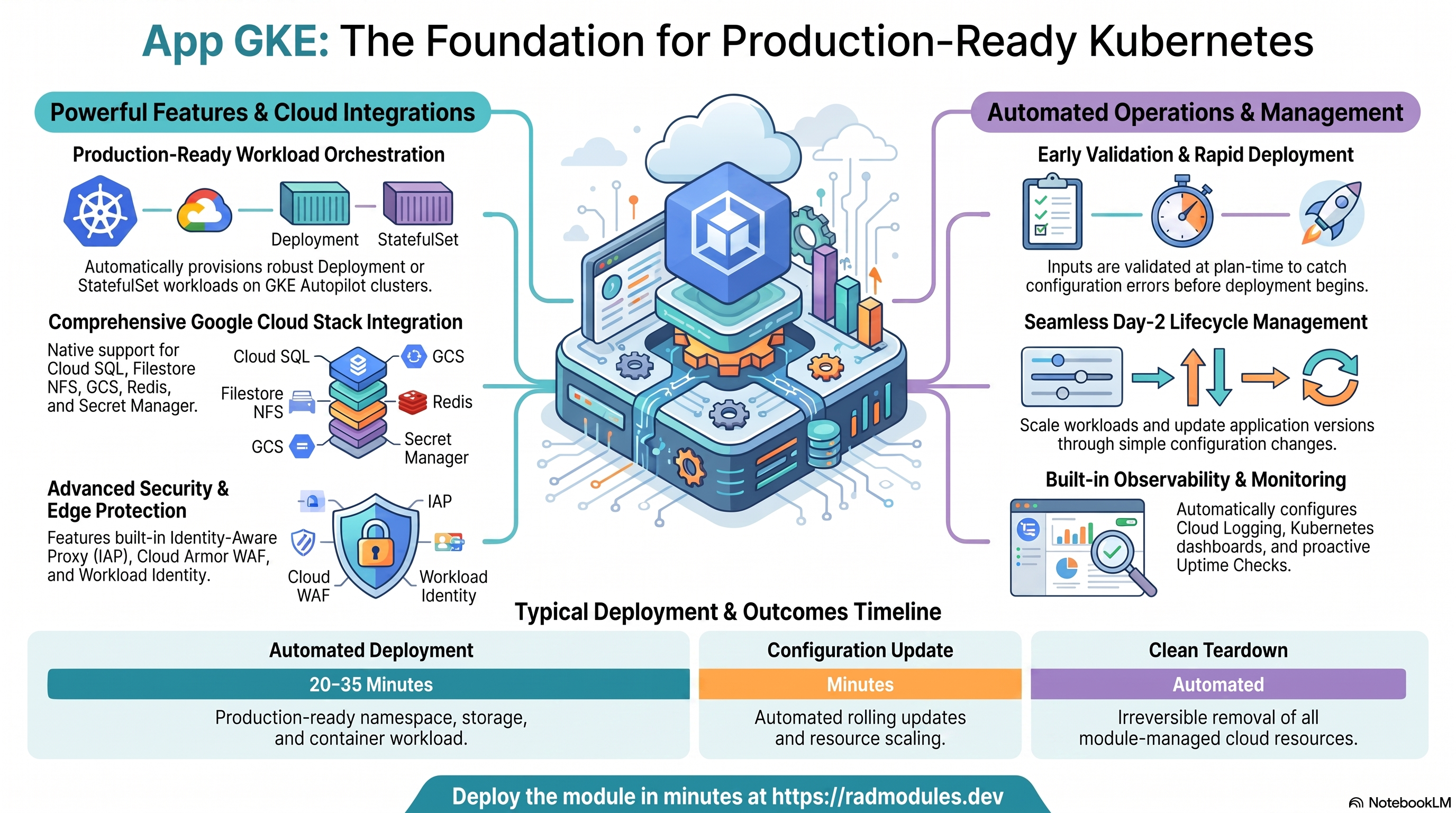
This guide describes every configuration variable available in the App GKE module, organized into functional groups. For each variable it explains the available options, the implications of each choice, and how to validate the resulting configuration in the Google Cloud Console or using gcloud and kubectl CLI commands.
Deployed GCP Services
A fully configured App GKE deployment provisions and integrates the following GCP services:
- GKE Autopilot — Kubernetes cluster with automatic node management, Horizontal Pod Autoscaler (HPA), and optional Vertical Pod Autoscaler (VPA)
- Kubernetes Deployments / StatefulSets — Application workload controller with configurable replica scaling and rolling update strategy
- Kubernetes Services — Internal ClusterIP, external LoadBalancer, or NodePort exposure for the application
- Cloud Build — Container image build pipeline and CI/CD trigger connected to GitHub
- Artifact Registry — Container image repository with configurable cleanup policies and optional CMEK encryption
- Cloud SQL — PostgreSQL, MySQL, or SQL Server managed database instance with Cloud SQL Auth Proxy sidecar
- Cloud Storage (GCS) — Application buckets with optional GCS Fuse CSI Driver mounts inside pods
- Cloud Filestore / NFS GCE VM — Shared persistent NFS storage accessible by all pod replicas simultaneously
- Secret Manager — Secure storage for database passwords, GitHub tokens, and application secrets; injected into pods via the Secrets Store CSI Driver
- Workload Identity — Keyless GCP authentication for pods using projected service account tokens (no key files)
- Cloud Monitoring — Uptime checks, alert policies, and notification channels for
support_users - Cloud Deploy (optional) — Multi-stage progressive delivery pipeline with promotion gates and optional manual approvals
- Cloud Armor (optional) — WAF security policy attached to the GKE Gateway backend
- Identity-Aware Proxy (optional) — Google-identity authentication enforced at the Gateway layer
- Certificate Manager (optional) — Google-managed SSL certificates for custom domains via the GKE Gateway API
- VPC Service Controls (optional) — API perimeter restricting access to GCP services to within-VPC and approved identities
Prerequisites
Before deploying App GKE:
- GCP project with billing enabled.
- Services GCP module (provides shared clusters, shared Cloud SQL, shared NFS, and shared Artifact Registry). You do not need to deploy this yourself first — the platform auto-provisions it before your deployment if it doesn't already exist in the target project. App GKE can also operate in fully inline self-contained mode without Services GCP (
require_services_gcp_module = false), but every deployment then provisions its own VPC, GKE cluster, NFS VM, and Cloud SQL instance. - IAM permissions: The deploying service account requires broad project-level permissions (Project Editor or equivalent) to create GKE namespaces, Cloud SQL users, GCS buckets, and Secret Manager secrets.
- Secret Manager secrets referenced in
secret_environment_variablesmust exist before deployment — the deployment fails if a referenced secret is absent. - For CI/CD (
enable_cicd_trigger = true): a GitHub repository and either a GitHub Personal Access Token (scopes:repo,admin:repo_hook) or a GitHub App installation ID. - For IAP (
enable_iap = true): a pre-created OAuth 2.0 client (client ID and secret) from APIs & Services → Credentials and an OAuth consent screen configured. - For backup import (
enable_backup_import = true): the backup file must be uploaded to the GCS backup bucket before deployment.
Group 0 — Module Metadata & Platform Wiring
These variables are consumed by the deployment platform rather than by the Terraform resources themselves. explicit_secret_values and scripts_dir are populated by an Application (wrapper) module — such as Ghost_GKE — that calls App_GKE as a child module; they should be left at their empty defaults when deploying App_GKE standalone.
| Variable | Type | Default | Description |
|---|---|---|---|
module_description | string | (module blurb) | Human-readable description of the module's purpose, shown in the platform UI. Metadata only — do not modify unless customising the module for a fork. |
module_documentation | string | "https://docs.radmodules.dev/docs/modules/App_GKE" | Link to the external documentation for this module, shown in the platform UI as a help reference. Metadata only. |
module_dependency | list(string) | ["Services_GCP"] | Other platform modules that must be deployed before this one. Used by the platform to enforce deployment ordering. Metadata only. |
module_services | list(string) | ["GKE Autopilot", …] | GCP services enabled or consumed by this module. Used for documentation and platform service visibility. Metadata only. |
credit_cost | number | 0 | Platform credits consumed when this module is deployed. Used by the platform billing system. Metadata only. |
require_credit_purchases | bool | false | When true, the module fee can be paid only from purchased credits (subscription or top-up), not from free awarded or event credits. |
enable_purge | bool | true | Permits full deletion of all module-managed resources on destroy. Set false to retain resources after the module is removed, protecting against accidental data loss. Metadata only. |
public_access | bool | true | Controls whether this module is publicly listed in the platform catalogue. Metadata only. |
require_services_gcp_module | bool | true | When true, the deployment fails at plan time with a clear error if no Services_GCP-managed VPC network is detected in the project. Set false to allow a standalone deployment with inline prerequisite resources. |
shared_users | list(string) | [] | Users who can view and deploy this module regardless of the public_access setting. |
technical_support_users | list(string) | [] | Users responsible for providing technical support for this module. The deployment portal routes support requests to these addresses. Metadata only. |
resource_creator_identity | string | "rad-module-creator@YOUR_PLATFORM_PROJECT.iam.gserviceaccount.com" | Service account used by Terraform to create and manage resources. Override with a project-specific service account for production deployments. |
impersonation_service_account | string | "" | Service account to impersonate when shell scripts (discovery, image mirroring, NFS setup) call GCP APIs. Required for cross-project deployments; leave empty to use the runner's own credentials. |
job_execution_wait_timeout | number | 900 | Maximum seconds a deployment waits for the database setup (db-create) job to complete before aborting, so a stuck job fails the apply quickly instead of hanging until the build's outer timeout. |
explicit_secret_values | map(string) | {} | Raw secret values provided directly by a wrapper module. Keys must match entries in secret_environment_variables. When provided, the plan-time Secret Manager data source lookup is skipped for these keys, allowing the first apply to succeed before the secrets exist. |
scripts_dir | string | "" | Directory containing initialisation and utility scripts. Defaults to the module's built-in scripts directory when left blank. Override when a wrapper module supplies custom scripts. |
requires_services | object | { create_postgres = true, create_network_filesystem = true, create_google_kubernetes_engine = true, … } | Explicit map of the Services GCP-provisioned resources this module needs. The platform reads this map — not module_services, which is a human-readable list for the deployment-confirmation UI — to decide which Services GCP create_* toggles must be enabled when auto-provisioning or updating the shared Services GCP deployment for the destination project. Keys mirror Services GCP's own boolean variable names 1:1: create_postgres, create_mysql, create_redis, create_network_filesystem, create_filestore_nfs, create_google_kubernetes_engine, create_firestore, enable_alloydb. create_redis and create_filestore_nfs default to false because the automated deployment path uses the Compute Engine NFS+Redis VM (create_network_filesystem); managed Memorystore/Filestore is a manual post-deployment optimisation. |
Group 1 — Project & Identity
These variables establish the GCP project context. They must be configured correctly before any deployment can succeed.
| Variable | Type | Default | Description |
|---|---|---|---|
project_id | string | (required) | The GCP project ID where all resources are provisioned. All resource names, IAM bindings, and API calls are scoped to this project. Must be 6–30 lowercase characters starting with a letter. |
region | string | "us-central1" | GCP region used when no Services GCP subnet mapping can be auto-discovered. Override for deployments outside us-central1. |
Exploring in GCP — Group 1
Google Cloud Console:
- Project confirmation: The project name and ID are shown in the top navigation bar. Navigate to Home → Dashboard to confirm you are in the correct project.
- GKE cluster region: Navigate to Kubernetes Engine → Clusters to confirm the cluster region matches the expected deployment region.
gcloud CLI:
# Confirm the project exists and is active
gcloud projects describe PROJECT_ID

# List GKE clusters in the project
gcloud container clusters list --project=PROJECT_ID \
  --format="table(name,location,status,currentNodeCount)"
Group 2 — Deployment Identity
These variables define the deployment environment suffix and shared notification settings applied across all resources.
| Variable | Type | Default | Description |
|---|---|---|---|
tenant_id | string | "demo" | Short identifier appended to resource names (e.g. Kubernetes namespace, secrets, SQL instance) to distinguish this deployment from others in the same project. Use prod, staging, dev, or a tenant identifier. Never change after initial deployment — it is baked into every resource name. |
support_users | list(string) | [] | Email addresses of recipients of Cloud Monitoring alert notifications (uptime failures, alert policy breaches). Adding addresses here does not grant any GCP IAM permissions. |
resource_labels | map(string) | { env = "dev" } | Key-value labels applied to all GCP resources created by this module. Use for cost attribution, environment tagging, and organisational policy enforcement. |
Exploring in GCP — Group 2
Google Cloud Console:
- Kubernetes namespace: Navigate to Kubernetes Engine → Workloads and filter by namespace to confirm the namespace name matches
APPLICATION_NAME-TENANT_ID. - Labels: Navigate to any resource (e.g. Cloud Storage → Buckets → your bucket → Configuration) to verify labels.
- Monitoring notification channels: Navigate to Monitoring → Alerting → Notification channels to confirm support user email addresses are registered.
gcloud CLI:
# List Kubernetes namespaces on the cluster
kubectl get namespaces --show-labels

# List Cloud Monitoring notification channels
gcloud beta monitoring channels list --project=PROJECT_ID \
  --format="table(displayName,type,labels.email_address)"
Group 3 — Application Identity
These variables define the identity of the application being deployed. They control how the application is named across GCP services and Kubernetes resources.
| Variable | Type | Default | Description |
|---|---|---|---|
application_name | string | "gkeapp" | Internal identifier for the application. Used as the base name for the Kubernetes Deployment, namespace, Artifact Registry repository, and Secret Manager secrets. Must start with a lowercase letter, 1–20 characters. Never change after initial deployment. |
application_display_name | string | "App_GKE Application" | Human-readable name shown in the platform UI and monitoring dashboards. Can be updated freely at any time without affecting resource names. |
application_description | string | "App_GKE Custom Application…" | Brief description of the application's purpose. Populated into Kubernetes deployment annotations and platform documentation. |
application_version | string | "1.0.0" | Version tag applied to the container image and used for deployment tracking. Incrementing this value triggers a new image build and rollout when container_image_source is custom. |
Exploring in GCP — Group 3
Google Cloud Console:
- Deployment name: Navigate to Kubernetes Engine → Workloads to confirm the deployment is listed with the expected name derived from
application_name. - Artifact Registry repository: Navigate to Artifact Registry → Repositories to confirm a repository named after
application_nameexists. - Image versions: Click the repository to view all tagged image versions.
gcloud CLI:
# Confirm the Kubernetes Deployment exists
kubectl get deployment APPLICATION_NAME -n NAMESPACE

# List tagged images for the application in Artifact Registry
gcloud artifacts docker images list \
  REGION-docker.pkg.dev/PROJECT_ID/APPLICATION_NAME \
  --include-tags \
  --format="table(image,tags,createTime)"

# List Secret Manager secrets associated with the application
gcloud secrets list --project=PROJECT_ID \
  --filter="name:APPLICATION_NAME" \
  --format="table(name,createTime)"
Group 4 — Runtime & Scaling
Choosing runtime & scaling. Image source:
"custom"builds from your repo via Cloud Build (needs the GitHub connection);"prebuilt"deploys an existing image URI and requirescontainer_image(enforced at plan time). Scaling: on Autopilot you pay per pod resource request, somin_instance_count/max_instance_count(the HPA bounds — min must not exceed max, enforced) directly drive both availability and cost; setmin≥ 1 for latency-sensitive services, and sizecontainer_resourcesto real usage since Autopilot bills the request, not the node. Workload shape is decided in Groups 6–7: a statelessDeploymentscales horizontally and freely; aStatefulSet(auto-selected bystateful_pvc_enabled) gives stable identity + per-pod persistent storage but constrains scaling — choose it only when the workload genuinely needs stable storage or identity.
These variables control how the application container is sourced, built, deployed, and scaled on GKE Autopilot.
| Variable | Type | Default | Description |
|---|---|---|---|
deploy_application | bool | true | When true, the Kubernetes workload is deployed. Set to false to provision supporting infrastructure (VPC, database, storage, GKE namespace) without deploying the application container. Useful for staged rollouts or infrastructure-first workflows. |
container_image_source | string | "custom" | Determines how the container image is sourced. prebuilt deploys an existing image URI directly; custom uses Cloud Build to build the image from source. |
container_image | string | "" | Full URI of the container image to deploy. Required when container_image_source is prebuilt or enable_image_mirroring is true. Examples: us-docker.pkg.dev/my-project/my-repo/app:v1.0, nginx:latest. |
container_build_config | object | { enabled = true } | Cloud Build configuration when container_image_source is custom. Key fields: enabled, dockerfile_path, dockerfile_content, context_path, build_args, artifact_repo_name, base_image. |
enable_image_mirroring | bool | true | Mirrors the container image from its source registry into Artifact Registry before deployment. Strongly recommended for external public images to avoid rate limits and enforce provenance. |
min_instance_count | number | 1 | Minimum number of pod replicas to keep running at all times (HPA minReplicas). Set to 0 for scale-to-zero (not recommended for latency-sensitive production workloads). |
max_instance_count | number | 3 | Maximum number of pod replicas allowed to run concurrently (HPA maxReplicas). Acts as a cost ceiling. Ensure max × connections_per_pod does not exceed Cloud SQL max_connections. |
container_port | number | 8080 | TCP port the application listens on inside the container. The Kubernetes Service routes all traffic to this port. Must exactly match the port your application server binds to. |
container_protocol | string | "http1" | HTTP protocol version for the Kubernetes Service backend. http1 is standard HTTP/1.1; h2c is HTTP/2 cleartext (required for gRPC). When h2c is set, the Service port advertises appProtocol: kubernetes.io/h2c. |
container_resources | object | { cpu_limit = "1000m", memory_limit = "512Mi" } | CPU and memory resource requests and limits for the container. GKE Autopilot bills by requested resources — set accurate requests. Accepts Kubernetes quantity notation (1000m, 512Mi, 1Gi). Optional fields: cpu_request, mem_request, ephemeral_storage_limit, ephemeral_storage_request. |
timeout_seconds | number | 300 | Maximum duration in seconds the load balancer waits for a backend pod response before returning a 504 timeout. Valid range: 0–3600. |
enable_vertical_pod_autoscaling | bool | false | Enables Vertical Pod Autoscaling (VPA), which automatically adjusts CPU and memory requests based on observed usage. Recommended for GKE Autopilot where accurate requests reduce cost. Do not combine with HPA on the same CPU/memory metric. |
enable_cloudsql_volume | bool | true | Injects a Cloud SQL Auth Proxy sidecar container into the GKE pod, exposing the database on 127.0.0.1 via a Unix socket. The secure recommended path for Cloud SQL connectivity. |
cloud_sql_proxy_version | string | "2-alpine" | Version tag for the Cloud SQL Auth Proxy sidecar image. Pin to a digest for immutable deployments. The proxy image is mirrored into Artifact Registry automatically. |
cloudsql_volume_mount_path | string | "/cloudsql" | Filesystem path inside the container where the Cloud SQL Auth Proxy Unix socket is mounted. Your application's database connection string must reference this path. |
service_annotations | map(string) | {} | Custom annotations applied to the Kubernetes Service resource. Use for advanced GKE or load balancer configuration not exposed as first-class settings. |
service_labels | map(string) | { env = "dev" } | Custom labels applied specifically to the Kubernetes Service resource, in addition to resource_labels. |
deployment_timeout | number | 1800 | Maximum seconds the platform waits for the Kubernetes Deployment or StatefulSet rollout to complete during deployment. Increase for clusters that pull large images or pods with long startup times. |
Exploring in GCP — Group 4
Google Cloud Console:
- Deployment & scaling: Navigate to Kubernetes Engine → Workloads → your deployment to view the deployment, its replica count, and HPA configuration.
- Container image: In the workload details, select the YAML tab to view the container spec including the image URI and resource limits.
- Artifact Registry images: Navigate to Artifact Registry → Repositories → application_name to view available image tags.
- HPA status: Navigate to Kubernetes Engine → Workloads and look for
HorizontalPodAutoscalerresources in the same namespace.
gcloud CLI / kubectl:
# Describe the Kubernetes Deployment
kubectl describe deployment APPLICATION_NAME -n NAMESPACE

# View HPA configuration and current replica counts
kubectl get hpa -n NAMESPACE

# Describe the HPA for scaling details
kubectl describe hpa APPLICATION_NAME -n NAMESPACE

# List pod resource requests/limits
kubectl get pods -n NAMESPACE -o custom-columns=\
"NAME:.metadata.name,CPU_REQ:.spec.containers[*].resources.requests.cpu,\
MEM_REQ:.spec.containers[*].resources.requests.memory,\
CPU_LIM:.spec.containers[*].resources.limits.cpu,\
MEM_LIM:.spec.containers[*].resources.limits.memory"

# List container images in Artifact Registry
gcloud artifacts docker images list \
  REGION-docker.pkg.dev/PROJECT_ID/APPLICATION_NAME \
  --include-tags --format="table(image,tags,createTime)"
Group 5 — Environment Variables & Secrets
These variables control how configuration and sensitive credentials are delivered to running pods.
| Variable | Type | Default | Description |
|---|---|---|---|
environment_variables | map(string) | {} | Plain-text environment variables injected into the GKE pod at runtime. Use for non-sensitive configuration such as feature flags, log levels, or API endpoints. Never store passwords or tokens here. |
secret_environment_variables | map(string) | {} | Secret Manager secret references injected as environment variables into the pod via Kubernetes valueFrom. Map key is the environment variable name; map value is the Secret Manager secret name. The plaintext value is never stored in configuration or state. |
secret_rotation_period | string | "2592000s" | How frequently Secret Manager publishes a rotation notification via Pub/Sub. Specified in seconds with an s suffix (e.g. "2592000s" for 30 days). Does not automatically rotate the secret — a rotation handler must be implemented separately. |
secret_propagation_delay | number | 30 | Seconds to wait after a secret is created or updated before proceeding. Allows Secret Manager global replication to complete before pods attempt to read the secret value. Increase if deployments fail with secret-not-found errors. |
Exploring in GCP — Group 5
Google Cloud Console:
- Kubernetes Secret contents (CSI): Navigate to Kubernetes Engine → Workloads → your deployment → YAML to view the
envandenvFromblocks showing secret references. - Secret Manager secrets: Navigate to Security → Secret Manager to view all secrets, their versions, rotation schedules, and access policies.
- Secret IAM access: In Secret Manager, click a secret → Permissions to confirm the GKE workload service account has
Secret Accessorpermissions.
gcloud CLI / kubectl:
# View environment variables on a running pod
kubectl exec -n NAMESPACE POD_NAME -- env | sort

# List Kubernetes Secrets in the namespace
kubectl get secrets -n NAMESPACE

# List Secret Manager secrets for the application
gcloud secrets list --project=PROJECT_ID \
  --filter="name:APPLICATION_NAME" \
  --format="table(name,createTime)"

# View the rotation config for a specific secret
gcloud secrets describe SECRET_NAME \
  --project=PROJECT_ID --format="yaml(rotation,labels)"

# Confirm the GKE workload SA has Secret Accessor access
gcloud secrets get-iam-policy SECRET_NAME \
  --project=PROJECT_ID \
  --format="table(bindings.role,bindings.members)"
Group 6 — GKE Backend Config
These variables control how the application is exposed within the Kubernetes cluster and how it is wired to the GKE cluster and network.
| Variable | Type | Default | Description |
|---|---|---|---|
gke_cluster_name | string | "" | Name of the GKE cluster to deploy into. Leave empty to auto-discover a Services GCP-managed cluster using gke_cluster_selection_mode. |
gke_cluster_selection_mode | string | "primary" | Strategy for selecting the target GKE cluster when gke_cluster_name is not set. primary targets the first discovered Services GCP-managed cluster; round-robin distributes across multiple clusters; explicit requires gke_cluster_name to be set. |
namespace_name | string | "" | Kubernetes namespace in which to deploy the application resources. Leave empty to auto-generate from application_name and tenant_id. |
workload_type | string | null | Kubernetes workload controller. Deployment for stateless applications; StatefulSet for applications requiring stable network identities or persistent per-pod storage. Defaults to Deployment when null. Setting stateful_pvc_enabled = true automatically resolves to StatefulSet. |
service_type | string | "LoadBalancer" | Kubernetes Service type. LoadBalancer provisions a GCP load balancer with an external IP; ClusterIP for internal-only access; NodePort exposes on a static port across all nodes. |
service_port | number | 80 | Port exposed on the Kubernetes Service (the port clients connect to). Set to match the application's native port when clients must connect on that specific port. |
extra_service_ports | list(object) | [] | Additional ports to expose on the Kubernetes Service, for a workload that speaks more than one protocol on the same pod (for example ClickHouse, which serves HTTP on 8123 while its native protocol is on 9000). Each entry defines name, port, optional target_port (defaults to port), and optional protocol (defaults to TCP). Names must be unique — Kubernetes requires a distinct name for every port in a multi-port Service, and this is enforced at plan time. Purely additive: the empty default renders exactly the same Service as before. |
session_affinity | string | "ClientIP" | Session affinity mode for the Kubernetes Service. ClientIP routes all requests from the same client IP to the same pod (useful for stateful applications). None distributes requests across all pods. |
enable_network_segmentation | bool | false | Creates Kubernetes NetworkPolicy resources to restrict pod-to-pod ingress and egress. Limits blast radius for compromised workloads. Requires GKE cluster to have network policy enforcement enabled. Enable only after mapping all inter-namespace traffic flows. |
configure_service_mesh | bool | false | Enables Istio service mesh injection for the application namespace by adding the istio-injection: enabled label. Requires Cloud Service Mesh or Anthos Service Mesh to be installed on the cluster. |
enable_multi_cluster_service | bool | false | Intended to enable GKE Multi-Cluster Services (MCS) for cross-cluster service discovery within a GKE Fleet. Note: the ServiceExport resource is not currently created by this module — this variable has no effect on deployment in the current version. |
termination_grace_period_seconds | number | 60 | Seconds Kubernetes waits after sending SIGTERM before forcibly terminating the container with SIGKILL. Increase for applications that need time to finish in-flight requests or flush data. Valid range: 0–3600. |
prereq_gke_subnet_cidr | string | "10.201.0.0/24" | CIDR range for the inline GKE subnet created when a Services GCP VPC exists but no GKE cluster is present. Must not overlap with other subnets. Each App GKE deployment in the same VPC must use a distinct CIDR. Never change after the inline GKE cluster is created. |
prereq_subnet_cidr_override | string | "" | Override for the inline VPC primary subnet CIDR. When empty, a unique /24 is derived per deployment. Pin to the previously-applied value on existing deployments to avoid subnet replacement. |
prereq_gke_pod_cidr_override | string | "" | Override for the inline GKE cluster's pod secondary range CIDR. Pin to the previously-applied value on existing deployments to avoid GKE cluster replacement. |
prereq_gke_service_cidr_override | string | "" | Override for the inline GKE cluster's service secondary range CIDR. Pin to the previously-applied value on existing deployments to avoid GKE cluster replacement. |
prereq_gke_master_cidr_override | string | "" | Override for the inline GKE cluster's control-plane private /28. When empty, the foundation derives a unique /28 per deployment from the random deployment ID inside 172.16.0.0/12 — a different RFC1918 block from the subnet/pod/service ranges above, so it can never collide with them. Pin to the previously-applied value on existing deployments to avoid GKE cluster replacement. |
Inline GKE clusters always run private nodes
The inline GKE Autopilot cluster is created with private_cluster_config { enable_private_nodes = true }, which is not optional and has no variable to disable it. RAD-managed projects enforce a constraints/compute.vmExternalIpAccess DENY organization policy; without private nodes, GKE attempts to assign external IPs to its nodes, node creation fails with Constraint constraints/compute.vmExternalIpAccess violated, and the cluster is left stuck in ERROR.
Only the nodes are private. enable_private_endpoint is deliberately left at its default (false), so the control plane keeps its public endpoint — Cloud Build and other out-of-VPC tooling connect to it directly. The control plane's own private range comes from prereq_gke_master_cidr_override (or the derived /28 above).
Exploring in GCP — Group 6
Google Cloud Console:
- GKE cluster: Navigate to Kubernetes Engine → Clusters to confirm the target cluster and its configuration.
- Kubernetes namespace: Navigate to Kubernetes Engine → Workloads and filter by namespace.
- Kubernetes Service: Navigate to Kubernetes Engine → Services & Ingress to view the Service type, external IP, and port mapping.
- NetworkPolicies: Navigate to Kubernetes Engine → Workloads and look for NetworkPolicy resources in the namespace.
kubectl:
# Confirm the namespace exists with correct labels
kubectl get namespace NAMESPACE --show-labels

# Describe the Kubernetes Service (type, IP, ports)
kubectl describe service APPLICATION_NAME -n NAMESPACE

# List all Services in the namespace
kubectl get services -n NAMESPACE

# Check for NetworkPolicies
kubectl get networkpolicies -n NAMESPACE

# Describe a NetworkPolicy to review ingress/egress rules
kubectl describe networkpolicy -n NAMESPACE

# Check service mesh injection label
kubectl get namespace NAMESPACE -o jsonpath='{.metadata.labels}'
Group 7 — StatefulSet / PVC
Choosing StatefulSet vs Deployment. Setting
stateful_pvc_enabled = trueis the single switch: it auto-resolves the workload to aStatefulSet(you do not also setworkload_type— pairing it withworkload_type = "Deployment"is rejected at plan time) and gives each replica a stable network identity plus its own PersistentVolumeClaim that survives reschedules. Use it for databases-in-cluster, brokers, or anything needing stable per-pod storage. For stateless web/API workloads leave it off — aDeploymentscales more freely and has no PVC lifecycle to manage. When enabled,stateful_pvc_sizeandstateful_pvc_mount_pathare required (enforced). Note shared-across-pods storage is a different need — use NFS (Group 13), not per-pod PVCs.
These variables configure persistent storage for StatefulSet workloads. Each pod replica receives its own isolated PersistentVolumeClaim (PVC) for stable, per-pod storage.
| Variable | Type | Default | Description |
|---|---|---|---|
stateful_pvc_enabled | bool | null | Enables PersistentVolumeClaim templates in the StatefulSet spec so each pod replica receives its own isolated PVC. Setting this to true automatically resolves workload_type to StatefulSet. Setting workload_type = "Deployment" alongside this fails at plan time. |
stateful_pvc_size | string | null | Storage size for each PVC provisioned by the StatefulSet. Each pod receives a PVC of this size. Example: "20Gi". |
stateful_pvc_mount_path | string | null | Filesystem path inside each pod container where the per-pod PVC is mounted. The application reads and writes persistent data to this path. Example: "/var/lib/data". |
stateful_pvc_storage_class | string | null | Kubernetes StorageClass for StatefulSet PVCs. Leave null to use the cluster's default StorageClass. For GKE Autopilot, standard-rwo (Balanced PD, ReadWriteOnce) is the default. |
stateful_headless_service | bool | null | Creates a headless Kubernetes Service (clusterIP: None) alongside the StatefulSet, giving each pod a stable DNS entry (e.g. pod-0.service.namespace.svc.cluster.local). Required for leader-follower or peer-discovery applications. |
stateful_pod_management_policy | string | null | Controls pod creation and deletion order. OrderedReady starts/stops pods sequentially (required for leader-follower). Parallel starts all pods simultaneously for faster scaling. Defaults to OrderedReady. |
stateful_update_strategy | string | null | Update strategy for the StatefulSet. RollingUpdate replaces pods one at a time when the template changes. OnDelete updates pods only when they are manually deleted. Defaults to RollingUpdate. |
stateful_fs_group | number | 0 | GID set as the pod-level fsGroup in the StatefulSet security context. Kubernetes chowns the PVC mount to this GID on attach, granting the application process write access when it runs as a non-root UID. Set to 0 to leave fsGroup unset. |
Exploring in GCP — Group 7
Google Cloud Console:
- StatefulSet: Navigate to Kubernetes Engine → Workloads and confirm the workload type is
StatefulSet. - PersistentVolumeClaims: Navigate to Kubernetes Engine → Storage → PersistentVolumeClaims to view per-pod PVCs and their binding status.
- Persistent Volumes: Navigate to Kubernetes Engine → Storage → PersistentVolumes to view the underlying disk resources.
kubectl:
# View the StatefulSet configuration
kubectl describe statefulset APPLICATION_NAME -n NAMESPACE

# List PersistentVolumeClaims created by the StatefulSet
kubectl get pvc -n NAMESPACE

# Describe a specific PVC to confirm StorageClass and binding status
kubectl describe pvc PVC_NAME -n NAMESPACE

# Verify headless Service exists (clusterIP should be None)
kubectl get service APPLICATION_NAME-headless -n NAMESPACE \
  -o jsonpath='{.spec.clusterIP}'

# Check pod ordinal DNS resolution (from within the cluster)
# nslookup pod-0.APPLICATION_NAME-headless.NAMESPACE.svc.cluster.local
Group 8 — Resource Quota
These variables create a Kubernetes ResourceQuota in the application namespace, preventing a single workload from monopolising shared GKE Autopilot cluster resources.
Important:
quota_memory_requestsandquota_memory_limitsmust use binary unit suffixes (Gi,Mi) — bare integers like"4"are interpreted by Kubernetes as 4 bytes and will block all pod scheduling in the namespace.
| Variable | Type | Default | Description |
|---|---|---|---|
enable_resource_quota | bool | false | Creates a Kubernetes ResourceQuota in the application namespace. Recommended for shared multi-tenant clusters to prevent one application from consuming unbounded resources. |
quota_cpu_requests | string | "4" | Total CPU requests allowed across all pods in the namespace. Leave empty to apply no CPU request quota. Accepts Kubernetes CPU notation ("4", "4000m"). |
quota_cpu_limits | string | "4" | Total CPU limits allowed across all pods in the namespace. Must be ≥ quota_cpu_requests. |
quota_memory_requests | string | "4Gi" | Total memory requests allowed across all pods in the namespace. Must use binary unit suffix (Gi, Mi). |
quota_memory_limits | string | "8Gi" | Total memory limits allowed across all pods in the namespace. Must be ≥ quota_memory_requests. Must use binary unit suffix (Gi, Mi). |
quota_max_pods | string | "20" | Maximum number of pods allowed in the namespace. Leave empty to apply no pod count quota. |
quota_max_services | string | "10" | Maximum number of Kubernetes Services allowed in the namespace. |
quota_max_pvcs | string | "5" | Maximum number of PersistentVolumeClaims allowed in the namespace. Relevant when workload_type is StatefulSet. |
Exploring in GCP — Group 8
Google Cloud Console:
- ResourceQuota: Navigate to Kubernetes Engine → Workloads and filter for
ResourceQuotaresources in the namespace to view current usage vs. limits.
kubectl:
# View the ResourceQuota and current usage
kubectl describe resourcequota -n NAMESPACE

# List all ResourceQuotas in the namespace
kubectl get resourcequota -n NAMESPACE -o yaml

# Check if pods are being rejected due to quota exhaustion
kubectl describe pod PENDING_POD_NAME -n NAMESPACE \
  | grep -A5 "Events:"
Group 9 — Reliability
These variables configure PodDisruptionBudgets and TopologySpreadConstraints to maintain availability during voluntary disruptions and distribute pods across failure domains.
| Variable | Type | Default | Description |
|---|---|---|---|
enable_pod_disruption_budget | bool | true | Creates a Kubernetes PodDisruptionBudget (PDB) that limits how many pods can be simultaneously unavailable during voluntary disruptions such as GKE Autopilot node upgrades. Strongly recommended for production deployments. |
pdb_min_available | string | "1" | Minimum number or percentage of pods that must remain available during voluntary disruptions. Accepts an integer ("1", "2") or a percentage ("50%"). Caution: setting "1" with a single-replica deployment blocks GKE node upgrades — use "0" for single-replica workloads where brief downtime during upgrades is acceptable. |
enable_topology_spread | bool | false | Adds Kubernetes TopologySpreadConstraints to the pod spec, distributing pods evenly across GKE node zones and individual nodes. Improves availability by preventing all replicas from being co-located in a single failure domain. Recommended for production deployments with min_instance_count > 1. |
topology_spread_strict | bool | false | Controls the whenUnsatisfiable behaviour of the topology spread constraint. When true, pods are rejected with DoNotSchedule if the spread constraint cannot be satisfied (requires ≥ 3 replicas across ≥ 3 zones). When false, uses ScheduleAnyway — safer for smaller deployments. |
Exploring in GCP — Group 9
Google Cloud Console:
- PodDisruptionBudget: Navigate to Kubernetes Engine → Workloads and filter for
PodDisruptionBudgetresources in the namespace. - Pod zone distribution: Navigate to Kubernetes Engine → Workloads → your deployment → Managed pods to see which nodes/zones each pod is running on.
kubectl:
# View the PodDisruptionBudget
kubectl describe pdb -n NAMESPACE

# Check pod distribution across zones and nodes
kubectl get pods -n NAMESPACE -o wide

# Describe a pod to view TopologySpreadConstraints in the spec
kubectl describe pod POD_NAME -n NAMESPACE | grep -A10 "Topology"

# Check for scheduling failures due to topology constraints
kubectl get events -n NAMESPACE \
  --field-selector reason=FailedScheduling
Group 10 — Observability
These variables configure Kubernetes health probes, Cloud Monitoring uptime checks, and alert policies.
| Variable | Type | Default | Description |
|---|---|---|---|
startup_probe_config | object | { enabled = true, path = "/healthz" } | Kubernetes startup probe — Kubernetes will not route requests to the pod until this probe succeeds. Sub-fields: enabled, type (HTTP / TCP), path, initial_delay_seconds (default: 10), timeout_seconds (default: 5), period_seconds (default: 10), failure_threshold (default: 3). For slow-starting applications, increase failure_threshold or period_seconds. |
health_check_config | object | { enabled = true, path = "/healthz" } | Kubernetes liveness and readiness probes — a single configuration renders both, on Deployment and StatefulSet workloads. (StatefulSets originally rendered no readinessProbe and so hit the Gateway GET / fallback described below; statefulset.tf now emits an identical readinessProbe on both of its container specs, so that fallback no longer applies. Note this does not retroactively change an already-created Backend Service's health check.) The liveness probe periodically checks whether the running container is healthy; if it fails failure_threshold consecutive times, Kubernetes restarts the container. The readiness probe additionally determines whether the pod receives traffic, and GKE's Gateway API (Container-Native Load Balancing) derives its GCP-level Backend Service health check from it — with no readiness probe, the Gateway silently falls back to an unconfigurable GET / expecting 200, which permanently marks the backend UNHEALTHY for any application whose root path is not a 200. Sub-fields mirror startup_probe_config (initial_delay_seconds default: 15, timeout_seconds default: 5, period_seconds default: 30, failure_threshold default: 3). The health endpoint must respond quickly and not perform expensive operations. |
uptime_check_config | object | { enabled = false, path = "/" } | Google Cloud Monitoring uptime check that sends HTTP requests to the application from multiple global locations. Triggers an alert to support_users if the endpoint becomes unreachable. Disabled by default — set enabled = true to provision the check. Sub-fields: enabled, path, check_interval (default: "60s"), timeout (default: "10s"). Only active when the application endpoint has a stable, resolvable host. For a LoadBalancer service with a reserved static IP (the default — see reserve_static_ip), the check probes a default <reserved-ip>.nip.io hostname automatically; set application_domains to probe your own domain instead. A plain ephemeral-IP LoadBalancer (i.e. reserve_static_ip = false with no application_domains) has no stable host, so the check is skipped. |
alert_policies | list(object) | [] | Cloud Monitoring alert policies that trigger notifications to support_users when Kubernetes metrics exceed defined thresholds. Each policy requires: name, metric_type, comparison (COMPARISON_GT / COMPARISON_LT), threshold_value, duration_seconds, aggregation_period (default: "60s"). Common GKE metric types: kubernetes.io/container/cpu/usage_time, kubernetes.io/container/memory/used_bytes. |
Exploring in GCP — Group 10
Google Cloud Console:
- Health probes: Navigate to Kubernetes Engine → Workloads → your deployment → YAML and look for the
livenessProbe,readinessProbe, andstartupProbefields in the container spec. - Uptime checks: Navigate to Monitoring → Uptime checks to view active checks, current status, and results per global location.
- Alert policies: Navigate to Monitoring → Alerting to view configured alert policies, their state, and notification channels.
kubectl / gcloud CLI:
# Describe the deployment to view probe configuration
kubectl describe deployment APPLICATION_NAME -n NAMESPACE \
  | grep -A20 "Liveness\|Readiness\|Startup"

# Check pod events for probe failures
kubectl describe pod POD_NAME -n NAMESPACE | tail -20

# List all uptime checks in the project
gcloud monitoring uptime list-configs \
  --project=PROJECT_ID \
  --format="table(displayName,httpCheck.path,period,timeout)"

# List all Cloud Monitoring alert policies
gcloud alpha monitoring policies list \
  --project=PROJECT_ID \
  --format="table(displayName,enabled,conditions[0].conditionThreshold.filter)"
Group 11 — Workload Automation
These variables define initialization jobs, recurring scheduled tasks, and supplementary services that run alongside the main application workload.
| Variable | Type | Default | Description |
|---|---|---|---|
initialization_jobs | list(object) | [{ name = "db-init", … }] | Kubernetes Jobs executed once during or after deployment to initialise the application. Common uses: database schema migrations, seed data loading, NFS directory setup. Key sub-fields: name, description, image, command, args, script_path, env_vars, secret_env_vars, cpu_limit, memory_limit, timeout_seconds, max_retries, task_count, mount_nfs, mount_gcs_volumes, depends_on_jobs, execute_on_apply, needs_db, needs_secrets. On GKE, execute_on_apply controls only whether Terraform waits for the job to complete before continuing — the Kubernetes Job is created and scheduled either way, so a job whose correctness depends on the main workload having finished booting can still race it. |
cron_jobs | list(object) | [] | Recurring scheduled tasks deployed as Kubernetes CronJobs. Each entry defines: name, schedule (cron expression in UTC), image, command, args, env_vars, cpu_limit, memory_limit, restart_policy, concurrency_policy, failed_jobs_history_limit, successful_jobs_history_limit, starting_deadline_seconds, suspend, mount_nfs, mount_gcs_volumes, script_path. |
additional_services | list(object) | [] | Supplementary Kubernetes Deployments deployed alongside the main application in the same namespace. Use for sidecar-style patterns: dedicated workers, proxy services, background queue consumers. Each creates its own Deployment, Service, and optional HPA. Key sub-fields: name, image, port, command, args, env_vars, secret_env_vars (maps an environment variable name to a key in the materialised app Secret, so a sidecar can read the same secrets as the main container), cpu_limit, memory_limit, ephemeral_storage_limit, ephemeral_storage_request, min_instance_count, max_instance_count, ingress, service_port, loadbalancer_ip (pins a LoadBalancer additional service to a reserved static external IP, giving a stable plan-time-known URL), extra_ports (further Service ports for a container listening on more than one port under a single Service name), output_env_var_name (auto-injects the service URL into the main app as an environment variable), volume_mounts, persistent_volume (a dedicated block-storage PVC — size, mount_path, storage_class, default standard-rwo — for a stateful sidecar; ReadWriteOnce, so the service must stay at a single replica, and the PVC is not deleted with the Deployment), wait_for_rollout (default true; set false only when the service cannot become healthy until a later step runs, which would otherwise deadlock the apply — it converts an apply-time failure into a silent one), startup_probe, liveness_probe. |
Exploring in GCP — Group 11
Google Cloud Console:
- Kubernetes Jobs: Navigate to Kubernetes Engine → Workloads and filter by
Jobresource type to view initialization jobs, their completion status, and duration. - CronJobs: Navigate to Kubernetes Engine → Workloads and filter by
CronJobresource type to view schedules and last run status. - Additional services: Navigate to Kubernetes Engine → Services & Ingress to view additional service endpoints.
kubectl:
# List all Kubernetes Jobs in the namespace
kubectl get jobs -n NAMESPACE

# View the logs of a specific initialization job
kubectl logs -n NAMESPACE job/JOB_NAME

# List all CronJobs and their schedules
kubectl get cronjobs -n NAMESPACE

# View the last few runs of a CronJob
kubectl get jobs -n NAMESPACE \
  --selector=app=CRONJOB_NAME \
  --sort-by=.metadata.creationTimestamp

# Check pod logs for a CronJob execution
kubectl logs -n NAMESPACE -l job-name=JOB_NAME

# List all Deployments (includes additional services)
kubectl get deployments -n NAMESPACE
Group 12 — CI/CD
These variables configure automated build and deployment pipelines using Cloud Build and optional Cloud Deploy.
| Variable | Type | Default | Description |
|---|---|---|---|
enable_cicd_trigger | bool | false | Master switch for the CI/CD pipeline. When true, a Cloud Build trigger is created that monitors the connected GitHub repository and automatically builds and deploys the application on qualifying code pushes. |
github_repository_url | string | "" | Full HTTPS URL of the GitHub repository to connect to Cloud Build. Required when enable_cicd_trigger is true. Format: https://github.com/ORG/REPO. |
github_token | string | "" | GitHub Personal Access Token used to authorise the Cloud Build GitHub connection. Required on the first deployment when enable_cicd_trigger is true. Required scopes: repo and admin:repo_hook. Stored in Secret Manager after the first deployment and reused automatically thereafter. |
github_app_installation_id | string | "" | Installation ID of the Cloud Build GitHub App. Preferred for organisation-level repositories. When provided alongside github_token, the connection authenticates via the GitHub App. |
cicd_trigger_config | object | { branch_pattern = "^main$" } | Advanced configuration for the Cloud Build trigger. Sub-fields: branch_pattern (regex matching branch names), included_files, ignored_files, trigger_name, description, substitutions. |
enable_cloud_deploy | bool | false | Switches the CI/CD pipeline from direct Cloud Build deployments to a managed Google Cloud Deploy pipeline with promotion stages. Requires enable_cicd_trigger to be true. |
cloud_deploy_stages | list(object) | [dev, staging, prod] | Ordered list of promotion stages for the Cloud Deploy delivery pipeline. Each stage creates a Cloud Deploy target and associated GKE namespace. Sub-fields: name, target_name, namespace, cluster, project_id, region, require_approval, auto_promote. |
gateway_backend_stage | string | "dev" | Cloud Deploy stage whose Service the Gateway HTTPRoute targets. Change to "staging" or "prod" once Cloud Deploy has promoted to that stage. Ignored when enable_cloud_deploy is false. |
enable_binary_authorization | bool | false | Enforces Binary Authorization policy on the GKE cluster, requiring container images to carry a valid attestation before they can be deployed. |
binauthz_evaluation_mode | string | "ALWAYS_ALLOW" | Enforcement mode for the Binary Authorization policy. ALWAYS_ALLOW permits any image (use during initial setup). REQUIRE_ATTESTATION enforces signed images. ALWAYS_DENY blocks all deployments (lockdown). Only used when enable_binary_authorization is true. |
Exploring in GCP — Group 12
Google Cloud Console:
- Cloud Build triggers: Navigate to Cloud Build → Triggers to view the trigger, connected repository, and last build status.
- Build history: Navigate to Cloud Build → History to view past builds, their status, and logs.
- Cloud Deploy pipelines: Navigate to Cloud Deploy → Delivery Pipelines to view pipeline stages, current release, and promotion history.
- Binary Authorization policy: Navigate to Security → Binary Authorization to view the current enforcement policy.
gcloud CLI / kubectl:
# List Cloud Build triggers
gcloud builds triggers list \
  --project=PROJECT_ID --region=REGION \
  --format="table(name,github.name,github.push.branch,disabled)"

# View recent Cloud Build history
gcloud builds list --project=PROJECT_ID --region=REGION \
  --limit=10 \
  --format="table(id,status,source.repoSource.branchName,createTime)"

# List Cloud Deploy delivery pipelines
gcloud deploy delivery-pipelines list \
  --region=REGION --project=PROJECT_ID \
  --format="table(name,condition.pipelineReadyCondition.status)"

# List Cloud Deploy releases for a pipeline
gcloud deploy releases list \
  --delivery-pipeline=PIPELINE_NAME \
  --region=REGION --project=PROJECT_ID \
  --format="table(name,buildArtifacts[0].tag,renderState,createTime)"

# View Binary Authorization policy
gcloud container binauthz policy export --project=PROJECT_ID
Group 13 — NFS Storage
These variables configure Cloud Filestore (NFS) shared storage mounted into the GKE pod as a persistent volume. NFS provides a POSIX-compliant shared filesystem simultaneously accessible by all pod replicas.
| Variable | Type | Default | Description |
|---|---|---|---|
enable_nfs | bool | true | When true, an NFS volume is mounted into the GKE pod at nfs_mount_path. The module auto-discovers an existing Filestore instance or NFS GCE VM in the project, or provisions an inline NFS GCE VM when none is found. Essential for applications that handle shared file uploads or data that must persist beyond pod restarts. |
nfs_mount_path | string | "/mnt/nfs" | Filesystem path inside the container where the NFS volume is mounted. Only used when enable_nfs is true. Files written outside this path in the container filesystem are ephemeral and lost on pod restart. |
nfs_volume_name | string | "nfs-data-volume" | Kubernetes volume name for the NFS mount. Change only when mounting a second NFS share with a distinct volume name. |
nfs_instance_name | string | "" | Name of an existing NFS GCE VM to connect to directly. Leave empty to auto-discover a Services GCP-managed instance or to provision an inline NFS VM. |
nfs_instance_base_name | string | "app-nfs" | Base name for the inline NFS GCE VM created when no existing NFS server is found. The deployment ID is appended automatically for uniqueness. |
Exploring in GCP — Group 13
Google Cloud Console:
- NFS instance (Filestore): Navigate to Filestore → Instances to confirm the instance exists, its tier, capacity, and IP address.
- NFS instance (GCE VM): Navigate to Compute Engine → VM Instances and filter by the instance name to confirm it is running.
- NFS volume mount: In the Kubernetes workload YAML, look for the
nfsvolume and itsmountPathin the container spec.
kubectl / gcloud CLI:
# Verify NFS volume is mounted in the pod spec
kubectl describe pod POD_NAME -n NAMESPACE | grep -A5 "Mounts:"

# List Filestore instances
gcloud filestore instances list \
  --project=PROJECT_ID \
  --format="table(name,tier,networks[0].ipAddresses[0],fileShares[0].capacityGb,state)"

# List GCE VM instances (for inline NFS VMs)
gcloud compute instances list --project=PROJECT_ID \
  --filter="name:nfs" \
  --format="table(name,zone,status,networkInterfaces[0].networkIP)"

# Check pod logs for NFS mount errors at startup
kubectl logs POD_NAME -n NAMESPACE --previous | grep -i nfs
Group 14 — Cloud Storage
These variables configure Google Cloud Storage (GCS) buckets and GCS Fuse mounts for the application.
| Variable | Type | Default | Description |
|---|---|---|---|
create_cloud_storage | bool | true | Master switch for GCS bucket provisioning. Set to false when buckets are managed externally or should be shared across deployments. |
storage_buckets | list(object) | [] | GCS buckets to provision for the application. Each bucket name is automatically prefixed with the project ID and application name. Sub-fields per entry: name_suffix, location, storage_class (STANDARD, NEARLINE, COLDLINE, ARCHIVE), force_destroy, versioning_enabled, lifecycle_rules, public_access_prevention ("enforced" recommended), uniform_bucket_level_access, cors. |
gcs_volumes | list(object) | [] | GCS buckets to mount as filesystem volumes inside pods using the GCS Fuse CSI driver. Sub-fields: name, bucket_name, mount_path, readonly, mount_options (default: implicit-dirs, stat-cache-ttl=60s, type-cache-ttl=60s). Requires the GCS Fuse CSI driver to be enabled on the cluster (enabled by default on GKE Autopilot). |
manage_storage_kms_iam | bool | false | When true, creates a CMEK KMS keyring and storage encryption key, grants the GCS service account the encrypter/decrypter role, and enables CMEK on all storage buckets. Safe to enable on the first deployment — the key is created automatically. |
enable_artifact_registry_cmek | bool | false | When true, creates an Artifact Registry KMS key and enables at-rest encryption of container images with a customer-managed key. Safe to enable on the first deployment. |
max_images_to_retain | number | 7 | Maximum number of recent container images to keep in Artifact Registry. Acts as a retention guard. Set to 0 to disable. |
delete_untagged_images | bool | true | Automatically deletes untagged container images (dangling layers) from the Artifact Registry repository. Only affects images scoped to this deployment's application name. |
image_retention_days | number | 30 | Number of days after which container images are eligible for deletion. Images within max_images_to_retain are always preserved. Set to 0 to disable age-based deletion. |
Exploring in GCP — Group 14
Google Cloud Console:
- GCS buckets: Navigate to Cloud Storage → Buckets to confirm buckets are created with the expected names and configurations.
- GCS Fuse mounts: In the Kubernetes workload YAML, look for CSI volumes of driver
gcsfuse.csi.storage.gke.io. - Artifact Registry cleanup policies: Navigate to Artifact Registry → Repositories → repository → Cleanup Policies.
kubectl / gcloud CLI:
# List all GCS buckets in the project
gcloud storage buckets list --project=PROJECT_ID \
  --format="table(name,location,storageClass,iamConfiguration.publicAccessPrevention)"

# Describe a specific bucket (versioning, lifecycle, encryption)
gcloud storage buckets describe gs://BUCKET_NAME \
  --format="yaml(versioning,lifecycle,encryption)"

# Verify GCS Fuse volumes in pod spec
kubectl describe pod POD_NAME -n NAMESPACE | grep -A10 "gcsfuse"

# List objects in a bucket (validate application writes)
gcloud storage ls gs://BUCKET_NAME/ --recursive

# View Artifact Registry cleanup policies
gcloud artifacts repositories describe REPO_NAME \
  --location=REGION --project=PROJECT_ID \
  --format="yaml(cleanupPolicies)"

# List container images to confirm cleanup is working
gcloud artifacts docker images list \
  REGION-docker.pkg.dev/PROJECT_ID/REPO_NAME \
  --include-tags --format="table(image,tags,createTime)"
Group 15 — Redis Cache
These variables configure Redis connectivity for the application by injecting connection details as environment variables into the GKE pod.
| Variable | Type | Default | Description |
|---|---|---|---|
enable_redis | bool | true | When true, injects REDIS_HOST and REDIS_PORT environment variables into the GKE pod. When false, no Redis environment variables are injected. Set to false explicitly for applications that do not use Redis — the default true with a blank redis_host falls back to the NFS server IP, which may log unexpected connection errors. |
redis_host | string | "" | Hostname or IP address of the Redis server injected as REDIS_HOST. Leave blank to default to the NFS server's IP address (suitable for shared single-VM environments). Set explicitly when connecting to Google Cloud Memorystore — use the instance's private IP. |
redis_port | string | "6379" | TCP port of the Redis server injected as REDIS_PORT. Standard Redis port is 6379. |
redis_auth | string | "" | Authentication password for the Redis server. Stored in Secret Manager and injected securely — never stored in plaintext. Leave empty if the Redis instance does not require authentication. For Memorystore with AUTH enabled, set this to the instance's auth string. |
Exploring in GCP — Group 15
Google Cloud Console:
- Memorystore Redis instance: Navigate to Memorystore → Redis to confirm the instance exists, its IP address, port, and AUTH status.
- Redis environment variables: In the Kubernetes pod spec (or
kubectl exec), confirmREDIS_HOSTandREDIS_PORTare present.
kubectl / gcloud CLI:
# Confirm REDIS_HOST and REDIS_PORT are set on a running pod
kubectl exec -n NAMESPACE POD_NAME -- env | grep REDIS

# List Cloud Memorystore Redis instances
gcloud redis instances list --region=REGION --project=PROJECT_ID \
  --format="table(name,host,port,tier,memorySizeGb,state,authEnabled)"

# Describe a specific Memorystore instance (includes IP and AUTH info)
gcloud redis instances describe INSTANCE_NAME \
  --region=REGION --project=PROJECT_ID \
  --format="yaml(host,port,authEnabled,state)"
Group 16 — Database Configuration
Choosing the database backend. First decide whether you need one:
database_type = "NONE"skips all DB provisioning (and the dependent features — backup import, custom SQL, auto-rotation, the Cloud SQL volume — each rejected at plan time if left on withNONE). If you need one, pick the engine your app requires (POSTGRES/MYSQL, or a pinned variant likePOSTGRES_15/MYSQL_8_0). Pin the version for production —database_typeis effectively immutable: changing it after first deploy replaces the Cloud SQL instance and destroys its data. With aServices_GCPfoundation the module creates only a database + user in the shared instance (no per-deploy instance cost); standalone, it provisions a dedicated instance. The app reaches the DB over the Cloud SQL Auth Proxy (enable_cloudsql_volume) — keep it on for socket connections. Engine-family toggles (enable_postgres_extensions,enable_mysql_plugins) must match the engine (enforced).
These variables configure the Cloud SQL database backend. The module supports PostgreSQL, MySQL, and SQL Server, and can provision a new instance, connect to an existing one, or skip database provisioning entirely.
| Variable | Type | Default | Description |
|---|---|---|---|
database_type | string | "POSTGRES" | Cloud SQL database engine. NONE skips database provisioning. Generic aliases (POSTGRES, MYSQL) deploy the latest supported version. Version-pinned values (e.g. POSTGRES_17, MYSQL_8_4) are recommended for production. Changing this after initial deployment replaces the Cloud SQL instance and causes data loss. |
sql_instance_name | string | "" | Name of an existing Cloud SQL instance to use directly. Leave empty to auto-discover a Services GCP-managed instance or to provision an inline instance. |
sql_instance_base_name | string | "app-sql" | Base name for the inline Cloud SQL instance created when no existing instance is found. The deployment ID is appended automatically. |
application_database_name | string | "gkeappdb" | Name of the database created within the Cloud SQL instance. Injected into the pod as DB_NAME. Never change after initial deployment. |
application_database_user | string | "gkeappuser" | Username of the database user created for the application. Injected as DB_USER. |
database_password_length | number | 32 | Length of the randomly generated database user password. Valid range: 16–64. Longer passwords provide greater entropy. |
db_password_env_var_name | string | "" | Additional environment variable name to expose the database password alongside the standard DB_PASSWORD. Set by wrapper modules for applications that expect a non-standard name (e.g. WORDPRESS_DB_PASSWORD). |
enable_postgres_extensions | bool | false | Enables installation of PostgreSQL extensions listed in postgres_extensions after the database is provisioned. Only applies to PostgreSQL database types. Note: used for input validation only when deploying standalone — extensions are injected from the application module configuration when called from a wrapper. |
postgres_extensions | list(string) | [] | PostgreSQL extensions to install. Requires enable_postgres_extensions = true and a PostgreSQL database_type. Common values: postgis, uuid-ossp, pg_trgm, pgcrypto. |
enable_mysql_plugins | bool | false | Enables installation of MySQL plugins. Only applies to MySQL database types. Note: used for input validation only when deploying standalone. |
mysql_plugins | list(string) | [] | MySQL plugins to install. Requires enable_mysql_plugins = true and a MySQL database_type. Common values: audit_log, validate_password. |
enable_auto_password_rotation | bool | false | Enables automatic rotation of the database user password via a Kubernetes CronJob and Eventarc trigger. Rotation frequency is governed by secret_rotation_period. Only applies when database_type is not NONE. |
rotation_propagation_delay_sec | number | 90 | Seconds to wait after a new database password is written to Secret Manager before restarting GKE pods. Allows Secret Manager global replication to complete. Increase for high-concurrency applications. Only used when enable_auto_password_rotation is true. |
db_host_env_var_name | string | "" | Additional environment variable name to expose the database host alongside the standard DB_HOST. Set by wrapper modules for applications that expect a non-standard name (e.g. DB_HOSTNAME). |
db_user_env_var_name | string | "" | Additional environment variable name to expose the database user alongside the standard DB_USER. (e.g. DB_USERNAME) |
db_name_env_var_name | string | "" | Additional environment variable name to expose the database name alongside the standard DB_NAME. (e.g. DB_DATABASE) |
db_port_env_var_name | string | "" | Additional environment variable name to expose the database port alongside the standard DB_PORT. (e.g. DB_PORT_NUMBER) |
Exploring in GCP — Group 16
Google Cloud Console:
- Cloud SQL instance: Navigate to SQL to confirm the instance exists, its engine version, region, and connection name.
- Databases & users: Click the instance, then select the Databases and Users tabs.
- Database credentials in Secret Manager: Navigate to Security → Secret Manager and filter by the application name to find the
DB_PASSWORDsecret. - DB environment variables on pods: Use
kubectl execto inspect pod environment variables forDB_HOST,DB_NAME,DB_USER.
kubectl / gcloud CLI:
# List Cloud SQL instances in the project
gcloud sql instances list --project=PROJECT_ID \
  --format="table(name,databaseVersion,region,settings.tier,state)"

# List databases on a Cloud SQL instance
gcloud sql databases list --instance=INSTANCE_NAME \
  --project=PROJECT_ID --format="table(name,charset)"

# List users on a Cloud SQL instance
gcloud sql users list --instance=INSTANCE_NAME \
  --project=PROJECT_ID --format="table(name,host,type)"

# Verify DB environment variables in a pod
kubectl exec -n NAMESPACE POD_NAME -- env | grep DB_

# List Secret Manager secrets related to the database
gcloud secrets list --project=PROJECT_ID \
  --filter="name:db" --format="table(name,createTime)"
Group 17 — Backup & Maintenance
These variables configure automated database backup scheduling and one-time backup import.
| Variable | Type | Default | Description |
|---|---|---|---|
backup_schedule | string | "0 2 * * *" | Cron expression defining when the automated database backup Kubernetes Job runs. Uses standard Unix cron format in UTC. Example: "0 2 * * *" for daily at 02:00 UTC. Only applies when database_type is not NONE. |
backup_retention_days | number | 7 | Number of days to retain backup files in the GCS backup bucket before automatic deletion. Use 7 for dev, 30–90 for production depending on compliance requirements. |
enable_backup_import | bool | false | Triggers a one-time database import Kubernetes Job during deployment, restoring the backup file specified by backup_file. Set back to false immediately after a successful restore — leaving it true will overwrite the live database with the stale backup on every subsequent deployment. |
backup_source | string | "gcs" | Source from which the backup file is retrieved. gcs imports from the module's provisioned GCS backup bucket; gdrive imports from Google Drive. |
backup_file | string | "backup.sql" | Filename of the backup to import. Must exist in the configured source before deployment. Example: "backup-2024-01-15.sql.gz". |
backup_format | string | "sql" | Backup file format. Options: sql, tar, gz, tgz, tar.gz, zip, auto. Use auto to detect from file extension. |
Exploring in GCP — Group 17
Google Cloud Console:
- Backup CronJob: Navigate to Kubernetes Engine → Workloads and filter for
CronJobresources to find the backup job and its schedule. - Backup files (GCS bucket): Navigate to Cloud Storage → Buckets and look for the backup bucket. Confirm backup files are being written and lifecycle rules are applied.
- Import job: Navigate to Kubernetes Engine → Workloads → Jobs to confirm the import job completed successfully after enabling
enable_backup_import.
kubectl / gcloud CLI:
# List CronJobs in the namespace (includes backup job)
kubectl get cronjobs -n NAMESPACE

# View recent backup job runs
kubectl get jobs -n NAMESPACE --selector=app=BACKUP_JOB_NAME \
  --sort-by=.metadata.creationTimestamp

# Check backup job logs
kubectl logs -n NAMESPACE job/BACKUP_JOB_NAME

# List backup files in the GCS backup bucket
gcloud storage ls gs://BACKUP_BUCKET_NAME/ \
  --recursive --format="table(name,size,timeCreated)"

# View the lifecycle rules on the backup bucket
gcloud storage buckets describe gs://BACKUP_BUCKET_NAME \
  --format="yaml(lifecycle)"
Group 18 — Custom SQL Scripts
These variables enable execution of custom SQL scripts against the application database during deployment.
| Variable | Type | Default | Description |
|---|---|---|---|
enable_custom_sql_scripts | bool | false | When true, retrieves SQL script files from the configured GCS bucket and path and executes them against the application database in lexicographic order. Intended for schema migrations, stored procedure installation, or seed data loading that cannot be handled by the application's migration framework. Design scripts to be idempotent (safe to run multiple times). |
custom_sql_scripts_bucket | string | "" | Name of the GCS bucket containing the SQL scripts. The GKE workload service account must have read access to this bucket. Required when enable_custom_sql_scripts is true. |
custom_sql_scripts_path | string | "" | Path prefix within the GCS bucket from which SQL scripts are retrieved. All .sql files under this prefix are executed in lexicographic order. Use a naming convention like 001_create_tables.sql to control execution order. |
custom_sql_scripts_use_root | bool | false | Executes the custom SQL scripts as the root database user instead of the application database user. Enable only when scripts require elevated privileges (e.g. CREATE EXTENSION, CREATE ROLE). |
Exploring in GCP — Group 18
Google Cloud Console:
- SQL scripts job: Navigate to Kubernetes Engine → Workloads → Jobs to find the SQL scripts job and view its execution history.
- Script files in GCS: Navigate to Cloud Storage → Buckets → scripts bucket to confirm
.sqlfiles exist at the configured path prefix.
kubectl / gcloud CLI:
# Check SQL scripts job completion
kubectl get job SQL_SCRIPTS_JOB_NAME -n NAMESPACE

# View SQL scripts job logs
kubectl logs -n NAMESPACE job/SQL_SCRIPTS_JOB_NAME

# Confirm script files exist in the GCS bucket
gcloud storage ls gs://BUCKET_NAME/SCRIPTS_PATH --recursive

# Check the GKE workload SA has access to the scripts bucket
gcloud storage buckets get-iam-policy gs://BUCKET_NAME \
  --format="table(bindings.role,bindings.members)"
Choosing how the workload is exposed. The exposure path is the key decision and spans Groups 19–21. A plain
ClusterIP/LoadBalancerservice_typegives you a raw IP; a custom domain (Group 19) provisions a Google-managed certificate via the Gateway/Ingress and needs a post-deploy DNS record. Cloud Armor (Group 21) — the WAF/DDoS layer — requires either a custom domain or aLoadBalancerservice (enforced at plan time) because it needs an external entry point to attach the policy to, andenable_cdndoes not require a custom domain — the Gateway falls back to a derived<ip>.nip.ioHTTPS certificate. For internal-only tools, prefer IAP (Group 20) — but IAP on GKE needs an OAuth client id/secret and a support email (all enforced), so configure those before enabling. Decide the exposure model first, then the security layer that fits it.
Group 19 — Access & Networking
These variables control custom domain configuration, static IP reservation, network tags, and VPC network selection.
Default
nip.iohostname. With the defaultLoadBalancerservice_typeandreserve_static_ip = true, the deployment derives a default<reserved-ip>.nip.iohostname (nip.io is wildcard DNS that resolves<ip>.nip.io→ that IP). This gives every default GKE deploy a working hostname out of the box — used as the Cloud Monitoring uptime-check host and a convenient browser URL — with no DNS setup. Supplyapplication_domains(withenable_custom_domain = truefor Gateway SSL) to use your own domain instead; the uptime check then probes that domain.
| Variable | Type | Default | Description |
|---|---|---|---|
enable_custom_domain | bool | false | Provisions a Kubernetes Gateway API Ingress resource to route traffic using custom hostnames specified in application_domains. Required for custom domain SSL termination via Certificate Manager. |
application_domains | list(string) | [] | Custom domain names to associate with the application Gateway. DNS must be configured to point each domain to the load balancer IP after deployment. Only used when enable_custom_domain is true. |
reserve_static_ip | bool | true | Provisions a static external IP address for the load balancer. Strongly recommended for production — ensures a stable IP that DNS records can reliably point to. When false, the load balancer receives an ephemeral IP that may change on redeploy. |
static_ip_name | string | "" | Custom name for the static IP address resource. Leave empty to auto-generate. |
network_name | string | "" | Name of the VPC network to use for this deployment. Leave empty to auto-discover a single Services GCP-managed network. Required when more than one Services GCP-managed network exists in the project. |
network_tags | list(string) | ["nfsserver"] | Network tags applied to GKE nodes and pods. Used to target VPC firewall rules. The default nfsserver tag is required for NFS connectivity when enable_nfs is true. |
Exploring in GCP — Group 19
Google Cloud Console:
- Gateway & Ingress: Navigate to Kubernetes Engine → Services & Ingress → Gateways, Ingresses & Routes to view the Gateway resource and its HTTPRoutes.
- Static IP: Navigate to VPC Network → IP addresses to confirm the static IP is reserved and its address.
- SSL certificates: Navigate to Certificate Manager → Certificates to view the managed SSL certificates and their provisioning status.
- DNS configuration: Use your domain registrar or Cloud DNS to verify
Arecords point to the load balancer IP.
kubectl / gcloud CLI:
# View the Gateway resource
kubectl get gateway -n NAMESPACE

# Describe the Gateway to see IP address and routes
kubectl describe gateway APPLICATION_NAME-gateway -n NAMESPACE

# Check certificate provisioning status
gcloud certificate-manager certificates list --project=PROJECT_ID \
  --format="table(name,managed.domains,managed.state)"

# View reserved static IP addresses
gcloud compute addresses list --project=PROJECT_ID \
  --format="table(name,address,addressType,status,region)"

# Verify DNS resolution to the load balancer IP
dig +short DOMAIN_NAME
Group 20 — Identity-Aware Proxy
These variables configure Identity-Aware Proxy (IAP) in front of the application using the GKE Gateway API's GCPBackendPolicy. IAP requires Google-identity authentication before users can access the application — no application code changes are needed.
Note: IAP on GKE requires pre-created OAuth 2.0 credentials. Unlike Cloud Run, these cannot be auto-generated by the module. Both
iap_oauth_client_idandiap_oauth_client_secretmust be created manually in APIs & Services → Credentials before enabling IAP.
| Variable | Type | Default | Description |
|---|---|---|---|
enable_iap | bool | false | Enables Identity-Aware Proxy for the application via GCPBackendPolicy on the Gateway. When true, configure iap_authorized_users and iap_authorized_groups before enabling — an empty allowlist means 100% of requests return HTTP 403. |
iap_authorized_users | list(string) | [] | Individual users or service accounts granted access through IAP. Format: "user:email@example.com" or "serviceAccount:sa@project.iam.gserviceaccount.com". Only active when enable_iap is true. |
iap_authorized_groups | list(string) | [] | Google Groups granted access through IAP. Format: "group:name@example.com". Preferred over individual users for team-level access management. Only active when enable_iap is true. |
iap_oauth_client_id | string | "" | OAuth 2.0 Client ID for the IAP backend service. Must be pre-created in the GCP Console. Required when enable_iap is true. |
iap_oauth_client_secret | string | "" | OAuth 2.0 Client Secret corresponding to iap_oauth_client_id. Required when enable_iap is true. Treated as sensitive. |
iap_support_email | string | "" | Support email address displayed on the OAuth consent screen. Required when enable_iap is true. Must be a valid email or Google Group address. |
Exploring in GCP — Group 20
Google Cloud Console:
- IAP status: Navigate to Security → Identity-Aware Proxy to confirm the backend is listed with IAP enabled.
- Authorised members: Click the backend entry and review the Principals tab to verify expected users and groups have
IAP-secured Web App Useraccess. - GCPBackendPolicy: Navigate to Kubernetes Engine → Workloads and look for the
GCPBackendPolicyresource in the namespace.
kubectl / gcloud CLI:
# View the GCPBackendPolicy to confirm IAP configuration
kubectl get gcpbackendpolicy -n NAMESPACE -o yaml

# Check IAM bindings for IAP on the backend service
gcloud compute backend-services list --project=PROJECT_ID \
  --format="table(name,iap.enabled,iap.oauth2ClientId)"

# List IAP-enabled resources
gcloud iap web get-iam-policy \
  --resource-type=backend-services \
  --service=BACKEND_SERVICE_NAME \
  --project=PROJECT_ID \
  --format="table(bindings.role,bindings.members)"
Group 21 — Cloud Armor & CDN
These variables configure a Cloud Armor WAF security policy attached to the GKE Gateway backend, and optional Cloud CDN via the Gateway API load balancer.
Note: On GKE only Cloud CDN is mutually exclusive with IAP on the same Gateway backend (
iap.tfrequiresenable_cdn = false). Cloud Armor is not — it is in fact the recommended way to satisfy IAP's HTTPS-Gateway requirement without owning a domain, because it activates the Gateway and gets a zero-confignip.iocertificate.
Note on CDN: The
GCPBackendPolicyCRD does not expose a CDN configuration field. After deployment withenable_cdn = true, Cloud CDN must be enabled on the backend service out-of-band viagcloud compute backend-services update --enable-cdnor by attaching aGCPHTTPFilteron supported GKE versions.
| Variable | Type | Default | Description |
|---|---|---|---|
enable_cloud_armor | bool | false | Attaches a Cloud Armor security policy to the GKE Gateway backend, enabling WAF rules, DDoS protection, and IP-based access controls. Requires enable_custom_domain = true or service_type = "LoadBalancer". |
admin_ip_ranges | list(string) | [] | CIDR IP ranges exempted from Cloud Armor WAF rules. Typically used for trusted operations networks or CI/CD systems. Only effective when enable_cloud_armor is true. Also used as the admin access level in VPC-SC perimeters — an empty list causes VPC-SC provisioning to be skipped with a warning. |
cloud_armor_policy_name | string | "default-waf-policy" | Name of the Cloud Armor security policy to attach. Override to reference a custom policy. The inline policy includes rules for SQLi, XSS, LFI, RCE, and rate limiting (500 req/min per IP). |
enable_cdn | bool | false | Routes the application through the Gateway API load balancer in preparation for Cloud CDN. A custom domain is not required — the validation that once demanded one was relaxed (validation.tf comment 20), since the Gateway provisions HTTPS out of the box via a derived <ip>.nip.io certificate. See note above regarding out-of-band CDN activation. |
Exploring in GCP — Group 21
Google Cloud Console:
- Cloud Armor policy: Navigate to Network security → Cloud Armor policies to view the policy, its rules, and attached backend services.
- Load balancer backend: Navigate to Network services → Load balancing to confirm the Cloud Armor policy is attached to the backend.
- CDN status: In the load balancer backend details, confirm Cloud CDN is shown as enabled.
gcloud CLI:
# List Cloud Armor security policies
gcloud compute security-policies list --project=PROJECT_ID \
  --format="table(name,description)"

# Describe a Cloud Armor policy and view its rules
gcloud compute security-policies describe POLICY_NAME \
  --project=PROJECT_ID --format="yaml(rules)"

# Check if Cloud CDN is enabled on a backend service
gcloud compute backend-services describe BACKEND_SERVICE_NAME \
  --global --format="yaml(enableCDN,securityPolicy)"

# Enable Cloud CDN on a backend service (out-of-band activation)
# gcloud compute backend-services update BACKEND_SERVICE_NAME \
#   --global --enable-cdn
Group 22 — VPC Service Controls & Audit Logging
These variables control VPC Service Controls (VPC-SC) perimeter enforcement and project-level audit logging.
Note: Roll out VPC-SC in dry-run mode first (
vpc_sc_dry_run = true, the default). Review the dry-run violation logs before flipping to enforcement. VPC-SC requires a GCP organization — standalone projects have no organization and the perimeter is silently skipped with a warning.
| Variable | Type | Default | Description |
|---|---|---|---|
enable_vpc_sc | bool | false | When true, provisions a VPC-SC perimeter around the GCP APIs used by this module. Restricts API access to within-VPC and approved identities, preventing data exfiltration. Auto-skips with a warning for standalone projects, folder-nested projects without organization_id, and deployments with empty admin_ip_ranges. |
vpc_cidr_ranges | list(string) | [] | VPC subnet CIDR ranges for the VPC-SC network access level. When empty, subnets are auto-discovered from the VPC network. |
vpc_sc_dry_run | bool | true | When true, VPC-SC violations are logged but not blocked. Set to false only after validating that the dry-run logs are free of unintended denials. |
organization_id | string | "" | GCP Organization ID for the VPC-SC Access Context Manager policy. Auto-discovered from the project when empty. Must be set explicitly when the project is nested under a folder. |
enable_audit_logging | bool | false | Enables detailed Cloud Audit Logs (DATA_READ, DATA_WRITE, ADMIN_READ) for all GCP services in the project, plus per-service overrides for Secret Manager and Cloud KMS. Recommended for compliance-sensitive environments (PCI-DSS, HIPAA, SOC 2). Increases Cloud Logging costs. |
Exploring in GCP — Group 22
Google Cloud Console:
- VPC-SC perimeter: Navigate to Security → VPC Service Controls to confirm the perimeter exists and its restricted services list.
- Dry-run violations: Navigate to Logging → Logs Explorer and filter for
VpcServiceControlAuditMetadatato identify API calls being denied. - Audit logging: Navigate to IAM & Admin → Audit Logs to confirm
Admin Read,Data Read, andData Writeare enabled.
gcloud CLI:
# List VPC-SC access policies in the organization
gcloud access-context-manager policies list \
  --organization=ORGANIZATION_ID

# List VPC-SC perimeters under the access policy
gcloud access-context-manager perimeters list \
  --policy=POLICY_NAME \
  --format="table(name,status.resources,status.restrictedServices)"

# Check VPC-SC dry-run violation logs
gcloud logging read \
  'protoPayload.metadata.@type="type.googleapis.com/google.cloud.audit.VpcServiceControlAuditMetadata"' \
  --project=PROJECT_ID --limit=20 \
  --format="table(timestamp,protoPayload.serviceName,protoPayload.methodName,protoPayload.metadata.dryRun)"

# Confirm project-level audit config
gcloud projects get-iam-policy PROJECT_ID \
  --format="yaml(auditConfigs)"
Deployment Prerequisites & Dependency Analysis
This section summarises every external dependency for deploying App GKE. Dependencies are grouped by failure mode.
Notation: Self-provisioned means the module creates the resource automatically on first deployment — no manual prerequisite is required.
Tier 1 — Hard Prerequisites
These configurations will prevent deployment from succeeding, or prevent the GKE workload from reaching a healthy state, if the listed prerequisite is not satisfied.
| Feature | Variable(s) | Requirement |
|---|---|---|
| Secret Manager references | secret_environment_variables | Every secret named in the map must exist in Secret Manager before deployment. Create the secret first, then deploy. |
| Custom SQL scripts | enable_custom_sql_scripts = true | The GCS bucket in custom_sql_scripts_bucket must exist and all .sql files must be uploaded to custom_sql_scripts_path before deployment. |
| Database backup import | enable_backup_import = true | The backup file named in backup_file must exist at the configured source (GCS backup bucket or Google Drive) before deployment. A missing file causes the import Kubernetes Job to fail immediately. |
| CI/CD pipeline | enable_cicd_trigger = true | A GitHub repository must be accessible and either a GitHub Personal Access Token (scopes: repo, admin:repo_hook) or a GitHub App installation ID must be provided. |
| Custom container build | container_image_source = "custom" | Requires the same GitHub repository connection and credentials as enable_cicd_trigger. Cloud Build fails if the repository is unreachable. |
| IAP | enable_iap = true | Pre-created OAuth 2.0 client ID and secret from APIs & Services → Credentials. Unlike Cloud Run, these cannot be auto-generated. An OAuth consent screen must exist before the GCPBackendPolicy can be created. |
| VPC Service Controls (folder-nested projects) | enable_vpc_sc = true + folder-nested project | organization_id must be supplied explicitly for folder-nested projects — auto-discovery is disabled. Without it, the perimeter is skipped with a warning. |
| VPC Service Controls (admin lockout protection) | enable_vpc_sc = true | admin_ip_ranges must contain at least one CIDR range. An empty list causes the perimeter to be skipped to prevent an admin lockout. |
| Inline GKE — second apply required | Inline GKE cluster provisioning | On the first deployment of an inline GKE cluster, kubernetes_ready output is false — the cluster is created but its endpoint is not yet readable, so all Kubernetes resources are skipped. The CI/CD pipeline must detect this value and run a second deployment to complete application deployment. |
Tier 2 — Silent Failures
These configurations deploy successfully but will not function correctly at runtime.
| Feature | Variable(s) | Failure mode | Resolution |
|---|---|---|---|
| Redis cache | enable_redis = true + explicit redis_host | REDIS_HOST and REDIS_PORT are injected into the pod but the application cannot connect if no Redis service exists at the specified address. The deployment succeeds with no error. | Provision a Cloud Memorystore instance or deploy Services GCP which provides a shared instance auto-discovered when redis_host is blank. |
| Secret rotation | secret_rotation_period | The Pub/Sub rotation notification fires at the configured interval but no secret value is actually rotated. The notification is only a trigger — a handler must be implemented separately. | Use enable_auto_password_rotation = true for the database password (handled automatically), or implement a separate Cloud Function or Kubernetes CronJob to rotate other secrets. |
| Service mesh | configure_service_mesh = true (external cluster) | The istio-injection: enabled namespace label is applied but no Istio control plane serves it if ASM is not running on the cluster. Pods start but sidecar containers remain in ContainerCreating. | Confirm Cloud Service Mesh or Anthos Service Mesh is installed and operational on the target cluster before enabling. |
Tier 3 — Soft Prerequisites
These features deploy successfully but require a manual step before they become fully operational.
| Feature | Variable(s) | Required action |
|---|---|---|
| Custom domain | application_domains (with enable_custom_domain = true) | After deployment, create DNS A records for each domain pointing to the load balancer's external IP (shown in deployment outputs). Google-managed SSL certificate provisioning begins automatically after DNS propagation and typically completes within 10–60 minutes. |
| Cloud CDN | enable_cdn = true | After deployment, enable Cloud CDN on the Gateway's backend service out-of-band: gcloud compute backend-services update BACKEND_NAME --global --enable-cdn. The module cannot enable CDN itself due to a limitation in the GCPBackendPolicy CRD. |
| Backup file staging | enable_backup_import = true | The backup file must be uploaded to the GCS backup bucket (or Google Drive) before the deployment that enables this flag. |
Previously Manual — Now Self-Provisioned
| Feature | Variable(s) | How it is now handled |
|---|---|---|
| Binary Authorization attestor, policy & KMS key | enable_binary_authorization = true | App_Common/modules/app_security idempotently creates the KMS signing keyring, binauthz-signer key, pipeline-attestor note, attestor, and Binary Authorization policy. If Services GCP provisioned these resources first, the scripts detect and reuse them. |
| CMEK keyring for storage encryption | manage_storage_kms_iam = true | App_Common/modules/app_cmek idempotently creates the ${project_id}-cmek-keyring keyring and storage-key CryptoKey before the storage IAM binding is applied. Safe to enable on the first deployment. |
| VPC Service Controls perimeter | enable_vpc_sc = true | App_Common/modules/app_vpc_sc auto-discovers the organization ID, reuses any existing Access Context Manager policy, provisions four per-deployment access levels (VPC, admin IPs, IAP, CI/CD), and creates a PERIMETER_TYPE_REGULAR service perimeter. Defaults to vpc_sc_dry_run = true. |
Dependency on Services GCP for Shared Resources
Services GCP is declared as a module dependency but is not required for a standalone deployment. The module self-provisions all necessary infrastructure inline when Services GCP has not been deployed. However, deploying Services GCP first is strongly recommended when multiple application modules share the same GCP project.
| Resource | Without Services GCP | With Services GCP |
|---|---|---|
| VPC network | Module auto-provisions an inline VPC, subnet, Cloud NAT, and Cloud Router. | Module attaches to the shared centrally-managed VPC. Simplifies firewall management and avoids per-project VPC quota consumption. |
| GKE cluster | Module auto-provisions an inline GKE Autopilot cluster using prereq_gke_subnet_cidr. A second deployment run is required to deploy application resources after the cluster is ready. | Module auto-discovers and targets the shared GKE cluster. No cluster creation or second-run requirement. |
| Cloud SQL instance | Module auto-provisions a dedicated Cloud SQL instance per deployment. Each deployment incurs the full instance cost. | Module auto-discovers and connects to the shared Cloud SQL instance, provisioning only a separate database and user within it. Eliminates per-deployment instance cost. |
| NFS / Filestore | Module auto-provisions an inline NFS GCE VM. Single point of failure with no managed backups. | Module auto-discovers the centrally managed Filestore instance. Enterprise-grade NFS with guaranteed throughput and managed snapshots. |
| Redis / Memorystore | enable_redis = true with a blank redis_host falls back to the NFS VM's IP. Requires a Redis-compatible service running on that VM. | Module auto-discovers the shared Memorystore instance. redis_host can be left blank. |
| Artifact Registry | Module auto-creates a per-deployment Artifact Registry repository. | Module auto-discovers and uses the shared registry, enabling image reuse and consistent vulnerability scanning across deployments. |
Configuration Pitfalls & Sensible Defaults
Risk levels: Critical (data loss, full outage, or security breach) — High (service unavailable or significant degradation) — Medium (degraded function or increased cost) — Low (minor impact).
Many invalid combinations are caught at plan time. The module carries 34 cross-variable preconditions in
validation.tf, plus per-variablevalidationblocks and 3 further preconditions that live next to the resources they guard (deployment.tf,iap.tf,prerequisites.tf). So a large class of misconfiguration fails the plan with a clear, named error before any resource is created. Rows below marked 🛡 plan-time are rejected up front — you never reach the consequence. Unmarked rows are runtime or operational hazards (a wrong port, a CIDR change, a destructive rename) the module cannot decide for you. A clean plan confirms the value/combination rules passed; it does not validate that a port matches your app or that a rename is intentional.
| Variable | Sensible Default | Risk | Consequence of Incorrect Value |
|---|---|---|---|
container_image_source + container_image | "custom" (build from source), or "prebuilt" with a non-empty container_image | High 🛡 plan-time | "prebuilt" with an empty container_image has no image URI to deploy — now rejected at plan time. |
mount_nfs (jobs) + enable_nfs | Enable NFS when any job mounts it | High 🛡 plan-time | A job with mount_nfs = true while enable_nfs = false (and no discoverable NFS server) references a volume that does not exist — now rejected at plan time. |
enable_postgres_extensions / enable_mysql_plugins + database_type | Match the toggle to the engine family | Medium 🛡 plan-time | Enabling Postgres extensions on a MySQL engine (or vice-versa) is rejected at plan time. (Defect fixed: the MySQL allow-list now correctly includes MYSQL_8_0, previously rejected in error.) |
redis_port | "6379" | Low 🛡 plan-time | A non-numeric or out-of-range port is rejected at plan time rather than producing an unreachable REDIS_PORT. |
application_name | Short, lowercase, hyphen-safe (e.g. "myapp", "payments-api") | Critical | Embedded in every GCP and Kubernetes resource name (namespace, services, secrets, SQL instance, GCS buckets). Never change after first deployment — all named resources are destroyed and recreated, causing complete data loss and a new empty database. |
tenant_id | Match environment: "prod", "staging", "dev" | Critical | Embedded in all resource names alongside application_name. Never change after first deployment — same consequence as changing application_name: full resource recreation, data loss, and a new empty deployment running beside the orphaned old one. |
quota_memory_requests / quota_memory_limits | Binary unit suffix required: "4Gi", "8192Mi" — never a bare integer | Critical | A bare integer such as "4" is interpreted by Kubernetes as 4 bytes. The ResourceQuota is created but every pod is rejected at scheduling time with exceeded quota: requests.memory. The namespace is effectively dead until the quota is corrected. |
stateful_pvc_enabled + workload_type | stateful_pvc_enabled = true automatically resolves to StatefulSet — do not also set workload_type = "Deployment" | Critical | stateful_pvc_enabled = true with workload_type = "Deployment" fails validation at plan time. Terraform refuses to apply. |
container_port | Must exactly match what the application server binds to (e.g. 8080, 3000, 5000) | Critical | Port mismatch: Kubernetes liveness and readiness probes fail on every pod. All pods enter a CrashLoopBackOff restart loop. The Deployment never reaches Ready. Service is offline. |
prereq_gke_subnet_cidr | "10.201.0.0/24" — pin to the applied value and never change it | Critical | Changing after the inline GKE cluster has been created destroys and recreates the subnet, which forces GKE cluster replacement. All workloads on the cluster are lost. CIDRs must be unique across all GKE deployments in the project — overlapping CIDRs cause VPC peering failures. |
prereq_subnet_cidr_override | "" initially; pin to the output CIDR value from the first deployment on all subsequent deployments | Critical | Left blank on subsequent deployments when the inline VPC subnet already exists: Terraform may auto-assign a new CIDR, triggering subnet replacement which forces GKE cluster recreation and complete data loss. |
enable_iap + iap_oauth_client_id / iap_oauth_client_secret | Both OAuth credentials must be pre-created before enabling IAP | Critical | enable_iap = true without valid iap_oauth_client_id and iap_oauth_client_secret: the GCPBackendPolicy deployment fails. No traffic is routed. IAP on GKE requires pre-created OAuth credentials — unlike Cloud Run IAP, these cannot be auto-generated. |
enable_iap + iap_authorized_users / iap_authorized_groups | Always populate at least one user or group before enabling IAP | Critical | enable_iap = true with empty user and group lists: 100% of requests return HTTP 403. The service is deployed and reachable but no identity is granted access. |
binauthz_evaluation_mode | "ALWAYS_ALLOW" until CI pipeline produces valid attestations; then "REQUIRE_ATTESTATION" | Critical | "REQUIRE_ATTESTATION" before attestations: all pod deployments are blocked with Image is not attested in pod events. Emergency rollbacks are also blocked. "ALWAYS_DENY" blocks all deployments including hotfixes. |
enable_vpc_sc + vpc_sc_dry_run | Always enable with vpc_sc_dry_run = true first; review audit logs before enforcing | Critical | vpc_sc_dry_run = false on first enable without validating: GKE node pulls from Artifact Registry, Cloud SQL Auth Proxy calls, and Secret Manager reads can all fail simultaneously. |
cloud_deploy_stages prod stage | require_approval = true on the production stage | Critical | require_approval = false with auto_promote = true on prod: a successful staging deployment automatically promotes to production without human review. A broken migration or bad image reaches production automatically. |
enable_backup_import | false (default) — set true only for the one deployment where you want to restore | Critical | Leaving enable_backup_import = true after a successful restore: the import Kubernetes Job re-runs on every deployment, overwriting the live database with the stale backup file. Set back to false immediately after a successful restore. |
session_affinity | "ClientIP" for stateful applications requiring sticky sessions | High | "None" for a stateful app: requests are distributed across pods randomly, causing session loss — users are logged out or experience broken multi-step workflows. |
enable_pod_disruption_budget | true — always keep enabled in production | High | false: during GKE Autopilot node upgrades, all pods may be evicted simultaneously. With min_instance_count = 1, the single pod is evicted and the application is fully unavailable during the upgrade. |
pdb_min_available | "1" for multi-replica; "0" for single-replica workloads | High | "1" with a single-replica deployment: GKE cannot drain the node for upgrades — the budget is never satisfiable with one pod. Node upgrades are permanently blocked and the cluster falls behind on security patches. |
max_instance_count | Size to ≤ Cloud SQL max_connections / connections_per_pod | High | Too high: exhausts Cloud SQL connection pool, causing FATAL: sorry, too many clients already for all pods. Too low: limits throughput under load, causing request queuing and latency spikes. |
enable_network_segmentation | false initially; enable only after mapping all inter-namespace traffic flows | High | Enabling without understanding traffic patterns blocks legitimate pod-to-pod communication. Symptoms: database connections time out, initialization jobs hang, health probes fail. Debug with kubectl describe networkpolicy -n NAMESPACE. |
enable_image_mirroring | true (default; strongly recommended) | High | false: GKE nodes pull from external registries. Docker Hub rate limits cause ErrImagePull during peak deployments. In VPC-SC environments, external registry access is blocked — all pod starts fail. |
enable_resource_quota + quota_memory_* / quota_cpu_* | Set quota values ≥ sum of all containers' requests in the namespace | High | Values lower than the workload's aggregate resource requests: pods fail to schedule with exceeded quota events. Initialization jobs and CronJobs also fail. The namespace is unusable until quotas are raised. |
enable_auto_password_rotation + rotation_propagation_delay_sec | Enable only after validating the rotation pipeline; keep rotation_propagation_delay_sec ≥ 90 | High | Too short: the old credential is revoked before all pods restart with the new version. Connection pool exhaustion causes HTTP 500 errors until all pods complete a restart cycle. |
workload_type | "Deployment" for stateless apps; "StatefulSet" for apps requiring stable pod identity | High | "Deployment" for a workload needing persistent volume identity: pods receive different PVCs on restart, causing data inconsistency. "StatefulSet" for a stateless app: unnecessary scheduling overhead and slower rolling updates. |
kubernetes_ready output | Check this output before depending on Kubernetes resources in a pipeline | High | On the first deployment of an inline cluster, kubernetes_ready = false — all Kubernetes resources are excluded. A second deployment run is required to deploy application resources. Skipping leaves infrastructure provisioned but no application deployed. |
enable_topology_spread + topology_spread_strict | topology_spread_strict = false unless you have ≥ 3 replicas across ≥ 3 zones | Medium | topology_spread_strict = true with fewer than 3 replicas or zones: new pods remain Pending indefinitely with FailedScheduling events referencing topology constraints. |
enable_redis | false for apps that do not use Redis | Medium | Leaving true for a non-Redis app: REDIS_HOST defaults to the NFS server IP. If no Redis service is running there, the application logs connection errors on every startup. |
secret_rotation_period | "2592000s" (30 days) — must include the s suffix | Medium | Omitting the s suffix (e.g. "2592000"): Secret Manager rejects the configuration at apply time. Rotation notifications are never registered and automatic rotation never fires. |
backup_retention_days | 7 for dev; 30 for production | Medium | 1 or 0: almost no recovery window — a mistake is only reversible within 24 hours. Too high: storage costs grow unboundedly. Balance based on your RPO requirements. |
configure_service_mesh | false until ASM is confirmed operational on the cluster | Medium | Enabling without required Fleet/ASM APIs enabled: the deployment fails with API not enabled. Enabling on a shared cluster without a running ASM control plane: pods start but sidecar containers remain in ContainerCreating indefinitely. |
Outputs
The module exposes the following outputs after a successful deployment.
Service Information
| Output | Description |
|---|---|
service_name | Name of the Kubernetes Service |
namespace | Kubernetes namespace where the application is deployed |
service_url | Service URL — external URL if LoadBalancer with static IP, otherwise internal cluster URL |
service_external_ip | External LoadBalancer IP (if static IP is reserved); null when not reserved |
service_cluster_ip | ClusterIP of the base Kubernetes Service; null when Cloud Deploy is active |
stage_service_cluster_ips | Map of stage name → ClusterIP for stage-specific Services when enable_cloud_deploy = true; empty map otherwise |
additional_service_urls | Map of additional service names to their URLs (external LoadBalancer IP if available, otherwise internal cluster URL) |
kubernetes_ready | true when the GKE cluster endpoint is available and all Kubernetes resources are deployed. false on the first deployment of an inline cluster — a second deployment run is required. |
Database
| Output | Description |
|---|---|
database_instance_name | Name of the Cloud SQL instance; null when database_type = "NONE" |
database_name | Name of the application database within the instance |
database_user | Name of the application database user |
database_host | Database host (127.0.0.1 via Cloud SQL Auth Proxy) |
database_port | Database port |
database_password_secret | Secret Manager secret name containing the database password |
Storage
| Output | Description |
|---|---|
storage_buckets | Map of bucket logical name → bucket name for all provisioned GCS buckets; empty map when create_cloud_storage is false |
Network
| Output | Description |
|---|---|
network_name | VPC network name used by the deployment |
network_exists | Whether the VPC network was found (true/false) |
regions | Available GCP regions in the VPC |
region | GCP region where the application is deployed |
NFS
| Output | Description |
|---|---|
nfs_server_ip | Internal IP of the NFS server (sensitive); null when NFS is disabled or no server exists |
nfs_mount_path | Container filesystem path where the NFS volume is mounted |
nfs_share_path | Export path on the NFS server |
Container & Registry
| Output | Description |
|---|---|
container_image | Fully qualified container image URI used by the deployed workload |
container_registry | Artifact Registry repository name; null when no custom build is configured |
Monitoring
| Output | Description |
|---|---|
monitoring_enabled | Whether Cloud Monitoring is configured (true/false) |
monitoring_notification_channels | List of Cloud Monitoring notification channel names |
uptime_check_names | List of uptime check configuration names |
Deployment Metadata
| Output | Description |
|---|---|
deployment_id | Unique deployment identifier (auto-generated random hex suffix) |
tenant_id | Tenant identifier derived from tenant_id |
resource_prefix | Naming prefix applied to GCP resources in this deployment |
project_id | GCP project ID |
project_number | GCP project number |
Jobs
| Output | Description |
|---|---|
initialization_jobs | Map of job key → Kubernetes Job name for all provisioned initialization jobs |
cron_jobs | Map of job key → Kubernetes CronJob name for all provisioned cron jobs |
statefulset_name | Name of the StatefulSet when workload_type = "StatefulSet" (or stateful_pvc_enabled = true); null otherwise |
nfs_setup_job | Kubernetes Job name for the NFS setup job; null when not created |
db_import_job | Kubernetes Job name for the database import job; null when not created |
CI/CD
| Output | Description |
|---|---|
cicd_enabled | Whether the CI/CD pipeline is enabled |
github_repository_url | GitHub repository URL connected to Cloud Build |
github_repository_owner | GitHub repository owner / organisation |
github_repository_name | GitHub repository name |
artifact_registry_repository | Object containing name, location, and url of the Artifact Registry repository; null when neither custom build nor CI/CD is enabled |
cloudbuild_trigger_name | Cloud Build trigger name; null when enable_cicd_trigger is false |
cloudbuild_trigger_id | Cloud Build trigger ID; null when enable_cicd_trigger is false |
cicd_configuration | Object with full CI/CD details (trigger name/ID, repo info, branch pattern, registry URL, SA email); null when no trigger exists |
VPC Service Controls
| Output | Description |
|---|---|
vpc_sc_enabled | Whether the VPC-SC perimeter was successfully created |
vpc_sc_perimeter_name | VPC-SC service perimeter resource name; null when not enabled |
vpc_sc_dry_run_mode | true if VPC-SC is in dry-run (log-only) mode; false if actively enforcing |
audit_logging_enabled | Whether project-level Cloud Audit Logs are enabled |
artifact_registry_cmek_enabled | Whether Artifact Registry CMEK encryption is configured |
Destroying Resources
When removing an App GKE deployment, the platform triggers a full resource teardown of all Kubernetes resources, GCP infrastructure, and service account bindings managed by this module.
Before initiating destruction:
- Understand the purge behaviour — a platform-managed setting controls whether destroy fully deletes module-managed resources or retains them to protect against accidental data loss. Confirm which mode applies before destroying.
- Verify backups — confirm a recent database backup exists in the GCS backup bucket before removing the deployment, especially for production environments.
- DNS records — if custom domains are configured, remove the DNS A records pointing to the load balancer IP after the deployment is removed to avoid stale DNS entries.
- Orphaned PVCs — for StatefulSet workloads, Kubernetes does not automatically delete PersistentVolumeClaims when a StatefulSet is deleted. The platform handles PVC deletion as part of teardown, but verify in Kubernetes Engine → Storage → PersistentVolumeClaims that no PVCs remain after destruction.
- Inline GKE cluster — if an inline cluster was provisioned by this deployment (no Services GCP dependency), the cluster, its VPC, and all subnet resources are removed. All other namespaces and workloads on that cluster will also be destroyed. Ensure no other workloads share the inline cluster before initiating removal.
Known delay — static IP release: After the Kubernetes LoadBalancer Service is removed, GCP may retain the external IP address on the VPC subnet for 20–30 minutes. If this occurs during cleanup, wait 20–30 minutes and retry. The second attempt will succeed once GCP releases the reserved address.
Related guides
- Hands-on lab: App GKE — deploy it step by step, with the console screens and commands at each stage.
- App CloudRun Module — Configuration Guide — the same application on Cloud Run, for when you need the other deployment target.
- App Common — Configuration Guide — the configuration shared by both deployment targets.
Need RAD to do something it does not do yet? Request it on the roadmap, or vote on what is already there.