Karakeep on GKE Autopilot
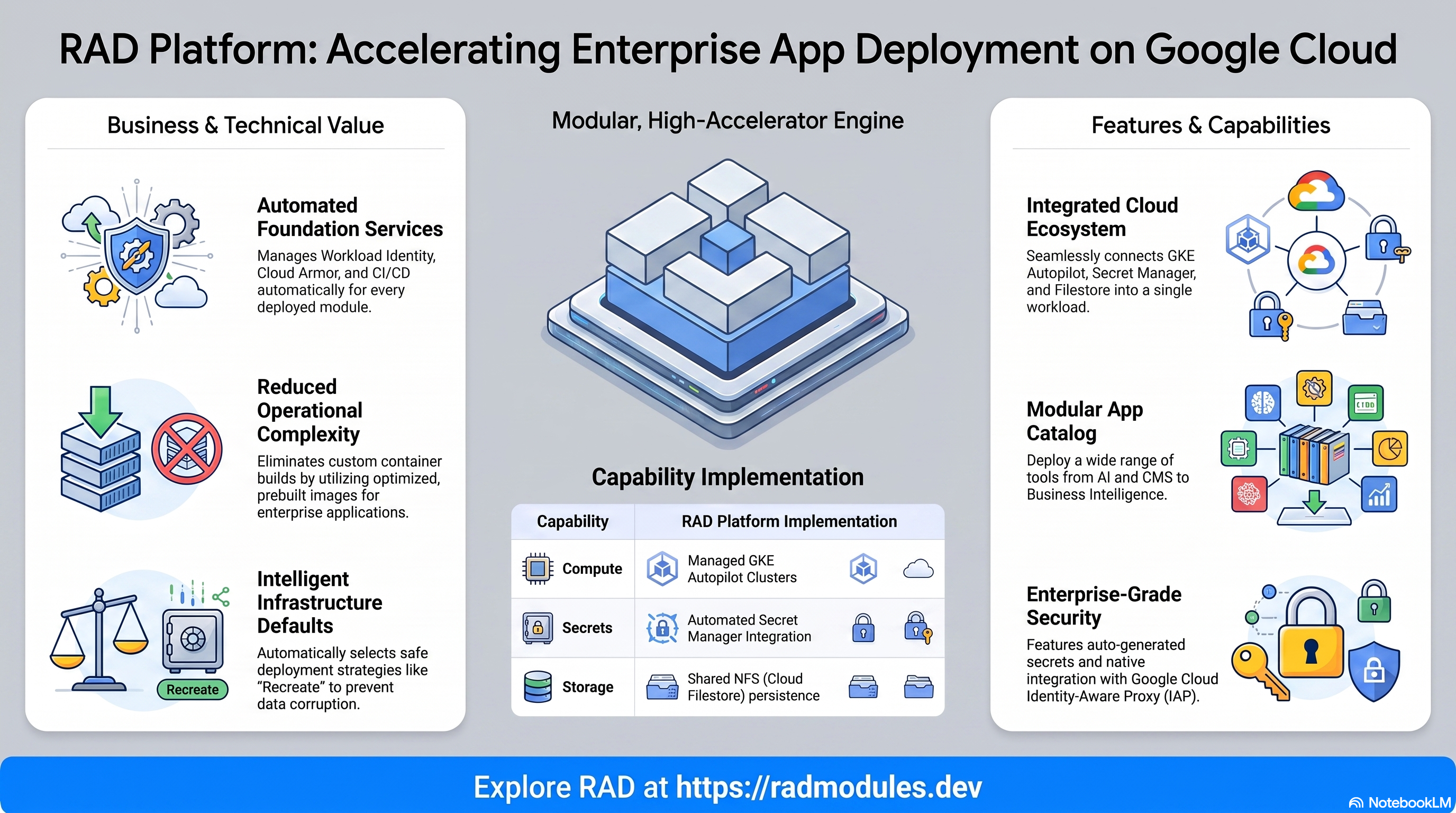
Karakeep is an open-source, self-hostable bookmark-everything app (links, notes, and images) with AI-based automatic tagging and full-text/semantic search. This module deploys Karakeep on GKE Autopilot on top of the App_GKE foundation, which provisions and manages the shared Google Cloud and Kubernetes infrastructure.
This guide focuses on the cloud services Karakeep uses and how to explore and operate them from the Google Cloud Console and the command line. For the mechanics common to every GKE application — Workload Identity, ingress, autoscaling, CI/CD, Cloud Armor, IAP, Binary Authorization, VPC Service Controls, backups, and the deployment lifecycle — refer to the App_GKE foundation guide rather than repeating them here.
What Karakeep costs on RAD, and how that compares
Karakeep on RAD's GKE module costs about US$54 a month in your own project, plus a 40-credit (US$4) module fee once per deployment. If you only need it for a bounded project, see "Pause it for free" below to stop paying without losing your bookmarks. Karakeep also ships as a Cloud Run module, which is the lower-cost option here (about US$30/month) — see the Cloud Run guide unless you already run GKE Autopilot for other apps.
What you pay on RAD
| In a Google Cloud project you own | In a project RAD manages for you | |
|---|---|---|
| Module fee, once per deployment | 40 credits (US$4.00) | 36 credits (10% lower) |
| Build time | A few credits per build | The same |
| Google Cloud running cost | Billed by Google to your own billing account, about US$53.72 a month for the default configuration (table below) | Metered hourly in credits; RAD publishes 69 credits a day |
| Who owns what | You own the project and its billing; RAD deploys and updates it | RAD owns the project, with guardrails, quotas and budget alerts; you get console access, and a minimum purchased balance is held in reserve |
10 credits cost US$1 on a one-off top-up, less on a plan. In a project RAD manages, the database, file server and network are shared by every application in the project, so a second application does not add a second database.
Default running cost in your own project (us-central1, Google list prices):
| Resource (module default) | Per month |
|---|---|
| GKE Autopilot pod, 1x vCPU / 0.5 GiB | US$34.29 |
| NFS/cache file server (small VM) | US$13.43 |
| Cloud NAT and networking | US$5.00 |
| Cloud Storage (add-ons, backups) | US$1.00 |
| GKE cluster management fee | shared across every GKE app in the project; $0 if this is your only cluster, else ~73 |
| Total | about US$53.72 |
How it compares
- Karakeep (formerly Hoarder) has no official hosted SaaS plan of its own to compare against — it is distributed purely as a self-hosted app with an embedded SQLite database — so the honest comparison is a bare server.
- Its footprint is light (1 vCPU, 0.5 GiB), so even a cheaper/smaller VPS tier than the ones below would run it comfortably; for reference, a Hetzner CPX22 or DigitalOcean 2 vCPU/4 GB droplet runs about $24/month.
- What RAD adds over a bare VPS: the NFS share for uploaded images and attachments, managed networking and monitoring — Karakeep's own SQLite database needs no separate database service to administer, so the gap here is mostly storage and operational convenience rather than database upkeep.
Pause it for free: delete a RAD-managed project, restore it when you need it
If Karakeep runs in a project RAD manages for you and you expect to come back to it — a break between courses, a seasonal lull, or simply not knowing yet whether you'll need it next month — this is the better option, and it costs almost nothing.
Deleting a RAD-managed project unlinks its billing first, then asks Google to delete the project outright: Google's own 30-day recoverable soft delete. Unlike deleting Karakeep as a single module, this does not tear down the Cloud Run/GKE service, NFS file server and networking one by one — the whole project simply stops, and nothing is charged while it waits, because billing is already unlinked.
Restoring, within 30 days and only by the project's owner, asks Google to undelete the project and reattaches its billing account, then asks you to run Update on each deployment to confirm everything came back. Because nothing was individually destroyed, that Update finds the same resources already there — it is a check, not a rebuild, and an Update never charges the module fee again. This costs only a handful of credits (under US$1) in build time for a typical chain of deployments.
What this needs: you must own the project (not one RAD only manages billing for), you must restore it yourself within 30 days — after that Google deletes it for good — and restoring is admitted like creating a new project, so your purchased credit balance must still clear the tier's floor (100 credits for the sandbox tier most use fits). Google says most services are fully working again within 36 hours of a restore.
One real gap: nightly backups are written to a bucket inside the project, and that bucket has Cloud Storage's soft-delete explicitly turned off, so it is very likely gone as soon as you delete the project, even though the project itself is recoverable for 30 days. Karakeep's own nightly export of its SQLite database and uploaded assets is kept in that bucket; for a default install this is the only copy of your bookmarks worth keeping.
Pay only while you use it, the other way: delete and redeploy
In your own project, or once the 30-day window above has passed, the fallback is to delete Karakeep outright and redeploy it later.
- What a redeploy costs: the module fee again, plus the builds — roughly the module fee shown above plus 3–6 credits of build time.
- When it's worth it: deleting saves money only once Karakeep would otherwise sit unused for about 2 days or more in your own project (under a day in a RAD-managed one). The GKE cluster management fee and the NFS VM are most of the running cost here, so deleting Karakeep alone saves only its own share if either is shared with other apps.
- Keep data first. Nightly backups are written to a bucket inside the deployment, and that bucket is deleted with it — copy the latest backup out (to Google Drive, or a bucket you keep) before deleting if you want to keep it.
Lab sessions and Managed Environments
- Lab sessions, for training. A trainer runs a session for a class. Each participant gets the app in their own Google Cloud project for 15 minutes to 24 hours, within an allowance the trainer sets. Either the trainer funds every place, or each participant pays for their own. Everything is deleted when the session ends and unused credits go back to the trainer.
- Managed Environments, for consultancies. A partner runs the app for a client from a ring-fenced wallet it funds, and settles with the client directly. If the wallet runs low, billing pauses and the data is kept, so nobody receives an unexpected charge. At the end the partner hands the project over and the deployments become the client's own.
- Credits can be bought in more than 20 currencies, including XAF, XOF, NGN, GHS, KES and ZAR, by card, bank transfer or mobile money.
Sources (8 October 2026): Google Cloud list prices from the Cloud Billing Catalog API; RAD fees and the daily-credit estimate from radmodules.dev/pricing; Google Cloud: delete and restore projects for the pause/restore mechanism. Prices change; check each source before relying on a figure.
1. Overview
Karakeep runs as a Next.js web workload, paired with a mandatory Meilisearch sidecar Service for search. Unlike most apps in this catalogue it uses no external relational database — all state lives in an embedded SQLite database plus uploaded assets on the platform's shared NFS volume:
| Capability | Google Cloud service | Notes |
|---|---|---|
| Compute | GKE Autopilot | Next.js pod, 1 vCPU / 512 MiB by default, pinned to a single replica |
| Search | GKE Autopilot (internal Service) | A required Meilisearch sidecar, deployed automatically — not optional |
| Database | none | State lives in an embedded SQLite database, not Cloud SQL |
| Object storage | none (NFS instead) | Uploaded assets persist on the platform's shared NFS volume, not GCS |
| Secrets | Secret Manager | Auto-generated NEXTAUTH_SECRET and MEILI_MASTER_KEY |
| Ingress | Cloud Load Balancing | External LoadBalancer, optional custom domain + managed certificate |
Sensible defaults worth knowing up front:
- No Cloud SQL.
database_type = "NONE"— Karakeep's embedded SQLite database and uploaded assets both live on the platform's shared NFS volume. - Single replica only.
max_instance_count = 1— multiple pods writing the same SQLite file over NFS risks corruption even with WAL mode disabled. Recreatedeploy strategy applied automatically. The Foundation detects NFS-backed apps and usesRecreateinstead ofRollingUpdate, avoiding the two-pods-briefly-running deadlock a rolling update would otherwise cause.- Meilisearch is mandatory, not optional. Deployed automatically as an
internal-only Kubernetes Service. Without it, Karakeep's
MEILI_ADDRis unset and search is silently disabled. - No custom container build. Karakeep's SQLite journal mode already defaults
to the NFS-safe
DELETEmode — the official prebuilt image is deployed as-is. - No admin-bootstrap credential. The first account created through the web UI's sign-up form becomes the admin.
NEXTAUTH_URLuses native Kubernetes$(VAR)substitution —$(GKE_SERVICE_URL)resolves to the Foundation's own injected value at container start (unlike Cloud Run, where$(VAR)is passed through literally).
2. Google Cloud Services & How to Explore Them
All commands assume you have run
gcloud container clusters get-credentials <cluster> --region <region> --project <project>
and that PROJECT, REGION, and NAMESPACE are set.
A. GKE Autopilot — the Karakeep workload
- Console: Kubernetes Engine → Workloads → select the Karakeep workload. Kubernetes Engine → Services & Ingress shows the external IP.
- CLI:
kubectl get pods,svc -n "$NAMESPACE"
kubectl logs -n "$NAMESPACE" deploy/<service-name> --tail=100
See App_GKE for how Autopilot, scaling, and the workload type are managed.
B. Meilisearch (required sidecar)
Deployed automatically as a separate, internal-only Kubernetes Service. Its URL
is auto-injected into the main app's MEILI_ADDR. Its index lives on the
sidecar's own ephemeral storage — additional services don't share the main
app's NFS volume — and rebuilds from scratch on every restart. This affects
search availability only, not data safety; bookmarks persist on the main app's
NFS-mounted /data.
- CLI:
kubectl get svc -n "$NAMESPACE" -l app=meilisearch
kubectl logs -n "$NAMESPACE" deploy/<service>-meilisearch --tail=50
C. NFS (Cloud Filestore or the self-managed NFS+Redis VM)
Both Karakeep's embedded SQLite database and its uploaded assets live on the
platform's shared NFS volume, mounted at /data.
- CLI:
gcloud filestore instances list --project "$PROJECT" 2>/dev/null
gcloud compute instances list --project "$PROJECT" --filter="name~nfs"
D. Secret Manager
Two secrets are generated automatically: NEXTAUTH_SECRET and
MEILI_MASTER_KEY.
- CLI:
gcloud secrets list --project "$PROJECT" --filter="name~karakeep"
gcloud secrets versions access latest --secret=<secret-name> --project "$PROJECT"
E. Networking & ingress
- CLI:
kubectl get svc -n "$NAMESPACE" -o wide
F. Cloud Logging & Monitoring
- CLI:
kubectl logs -n "$NAMESPACE" deploy/<service-name> --tail=100 -f
3. Karakeep Application Behaviour
- No first-deploy database setup Job. Karakeep manages its own SQLite schema internally at startup.
- No admin-bootstrap credential to retrieve. The first account created through the web UI becomes the admin.
- Search depends on the sidecar being reachable. If the Meilisearch Service fails to start, search silently stops working; bookmarking continues.
- Health path. The startup probe targets
/; the liveness probe (health_check_config) targets/api/health, which returns a literal 200./redirects to/signin(307), and the liveness path is mirrored into the Gateway health check, which treats a redirect as unhealthy.
4. Configuration Variables
Variables are grouped exactly as they appear on the deployment platform. Only settings specific to or notable for Karakeep are listed; every other input is inherited from App_GKE with its standard behaviour.
Group 3 — Application Identity
| Variable | Default | Description |
|---|---|---|
application_name | karakeep | Base name for resources. |
application_version | latest | Maps to Karakeep's own rolling "release" tag. |
Group 4 — Runtime & Scaling
| Variable | Default | Description |
|---|---|---|
container_image_source | prebuilt | No custom build needed. |
min_instance_count / max_instance_count | 0 / 1 | Single-replica pinned for SQLite-over-NFS safety. |
container_port | 3000 | Karakeep's native default port. |
Group 11 — Storage & Filesystem
| Variable | Default | Description |
|---|---|---|
enable_nfs | true | Required — Karakeep's SQLite database and assets live here. |
nfs_mount_path | "/app/data" | The module sets DATA_DIR to this path. The Cloud Run variant uses /data instead — both work, since DATA_DIR always follows the mount. |
stateful_pvc_enabled | null | Unset, so App_GKE's own resolution logic applies (no PVC). Karakeep uses NFS, not a block PVC. |
Group 12 — Database Backend
| Variable | Default | Description |
|---|---|---|
database_type | NONE | Fixed — no Cloud SQL instance is provisioned. |
5. Outputs
| Output | Description |
|---|---|
service_name | Kubernetes Service name. |
namespace | Kubernetes namespace. |
service_external_ip | External LoadBalancer IP. |
database_instance_name / database_name / database_user / database_host / database_port | Empty — not applicable. |
storage_buckets | Empty — Karakeep persists via NFS. |
kubernetes_ready | Whether the workload reached Ready state. |
6. Configuration Pitfalls & Sensible Defaults
Risk: Critical (data loss / outage / security) — High (service degraded) — Medium (cost or partial degradation) — Low (minor).
| Setting | Sensible value | Risk | Consequence if wrong |
|---|---|---|---|
max_instance_count | 1 (pinned default) | Critical | Raising this risks SQLite corruption from concurrent NFS writers. |
| First account created via sign-up | Create it immediately after deploy | Critical | The first account to register becomes admin. |
enable_nfs | true (default) | Critical | Disabling it removes all durable storage. |
container_image_source | prebuilt (default) | High | "custom" triggers an unnecessary Cloud Build with no Dockerfile in this module. |
| Meilisearch sidecar reachability | Verify MEILI_ADDR resolved after deploy | Medium | Search silently stops working if the sidecar fails to start. |
NEXTAUTH_SECRET (auto-generated) | Never rotate after first boot | Critical | Rotating it invalidates every active session. |
DATA_DIR env var | Set explicitly (this module always sets it to nfs_mount_path) | Critical | Karakeep's own default is an empty string, not /data (that default only exists in the upstream docker-compose template). Left unset, migrations and the SQLite file silently resolve to ephemeral storage instead of the NFS mount. |
additional_services[].secret_env_vars value format | Simple key name (e.g. "MEILI_MASTER_KEY") | High | GKE's consolidated per-tenant K8s Secret stores keys named after the env var itself — not the raw Secret Manager secret_id string (that's the Cloud Run convention). Using the wrong format causes CreateContainerConfigError: couldn't find key <secret_id> in Secret <prefix>-secrets. |
For the foundation behaviour referenced throughout — Workload Identity, ingress, autoscaling, CI/CD, Cloud Armor, IAP, Binary Authorization, VPC-SC, backups, and image mirroring — see App_GKE. Karakeep-specific application configuration shared with the Cloud Run variant is described in Karakeep_Common.
Related guides
- Hands-on lab: Karakeep on GKE Autopilot — deploy it step by step, with the console screens and commands at each stage.
- Karakeep on Google Cloud Run — the same application on Cloud Run, for when you need the other deployment target.
- Karakeep Common — Shared Application Configuration — the configuration shared by both deployment targets.
Need RAD to do something it does not do yet? Request it on the roadmap, or vote on what is already there.