Bank GKE Module
Overview
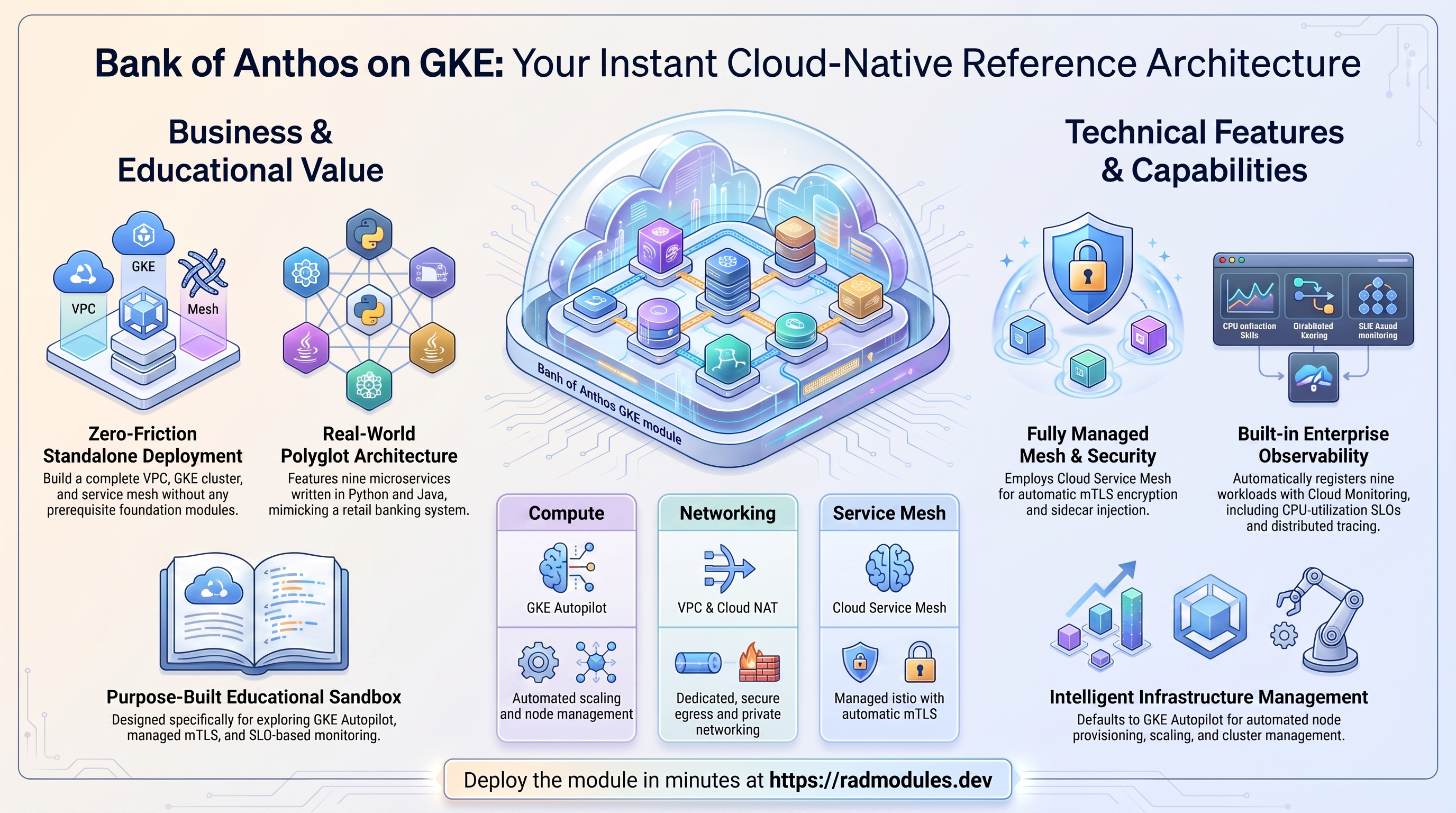
The Bank_GKE module deploys a production-grade microservices banking application on a single Google Kubernetes Engine (GKE) cluster. It is designed as a focused learning environment for platform engineers who want hands-on experience with core GKE capabilities, Cloud Service Mesh, Anthos Config Management, and cloud-native observability — within a single-region, single-cluster deployment that is simpler to reason about than a multi-cluster setup.
The application deployed is Bank of Anthos — an open-source, HTTP-based banking simulation built by Google Cloud Platform. It consists of nine microservices written in Python and Java, communicating over a service mesh, and exposed to the internet via a GKE-managed global HTTPS load balancer with automatic TLS certificate management.
This module is intended for educational purposes. It is not a production banking system. Its value lies in the breadth of GKE Enterprise features it exercises in a realistic, working application context.
Relationship to MC_Bank_GKE: This module covers the same application and most of the same GKE features as
MC_Bank_GKE, but deploys to a single cluster in a single region. It adds Anthos Config Management and Service Level Objectives (SLOs) which are not covered byMC_Bank_GKE. If you have completedMC_Bank_GKE, treat this module as a complement focused on Config Management, SLOs, and single-cluster ingress patterns.
What You Will Learn
By deploying and exploring this module, a platform engineer will gain practical experience with:
- Deploying and managing a GKE cluster (Autopilot or Standard) in a single region
- Registering a cluster in a GKE Fleet for centralised management and feature enablement
- Enabling and operating Cloud Service Mesh (Anthos Service Mesh) with automatic sidecar injection and mTLS
- Configuring GKE Ingress with a regional backend, managed TLS certificate, HTTPS redirect, and BackendConfig health checks
- Using Google-managed SSL/TLS certificates with automatic provisioning via
ManagedCertificate - Applying GKE Security Posture scanning and workload vulnerability detection
- Working with Workload Identity to bind Kubernetes workloads to GCP service accounts without key files
- Using Managed Prometheus for cluster and workload observability
- Defining and monitoring Service Level Objectives (SLOs) for each microservice in Cloud Monitoring
- Enabling Anthos Config Management (Config Sync) to synchronise Kubernetes configuration from a Git repository
- Configuring the GCS FUSE CSI driver for mounting Cloud Storage buckets as pod volumes
- Enabling the GKE Gateway API for advanced traffic management
- Designing and operating a custom VPC with subnet isolation, Cloud NAT, and firewall policies
Architecture Overview
The module creates the following architecture:
Internet
│
▼
Global External Load Balancer (Google Cloud)
│ ┌─ HTTPS redirect (HTTP 301)
│ ├─ Google-managed TLS certificate
│ └─ sslip.io dynamic DNS domain
│
▼
GKE Ingress
│ ├─ BackendConfig (health checks, IAP placeholder)
│ └─ NEG (Network Endpoint Group)
│
▼
GKE Cluster (single region)
│
├─ bank-of-anthos namespace (ASM-injected)
│ └─ 9 microservices + 2 PostgreSQL StatefulSets
│
├─ Cloud Service Mesh (ASM)
│ └─ mTLS, telemetry, traffic management
│
└─ GKE Fleet
├─ ASM feature
└─ Config Management feature (optional)
Key Architectural Decisions
Single cluster, single region: All workloads run in one cluster in one GCP region. This simplifies the architecture and focuses attention on application-level features (service mesh, ingress, observability) without the additional complexity of cross-cluster coordination.
Standard GKE Ingress vs Multi-Cluster Ingress: Unlike MC_Bank_GKE, this module uses a standard Kubernetes Ingress resource backed by a GKE-managed Global Layer 7 load balancer. This is the most common ingress pattern for single-cluster GKE deployments and is suitable for most production workloads that do not require multi-region failover.
Anthos Config Management: This module optionally enables Config Sync, which continuously reconciles cluster configuration against a Git repository. This enables a GitOps workflow where the desired state of the cluster is expressed as code in a repository.
Service Level Objectives: The module creates Cloud Monitoring SLOs for all nine Bank of Anthos microservices, providing a ready-made framework for understanding SLO-based reliability engineering.
Namespace as mesh boundary: The bank-of-anthos namespace is labelled with istio.io/rev=asm-managed, triggering automatic Envoy sidecar injection into every pod in that namespace.
GKE Cluster Features
Autopilot vs Standard Clusters
This module supports both GKE Autopilot and Standard cluster modes, selectable at deployment time. Autopilot is the default.
| Feature | Autopilot | Standard |
|---|---|---|
| Node management | Fully managed by Google | Self-managed node pools |
| Node provisioning | Automatic, per-pod | Manual or cluster autoscaler |
| Pricing model | Per-pod resource usage | Per-node (always-on) |
| Spot/preemptible nodes | Supported via pod config | Spot nodes configured in node pool |
| Workload Identity | Enabled automatically | Must be explicitly enabled |
| Security hardening | Enforced by default | Configurable |
| Best for | Simplicity and cost efficiency | Maximum control and customisation |
In Standard mode, this module provisions a node pool with the following defaults:
- Machine type:
e2-standard-2(2 vCPU, 8 GB RAM) - Disk: 50 GB SSD (
pd-ssd) - Spot instances: enabled — nodes are preemptible, reducing cost by up to 80%, appropriate for a learning environment
- Node count: 2 nodes, spread across all available zones in the region
Explore in the Console: Navigate to Kubernetes Engine → Clusters to see the cluster, its mode (Autopilot/Standard), version, and node count. Click the cluster name and select the Nodes tab to see individual node status, machine type, and zone placement.
Inspect via CLI:
# Confirm cluster mode and version
gcloud container clusters describe gke-cluster \
--region REGION --project PROJECT_ID \
--format="table(name,autopilot.enabled,currentMasterVersion,status)"
# List nodes and their status
kubectl get nodes -o wide
# List node pools (Standard only)
gcloud container node-pools list \
--cluster gke-cluster \
--region REGION --project PROJECT_ID \
--format="table(name,config.machineType,config.spot,initialNodeCount,status)"
Release Channel
The cluster is enrolled in the REGULAR release channel by default. GKE release channels automate cluster upgrades and ensure nodes and control planes stay on a supported, tested version.
| Channel | Update cadence | Best for |
|---|---|---|
| RAPID | Immediately after release | Feature testing, dev environments |
| REGULAR | 2–4 weeks after RAPID | Most production workloads |
| STABLE | 2–4 weeks after REGULAR | Risk-averse, compliance-sensitive workloads |
| EXTENDED | Up to 24 months support | Long-running, infrequently updated clusters |
Explore in the Console: Navigate to Kubernetes Engine → Clusters → (cluster name) → Details and look for the Release channel field. The console shows the current master version and the next available upgrade.
Inspect via CLI:
# Check release channel and current version
gcloud container clusters describe gke-cluster \
--region REGION --project PROJECT_ID \
--format="value(releaseChannel.channel,currentMasterVersion)"
# Check what versions are available in each channel
gcloud container get-server-config \
--region REGION --project PROJECT_ID \
--format="yaml(channels)"
Security Posture
The cluster has Security Posture enabled in BASIC mode with VULNERABILITY_BASIC scanning. This continuously evaluates the cluster against security best practices and scans running workload container images for known CVEs.
What Security Posture provides:
- Workload configuration auditing: flags pods running as root, containers without resource limits, missing liveness/readiness probes, and other misconfigurations
- Vulnerability scanning: scans container images in running workloads against OS and language package vulnerability databases
- Actionable findings: surfaces issues in the Security Posture dashboard with severity ratings and remediation guidance
This is distinct from Artifact Registry vulnerability scanning (which scans images at push time) — Security Posture scans running workloads, catching drift between what was pushed and what is deployed.
Explore in the Console: Navigate to Kubernetes Engine → Security Posture to see workload configuration findings and vulnerability scan results grouped by severity.
Inspect via CLI:
# View the cluster's security posture configuration
gcloud container clusters describe gke-cluster \
--region REGION --project PROJECT_ID \
--format="value(securityPostureConfig)"
Workload Identity
For Standard clusters, Workload Identity is enabled. This is the recommended mechanism for granting Kubernetes workloads access to Google Cloud APIs without static service account key files.
How it works:
- The cluster gets a Workload Identity Pool:
PROJECT_ID.svc.id.goog - A Kubernetes Service Account (KSA) is annotated to link it to a Google Service Account (GSA)
- The GSA is granted an IAM binding allowing the KSA to impersonate it
- Pods using that KSA obtain short-lived tokens via the GKE metadata server — no key files required
In this module, Bank of Anthos uses Workload Identity to send traces to Cloud Trace and metrics to Cloud Monitoring.
Explore in the Console: Navigate to Kubernetes Engine → Clusters → (cluster name) → Details and confirm the Workload Identity field shows PROJECT_ID.svc.id.goog.
Inspect via CLI:
# Confirm Workload Identity pool
gcloud container clusters describe gke-cluster \
--region REGION --project PROJECT_ID \
--format="value(workloadIdentityConfig.workloadPool)"
# View the KSA annotation linking it to a GSA
kubectl get serviceaccount bank-of-anthos \
-n bank-of-anthos -o yaml | grep iam.gke.io
Managed Prometheus
Managed Service for Prometheus is enabled — Google's fully managed, Prometheus-compatible monitoring solution built into GKE.
What it provides:
- Prometheus-compatible metrics collection without deploying or managing a Prometheus server
- Automatic scraping of Kubernetes system components (
kube-state-metrics,node-exporter,kubelet) - Long-term storage backed by Google's Monarch metrics infrastructure
- Query interface via Cloud Monitoring or PromQL
- Out-of-the-box dashboards for cluster health, node utilisation, and workload metrics
The module enables SYSTEM_COMPONENTS metric collection by default. Workload-level scraping requires a PodMonitoring or ClusterPodMonitoring custom resource (see the Hands-On Exercises section).
Explore in the Console: Navigate to Monitoring → Dashboards → GKE and open GKE Cluster Overview for node and pod metrics, or Kubernetes Engine Prometheus Overview for Prometheus metrics.
Inspect via CLI:
# Confirm Managed Prometheus is enabled
gcloud container clusters describe gke-cluster \
--region REGION --project PROJECT_ID \
--format="value(monitoringConfig.managedPrometheusConfig.enabled)"
# List any PodMonitoring resources deployed
kubectl get podmonitoring -A
GCS FUSE CSI Driver
The Cloud Storage FUSE CSI driver is enabled, allowing pods to mount Google Cloud Storage buckets as a POSIX-compatible filesystem volume.
Use cases:
- Sharing large static assets across pods without baking them into container images
- Mounting read-only reference data updated externally by a CI pipeline
- Offloading write workloads (logs, exports) directly to GCS
Explore in the Console: Navigate to Kubernetes Engine → Clusters → (cluster name) → Details and look for GCS FUSE CSI driver under the Storage section — it should show as Enabled.
Inspect via CLI:
# Confirm GCS FUSE CSI driver is enabled
gcloud container clusters describe gke-cluster \
--region REGION --project PROJECT_ID \
--format="value(addonsConfig.gcsFuseCsiDriverConfig.enabled)"
# Verify the driver pods are running
kubectl get pods -n kube-system -l k8s-app=gcs-fuse-csi-driver
Gateway API
The Gateway API is enabled on CHANNEL_STANDARD. Gateway API is the successor to Kubernetes Ingress, providing a more expressive, role-oriented model for traffic routing.
| Capability | Ingress | Gateway API |
|---|---|---|
| Traffic splitting | Limited / annotation-based | Native (HTTPRoute weights) |
| Header-based routing | Annotation-based | Native |
| Role separation | Single resource | Separate Gateway + Route objects |
| Protocol support | HTTP/HTTPS | HTTP, HTTPS, TCP, gRPC, TLS |
Inspect via CLI:
# List available GatewayClasses
kubectl get gatewayclass
# List any deployed Gateway and HTTPRoute resources
kubectl get gateway,httproute -A
Cost Management
GKE Cost Management is enabled. This attributes resource costs (CPU, memory, storage) to Kubernetes namespaces and labels, enabling per-team or per-workload cost visibility.
Explore in the Console: Navigate to Billing → Reports and add a grouping by Label → k8s-namespace to see cost attribution by workload. The per-cluster breakdown is also visible under Kubernetes Engine → Clusters → (cluster name) → Observability → Cost.
Networking
VPC Design
The cluster is deployed into a custom VPC with GLOBAL routing mode. Using a global VPC means that even though only one region is used today, subnets in other regions can be added later without requiring VPC peering or additional routing configuration.
The VPC uses auto_create_subnetworks = false — no default subnets are created. Every subnet is explicitly defined with CIDR ranges sized to match the cluster's requirements. Private Google Access is enabled on the subnet so pods can reach Google APIs without traversing the internet.
Explore in the Console: Navigate to VPC Network → VPC Networks → vpc-network to see the subnet, its primary and secondary IP ranges, and the region.
Inspect via CLI:
# View the VPC and its subnets
gcloud compute networks describe vpc-network --project PROJECT_ID
# List subnets with all IP ranges
gcloud compute networks subnets list \
--network vpc-network --project PROJECT_ID \
--format="table(name,region,ipCidrRange,secondaryIpRanges[].rangeName,secondaryIpRanges[].ipCidrRange)"
Subnet and IP Allocation
The cluster subnet uses the following default IP ranges, all configurable at deployment time:
| Range type | Default CIDR | Size | Purpose |
|---|---|---|---|
| Primary (nodes) | 10.132.0.0/16 | 65,536 IPs | Node VM addresses |
| Pod secondary range | 10.62.128.0/17 | 32,768 IPs | Pod IP addresses (VPC-native) |
| Service secondary range | 10.64.128.0/20 | 4,096 IPs | ClusterIP service addresses |
VPC-native clusters: GKE uses alias IP ranges, meaning pod IP addresses are drawn directly from the subnet's secondary range and are routable within the VPC without IP masquerading. This is a prerequisite for Container-native load balancing with Network Endpoint Groups (NEGs).
Cloud Router and Cloud NAT
The subnet is paired with a Cloud Router and Cloud NAT gateway, providing outbound internet connectivity for nodes and pods without requiring public IP addresses on nodes.
Cloud NAT configuration:
- IP allocation:
AUTO_ONLY— Google manages external IPs automatically - Scope: applies to all IP ranges in the subnet (node, pod, and service ranges)
- Logging: errors only — NAT translation failures are sent to Cloud Logging
Explore in the Console: Navigate to Network Services → Cloud NAT to see the NAT gateway, its configuration, and connection counts.
Inspect via CLI:
# Describe the Cloud NAT gateway
gcloud compute routers nats describe nat-config \
--router vpc-router \
--region REGION --project PROJECT_ID
# Check for NAT errors in Cloud Logging
gcloud logging read \
'resource.type="nat_gateway" severity>=WARNING' \
--project PROJECT_ID --limit 20
Firewall Rules
The module creates five firewall rules:
| Rule | Direction | Source | Ports | Purpose |
|---|---|---|---|---|
allow-lb-health-checks | Ingress | 130.211.0.0/22, 35.191.0.0/16 | TCP 80 | Load balancer health probes to pods |
allow-nfs-health-checks | Ingress | 130.211.0.0/22, 35.191.0.0/16 | TCP 2049 | NFS volume health checks |
allow-ssh-iap | Ingress | 35.235.240.0/20 | TCP 22 | SSH access via Identity-Aware Proxy tunnel |
allow-internal-pods | Ingress | Pod CIDR (10.62.128.0/17) | All | Pod-to-pod communication across nodes |
allow-http-https | Ingress | 0.0.0.0/0 | TCP 80, 443 | External HTTP/HTTPS traffic to the load balancer |
Notable differences from MC_Bank_GKE: This module uses IAP-tunnelled SSH (35.235.240.0/20) instead of direct SSH from 0.0.0.0/0, and includes an explicit NFS health check rule for port 2049. The IAP tunnel approach is more secure — SSH access to nodes requires an authenticated GCP identity and does not expose port 22 to the internet.
Explore in the Console: Navigate to VPC Network → Firewall and filter by network vpc-network.
Inspect via CLI:
# List all firewall rules on the VPC
gcloud compute firewall-rules list \
--filter="network:vpc-network" --project PROJECT_ID \
--format="table(name,direction,sourceRanges.list():label=SOURCES,allowed[].map().firewall_rule().list():label=ALLOW)"
Static External IP
One global static external IP address is reserved and named bank-of-anthos. This IP is referenced by the GKE Ingress resource annotation kubernetes.io/ingress.global-static-ip-name, which pins the load balancer to a known, stable address.
Inspect via CLI:
# View reserved global IP addresses
gcloud compute addresses list --global --project PROJECT_ID \
--format="table(name,address,status)"
GKE Fleet and Cloud Service Mesh
GKE Fleet
The cluster is registered as a Fleet Membership immediately after creation. The fleet provides a unified control plane for enabling and managing features across clusters — even when there is only one cluster, fleet membership is required to use Cloud Service Mesh and Anthos Config Management.
Explore in the Console: Navigate to Kubernetes Engine → Fleets to see the registered cluster, its membership state, and the features enabled on it.
Inspect via CLI:
# View fleet membership state
gcloud container fleet memberships list --project PROJECT_ID
gcloud container fleet memberships describe gke-cluster \
--location global --project PROJECT_ID
# List all fleet features and their per-cluster states
gcloud container fleet features list --project PROJECT_ID
Cloud Service Mesh (ASM)
Cloud Service Mesh (CSM) is enabled by default with MANAGEMENT_AUTOMATIC mode. Google provisions and manages the Istio control plane entirely — no istiod pods appear in the cluster, and control plane upgrades happen automatically aligned with the cluster's release channel.
Data plane: Envoy proxy sidecars are injected into every pod in the bank-of-anthos namespace. All pod-to-pod traffic passes through the sidecar, which enforces mTLS, collects telemetry, and applies traffic policies.
Control plane: Google-managed, running in Google's infrastructure. You interact with the mesh only through Kubernetes custom resources (VirtualService, DestinationRule, PeerAuthentication, AuthorizationPolicy).
Explore in the Console: Navigate to Kubernetes Engine → Service Mesh to see the live service topology graph, per-service golden signals (latency, traffic, errors, saturation), and control plane health.
Inspect via CLI:
# Overall mesh health
gcloud container fleet mesh describe --project PROJECT_ID
# Verify ASM components are running
kubectl get pods -n istio-system
kubectl get pods -n asm-system
# View the managed ASM revision
kubectl get controlplanerevision -n istio-system
# Confirm sidecar injection label on the namespace
kubectl get namespace bank-of-anthos --show-labels
# Confirm every pod has an istio-proxy sidecar
kubectl get pods -n bank-of-anthos \
-o jsonpath='{range .items[*]}{.metadata.name}{"\t"}{range .spec.containers[*]}{.name}{" "}{end}{"\n"}{end}'
Mutual TLS
With ASM enabled, all pod-to-pod communication within the bank-of-anthos namespace is encrypted with mutual TLS by default. Each sidecar receives a short-lived X.509 certificate encoding its SPIFFE workload identity:
spiffe://PROJECT_ID.svc.id.goog/ns/bank-of-anthos/sa/bank-of-anthos
Inspect via CLI:
# List PeerAuthentication policies (controls mTLS mode)
kubectl get peerauthentication -n bank-of-anthos
kubectl get peerauthentication -n istio-system
# Inspect the mTLS certificate from inside a running sidecar
FRONTEND_POD=$(kubectl get pod -n bank-of-anthos \
-l app=frontend -o jsonpath='{.items[0].metadata.name}')
kubectl exec -n bank-of-anthos $FRONTEND_POD -c istio-proxy -- \
openssl s_client \
-connect userservice.bank-of-anthos.svc.cluster.local:8080 \
-showcerts 2>/dev/null | openssl x509 -noout -text | \
grep -E "Subject:|URI:"
ASM Observability
ASM automatically generates the four golden signals for every service-to-service call from sidecar telemetry — no application instrumentation required.
Service metrics in Cloud Monitoring under the istio.io namespace:
| Metric | Description |
|---|---|
istio.io/service/server/request_count | Inbound request volume per service |
istio.io/service/server/response_latencies | Inbound latency distribution |
istio.io/service/client/request_count | Outbound requests per source/destination |
istio.io/service/client/roundtrip_latencies | End-to-end client-side latency |
Distributed tracing is enabled via the Stackdriver ConfigMap applied to istio-system. Every inbound request generates a trace spanning all microservice hops, visible in Trace → Trace List in the Cloud Console.
Inspect via CLI:
# List Istio traffic management resources
kubectl get virtualservice,destinationrule,serviceentry -n bank-of-anthos
# View Envoy's live routing table for the frontend sidecar
kubectl exec -n bank-of-anthos $FRONTEND_POD -c istio-proxy -- \
pilot-agent request GET routes | python3 -m json.tool | head -60
# View AuthorizationPolicies
kubectl get authorizationpolicy -n bank-of-anthos
Anthos Config Management
Anthos Config Management (ACM) brings GitOps-style configuration synchronisation to GKE clusters. In this module, Config Sync watches a Git repository and automatically reconciles the desired Kubernetes state declared in that repository with the live state in the cluster. This enables repeatable, auditable, and version-controlled configuration management without manual kubectl apply operations.
This section is unique to Bank_GKE. The
MC_Bank_GKEmodule does not enable Anthos Config Management.
What Is Config Sync?
Config Sync is the component of ACM responsible for pulling manifests from a Git source and applying them to the cluster. It runs as a set of pods in the config-management-system namespace and continuously reconciles cluster state. If a resource is manually edited or deleted, Config Sync detects the drift and restores it.
Key characteristics:
| Property | Value |
|---|---|
| Source of truth | Git repository (configurable URL and branch) |
| Policy directory | Configurable subdirectory within the repo |
| Sync mechanism | Periodic poll + event-driven |
| Drift detection | Continuous — restores deleted or modified resources |
| Cluster scope | Cluster-scoped and namespace-scoped resources |
Console Navigation
Navigate to the ACM dashboard in the Google Cloud Console:
Kubernetes Engine → Config → Config Management
From this view you can see:
- The sync status of each registered cluster (Synced / Pending / Error)
- The commit SHA currently applied on the cluster
- Any errors or conflicts preventing sync
- The configured sync source (repo URL, branch, policy directory)
Viewing Config Sync Status
# Check Config Sync installation status
gcloud container fleet config-management status \
--project=${PROJECT_ID}
# List Config Sync pods
kubectl get pods -n config-management-system
# List the RootSync resource that drives synchronisation
kubectl get rootsync -n config-management-system -o yaml
# View the current sync status — shows last synced commit and any errors
kubectl describe rootsync root-sync -n config-management-system
# View the RepoSync resources (namespace-scoped syncs, if any)
kubectl get reposync -A
The RootSync resource is the primary driver. Its status.sync.commit field shows the last applied Git commit SHA, and status.conditions reports any error messages if synchronisation has failed.
How Config Sync Applies Resources
Config Sync uses a pull-based model:
- The
reconcilerpod reads the configured Git repository and branch. - It computes the set of Kubernetes manifests present in the policy directory.
- It applies any resources that are missing or differ from the live cluster state.
- It records the applied commit SHA in the
RootSyncstatus.
Resources managed by Config Sync are annotated with configmanagement.gke.io/managed: enabled and configsync.gke.io/resource-id. If you try to manually edit or delete these resources, Config Sync will revert the change on its next reconciliation cycle.
# See which resources are managed by Config Sync
kubectl get all -n bank-of-anthos -o yaml | \
grep -A2 "configmanagement.gke.io/managed"
Exploring the Sync Repository
The module configures Config Sync to point at a Git repository. To see the current repository and branch configured:
# Show the sync source configuration
kubectl get rootsync root-sync -n config-management-system \
-o jsonpath='{.spec.git}' | python3 -m json.tool
The output will show:
repo— the Git repository URLbranch— the branch being trackeddir— the subdirectory within the repo (policy directory)auth— authentication method (nonefor public repos,tokenorsshfor private)
Policy Controller
ACM also enables Policy Controller, which is built on OPA Gatekeeper. Policy Controller enforces custom policy rules as Kubernetes admission webhooks. Any resource that violates a constraint is rejected at admission time, before it reaches the cluster.
Console navigation: Kubernetes Engine → Config → Policy
Policy Controller concepts:
| Concept | Description |
|---|---|
| ConstraintTemplate | Defines the schema and Rego logic for a policy rule |
| Constraint | An instance of a template that enforces the rule on specific resource types |
| Audit mode | Reports violations on existing resources without blocking them |
| Deny mode | Rejects non-compliant resources at admission |
# List installed ConstraintTemplates
kubectl get constrainttemplates
# List all active Constraints across all templates
kubectl get constraints -A
# Check Policy Controller pods
kubectl get pods -n gatekeeper-system
# View violation counts per constraint
kubectl get constraints -A \
-o jsonpath='{range .items[*]}{.metadata.name}{"\t"}{.status.totalViolations}{"\n"}{end}'
ACM Upgrade and Drift Recovery
Config Sync is managed as a Fleet feature and receives updates automatically when you update the ACM feature version in the Fleet. You do not need to manually upgrade the Config Sync pods.
If a sync error occurs (e.g. a network partition, invalid manifest, or RBAC conflict), Config Sync will continue retrying. Check the RootSync status for the error message:
# Show recent sync errors with full detail
kubectl get rootsync root-sync -n config-management-system \
-o jsonpath='{.status.conditions}' | python3 -m json.tool
Restore sync by fixing the underlying cause (e.g. correcting the manifest in Git or resolving an RBAC conflict). Config Sync will detect the fix on the next poll cycle and resume normal operation.
GKE Ingress and Load Balancing
Bank_GKE exposes the frontend microservice to the internet using the GKE Ingress controller backed by a Google Cloud External HTTP(S) Load Balancer. This is a single-cluster ingress pattern — it differs from the MC_Bank_GKE module which uses Multi-Cluster Ingress (MCI). The GKE Ingress approach is simpler and is appropriate when high availability across multiple clusters or regions is not required.
Architecture Overview
The load balancing stack consists of five Kubernetes resources working together:
Internet
│
▼
Global External HTTP(S) Load Balancer (Google-managed)
│ Static external IP: "bank-of-anthos"
│ TLS certificate: ManagedCertificate (sslip.io domain)
│ HTTPS redirect: FrontendConfig (HTTP 301 → HTTPS)
│
▼
Backend Service (GCP) ──── BackendConfig (health check + IAP config)
│
▼
Network Endpoint Group (NEG) ──── auto-created per node zone
│
▼
frontend pods (port 8080) in bank-of-anthos namespace
The GKE Ingress controller creates and manages the underlying GCP load balancer resources automatically. You do not need to create load balancer rules, forwarding rules, or backend services manually.
Kubernetes Ingress Resource
The Ingress resource is the entry point. It uses two GKE-specific annotations:
kubernetes.io/ingress.global-static-ip-name— attaches the pre-allocated static external IP address namedbank-of-anthosnetworking.gke.io/managed-certificates— references theManagedCertificateresource for automatic TLS provisioning
Traffic routing rules:
| Host | Path | Backend Service | Port |
|---|---|---|---|
<app-domain> | / | bank-of-anthos (frontend) | 80 |
| (default) | any | bank-of-anthos (frontend) | 80 |
The default backend catches any request that does not match the host rule, ensuring no requests return a 404 from the load balancer itself.
Network Endpoint Groups (NEGs)
The frontend Service carries the annotation cloud.google.com/neg: '{"ingress": true}'. This instructs the GKE Ingress controller to use container-native load balancing via Network Endpoint Groups (NEGs) instead of node-port-based routing.
With NEG-based load balancing:
- The load balancer sends traffic directly to individual pod IP addresses, bypassing kube-proxy
- Each pod endpoint is registered in a zonal NEG
- Health checks are performed directly against pod IPs, not node IPs
- Pods are added to and removed from the NEG as they are scheduled and terminated
# List NEGs created for the frontend service
gcloud compute network-endpoint-groups list \
--filter="name~bank-of-anthos" \
--project=${PROJECT_ID}
# Describe a specific NEG
gcloud compute network-endpoint-groups describe ${NEG_NAME} \
--zone=${ZONE} \
--project=${PROJECT_ID}
# List endpoints registered in a NEG
gcloud compute network-endpoint-groups list-network-endpoints ${NEG_NAME} \
--zone=${ZONE} \
--project=${PROJECT_ID}
BackendConfig — Health Checks and IAP
The BackendConfig resource customises the GCP backend service that the load balancer uses. It is referenced by the frontend Service via the annotation cloud.google.com/backend-config.
Health check configuration:
| Parameter | Value | Meaning |
|---|---|---|
| Check interval | 2 seconds | How often the load balancer probes each pod endpoint |
| Timeout | 1 second | Time allowed for the probe to respond |
| Healthy threshold | 1 | Consecutive successes before marking healthy |
| Unhealthy threshold | 10 | Consecutive failures before removing from rotation |
| Protocol | HTTP | Plain HTTP probe (not HTTPS) |
| Request path | / | The path the load balancer probes |
The aggressive unhealthy threshold (10) prevents pods from being prematurely removed during slow startup or transient errors. The frontend application responds to GET / with HTTP 200 when healthy.
IAP (Identity-Aware Proxy) is configured in the BackendConfig but set to enabled: false. It can be enabled without redeploying by updating the BackendConfig and providing an OAuth client secret.
# View the BackendConfig
kubectl get backendconfig -n bank-of-anthos -o yaml
# View the GCP backend service created by the Ingress controller
gcloud compute backend-services list \
--filter="name~bank-of-anthos" \
--global \
--project=${PROJECT_ID}
# Describe the backend service health check
gcloud compute backend-services describe ${BACKEND_SERVICE_NAME} \
--global \
--project=${PROJECT_ID} \
--format="yaml(healthChecks,backends)"
FrontendConfig — HTTPS Redirect
The FrontendConfig resource configures the frontend of the load balancer. In this module it enforces an HTTP-to-HTTPS redirect with a permanent 301 response code. Any client that connects over plain HTTP on port 80 receives a redirect to the HTTPS equivalent URL.
# View the FrontendConfig
kubectl get frontendconfig -n bank-of-anthos -o yaml
# Verify the redirect is active (HTTP should return 301)
curl -I http://${APPLICATION_DOMAIN}/
The response should include HTTP/1.1 301 Moved Permanently and a Location: header pointing to https://${APPLICATION_DOMAIN}/.
ManagedCertificate — Automatic TLS
The ManagedCertificate resource requests a Google-managed TLS certificate for the application domain. Google's Certificate Authority provisions the certificate automatically via the ACME protocol after verifying domain ownership through the load balancer.
Domain configuration: The module uses a subdomain under sslip.io, which is a public wildcard DNS service that resolves any subdomain to the IP address encoded in the hostname (e.g. 34-120-10-5.sslip.io resolves to 34.120.10.5). This allows TLS certificate provisioning without needing to own or configure a custom DNS zone.
Certificate lifecycle:
| State | Meaning |
|---|---|
| Provisioning | Google is requesting the certificate from the CA |
| FailedNotVisible | The load balancer IP is not yet reachable on port 80 |
| Active | Certificate is issued and serving |
| RenewalFailed | Automatic renewal failed — check domain reachability |
# View ManagedCertificate status
kubectl describe managedcertificate -n bank-of-anthos
# View the GCP SSL certificate resource
gcloud compute ssl-certificates list \
--filter="name~bank-of-anthos" \
--project=${PROJECT_ID}
# Describe the certificate including expiry
gcloud compute ssl-certificates describe ${CERT_NAME} \
--project=${PROJECT_ID}
Certificate provisioning typically takes 10–30 minutes on first deployment. The load balancer will serve HTTP traffic and redirect to HTTPS before the certificate is active; HTTPS traffic will not be served until the certificate reaches Active state.
Viewing the Full Ingress Stack
# View the Ingress resource and its address
kubectl get ingress -n bank-of-anthos
# Describe the Ingress — shows events, backend health, and certificate status
kubectl describe ingress -n bank-of-anthos
# View the GCP forwarding rules created by the Ingress controller
gcloud compute forwarding-rules list \
--filter="name~bank-of-anthos" \
--global \
--project=${PROJECT_ID}
# View the URL map
gcloud compute url-maps list \
--filter="name~bank-of-anthos" \
--project=${PROJECT_ID}
# View the target HTTPS proxy
gcloud compute target-https-proxies list \
--filter="name~bank-of-anthos" \
--project=${PROJECT_ID}
Console navigation: Network Services → Load balancing — select the load balancer named bank-of-anthos to see the full configuration, backend health status, and traffic metrics.
Bank of Anthos Application
Bank of Anthos is a microservices banking simulation built by Google Cloud Platform as a reference implementation for cloud-native Kubernetes applications. It provides realistic workloads that exercise service mesh capabilities, persistent storage, inter-service authentication, and observability features.
Microservice Architecture
The application consists of nine services grouped into three tiers:
Frontend tier
| Service | Language | Purpose |
|---|---|---|
frontend | Python | Web UI, routes user requests to backend services |
Account services tier
| Service | Language | Purpose |
|---|---|---|
userservice | Python | User registration and JWT token issuance |
contacts | Python | Manages the user's list of payment contacts |
accounts-db | PostgreSQL | Persistent storage for user accounts and contacts |
Transaction services tier
| Service | Language | Purpose |
|---|---|---|
ledgerwriter | Java | Validates and writes new transactions to the ledger |
balancereader | Java | Returns cached account balances |
transactionhistory | Java | Returns paginated transaction history |
ledger-db | PostgreSQL | Persistent storage for the transaction ledger |
Load generation
| Service | Language | Purpose |
|---|---|---|
loadgenerator | Python/Locust | Simulates concurrent user traffic for realistic load |
Service Communication
All inter-service communication occurs over HTTP within the bank-of-anthos namespace. The Istio sidecar injected into each pod intercepts all traffic for mTLS encryption and telemetry. Services discover each other by Kubernetes DNS name (e.g. http://balancereader:8080).
# View all running services in the namespace
kubectl get pods,services -n bank-of-anthos
# Trace inter-service dependencies via Kiali (if installed)
kubectl port-forward -n istio-system svc/kiali 20001:20001 &
# Open http://localhost:20001 in a browser
# View service-to-service traffic via Istio telemetry
kubectl exec -n bank-of-anthos \
$(kubectl get pod -n bank-of-anthos -l app=frontend -o jsonpath='{.items[0].metadata.name}') \
-c istio-proxy -- curl -s localhost:15000/clusters | grep bank
JWT Authentication
The application uses RSA-signed JWT tokens to authenticate users across services. The authentication flow:
userservicegenerates a JWT signed with an RSA private key when a user logs in.- The frontend attaches the JWT as a cookie to all subsequent API requests.
- Backend services (
contacts,ledgerwriter,balancereader,transactionhistory) validate the JWT using the corresponding RSA public key before processing requests.
The RSA key pair is stored as a Kubernetes Secret. The private key is mounted only into the userservice pod. The public key is mounted into all backend services.
# Confirm the JWT secret exists
kubectl get secret jwt-key -n bank-of-anthos
# View which pods mount the jwt-key secret
kubectl get pods -n bank-of-anthos -o json | \
python3 -c "
import sys, json
pods = json.load(sys.stdin)['items']
for p in pods:
vols = [v.get('secret',{}).get('secretName','') for v in p['spec'].get('volumes',[])]
if 'jwt-key' in vols:
print(p['metadata']['name'])
"
Database Tier
The application uses two PostgreSQL StatefulSets:
accounts-db — stores user records and contacts
- Seeded at startup with demo user accounts
- Mounted on a persistent volume via a
PersistentVolumeClaim - Only
userserviceandcontactshave network access to this database
ledger-db — stores the transaction ledger
- Seeded with an initial set of historical transactions
- Only
ledgerwriter,balancereader, andtransactionhistoryhave network access
# View the StatefulSets
kubectl get statefulset -n bank-of-anthos
# View persistent volume claims
kubectl get pvc -n bank-of-anthos
# Check database pod logs
kubectl logs -n bank-of-anthos statefulset/accounts-db --tail=20
kubectl logs -n bank-of-anthos statefulset/ledger-db --tail=20
Resource Configuration
Each microservice defines CPU and memory requests and limits. These values determine the QoS class assigned by Kubernetes and affect how pods are scheduled and evicted under pressure.
Common patterns used across the application:
| QoS Class | Condition | Services |
|---|---|---|
| Guaranteed | requests == limits | accounts-db, ledger-db |
| Burstable | requests < limits | Most application services |
| BestEffort | No requests/limits set | None — all services have defined resources |
# View resource requests and limits for all pods
kubectl get pods -n bank-of-anthos -o json | \
python3 -c "
import sys, json
pods = json.load(sys.stdin)['items']
for p in pods:
for c in p['spec']['containers']:
res = c.get('resources',{})
print(f\"{p['metadata']['name']}/{c['name']}: req={res.get('requests',{})}, lim={res.get('limits',{})}\")
"
# View resource usage (requires metrics-server)
kubectl top pods -n bank-of-anthos
Security Contexts
All application containers run with non-root security contexts to reduce the blast radius of a container escape. Common settings across the application:
runAsNonRoot: true— the container process must not run as UID 0readOnlyRootFilesystem: true— the root filesystem is mounted read-onlyallowPrivilegeEscalation: false— the process cannot gain new privileges
# Verify security contexts on a pod
kubectl get pod -n bank-of-anthos \
$(kubectl get pod -n bank-of-anthos -l app=frontend -o jsonpath='{.items[0].metadata.name}') \
-o jsonpath='{.spec.containers[*].securityContext}' | python3 -m json.tool
Health Probes
Each service defines liveness and readiness probes. GKE uses readiness probes to determine when to add a pod to the Service endpoint list, and liveness probes to decide when to restart a pod.
# View liveness and readiness probe configuration for frontend
kubectl get pod -n bank-of-anthos \
$(kubectl get pod -n bank-of-anthos -l app=frontend -o jsonpath='{.items[0].metadata.name}') \
-o jsonpath='{.spec.containers[0].livenessProbe}' | python3 -m json.tool
# Watch pod readiness transitions during a rolling update
kubectl rollout status deployment/frontend -n bank-of-anthos
Istio Tracing ConfigMap
The module deploys an istio-asm-managed ConfigMap in the istio-system namespace that enables distributed tracing via Stackdriver (Cloud Trace):
data:
mesh: |
defaultConfig:
tracing:
stackdriver: {}
This instructs all Envoy sidecars to export trace spans to Cloud Trace automatically. No application-level instrumentation is required. Traces are visible in the Google Cloud Console at Trace → Trace List.
# Confirm the tracing ConfigMap exists
kubectl get configmap istio-asm-managed -n istio-system -o yaml
Service Level Objectives
Service Level Objectives (SLOs) express a reliability or resource-efficiency target for each service in measurable terms. This module defines SLOs for all nine Bank of Anthos microservices using Cloud Monitoring SLO capabilities. Engineers can observe each service's current SLI value against its declared target and configure alerting when services breach their error budget.
This section is unique to Bank_GKE. The
MC_Bank_GKEmodule does not configure SLOs.
What Is an SLO?
An SLO is a target level of service expressed as a percentage of time a measured condition is satisfied, over a defined window.
Key SLO concepts:
| Term | Definition |
|---|---|
| SLI (Service Level Indicator) | The metric being measured (e.g. proportion of 5-minute windows where CPU usage stays within limits) |
| SLO | The target value for the SLI (e.g. 95% of windows within limit over a calendar day) |
| Error budget | The allowable amount of SLI misses — what remains before the SLO is breached |
| Burn rate | How fast the error budget is being consumed relative to the expected rate |
SLO Configuration in This Module
The module configures CPU limit utilization SLOs for each of the nine Bank of Anthos microservices. Each SLO uses a windows-based SLI that evaluates the metric kubernetes.io/container/cpu/limit_utilization in 5-minute (300-second) windows. A window is counted as "good" when the CPU limit utilization is at or below 1.0 (i.e. the container is not exceeding its configured CPU limit).
| Service | SLO Type | Goal | Window | Calendar Period |
|---|---|---|---|---|
frontend | CPU Limit Utilization | 95% | 5 min | Daily |
userservice | CPU Limit Utilization | 95% | 5 min | Daily |
contacts | CPU Limit Utilization | 95% | 5 min | Daily |
ledgerwriter | CPU Limit Utilization | 95% | 5 min | Daily |
balancereader | CPU Limit Utilization | 95% | 5 min | Daily |
transactionhistory | CPU Limit Utilization | 95% | 5 min | Daily |
loadgenerator | CPU Limit Utilization | 95% | 5 min | Daily |
accounts-db | CPU Limit Utilization | 95% | 5 min | Daily |
ledger-db | CPU Limit Utilization | 95% | 5 min | Daily |
A 95% goal on a daily calendar period means that at least 95% of the 5-minute measurement windows within each calendar day must show CPU utilization within the container's configured CPU limit. The SLO display name in Cloud Monitoring is "95.0% - CPU Limit Utilization Metric - Calendar day".
Viewing SLOs in the Console
Console navigation: Monitoring → Services → SLOs
From this view you can see:
- The current SLI value (rolling percentage of good requests)
- The error budget remaining (how much unreliability you can afford before burning through the budget)
- The burn rate (faster burn = higher alert urgency)
- Historical SLO compliance windows
To navigate to a specific service's SLO:
- Open Monitoring → Services
- Select the service (e.g.
frontend) - Click SLOs in the left panel
- Review the active SLO and its compliance chart
Querying SLO Data with gcloud
# List all services registered in Cloud Monitoring for this project
gcloud monitoring services list \
--project=${PROJECT_ID}
# List SLOs for a specific service
gcloud monitoring services slos list \
--service=${SERVICE_ID} \
--project=${PROJECT_ID}
# Describe a specific SLO (shows target, window, and SLI definition)
gcloud monitoring services slos describe ${SLO_ID} \
--service=${SERVICE_ID} \
--project=${PROJECT_ID}
SLO Alerting
Error budget alerts notify you when the error budget is burning faster than expected. Because these SLOs use a daily calendar period, the error budget resets each day. Two standard alert windows are used:
| Alert | Burn Rate Threshold | Significance |
|---|---|---|
| Fast burn | >14x for 1 hour | CPU is spiking severely — at this rate the daily budget exhausts within ~7 hours |
| Slow burn | >1x for 6 hours | CPU is consistently over-limit — budget is being consumed faster than the daily target rate |
These alerts are configured in Cloud Monitoring as SLO alert policies. When triggered, they appear in Monitoring → Alerting → Incidents.
Console navigation: Monitoring → Alerting — filter by type=slo to see all SLO-based alert policies.
# List alert policies related to SLOs
gcloud alpha monitoring policies list \
--filter="conditions.conditionThreshold.filter~slo" \
--project=${PROJECT_ID}
Interpreting Error Budgets
Each SLO uses a daily calendar period with 5-minute (300-second) measurement windows. In a 24-hour day there are 288 windows (24 × 60 ÷ 5). With a 95% goal, 95% of those windows must show CPU limit utilization ≤ 1.0:
Total windows per day = 288
Good windows required (95%) = 273 (rounded down)
Error budget = 5% × 288 = 14.4 windows ≈ 72 minutes per day
This means each service is allowed approximately 72 minutes per calendar day of 5-minute windows where its CPU usage exceeds the configured CPU limit before the SLO is breached. The budget resets at the start of each calendar day.
When the error budget drops to zero, further violations breach the SLO. Teams typically use a depleted error budget as a signal to investigate CPU resource sizing — either increasing the container's CPU limit or optimising the workload to reduce CPU consumption.
# View real-time error budget burn via Cloud Monitoring API
# (Replace SERVICE_ID and SLO_ID with values from the list commands above)
gcloud monitoring services slos describe ${SLO_ID} \
--service=${SERVICE_ID} \
--project=${PROJECT_ID} \
--format="yaml(goal,rollingPeriod,requestBasedSli)"
Module Configuration Options
The following options are available when deploying the Bank GKE module. Engineers who do not have access to the underlying Terraform code configure these options through the platform UI or deployment parameters.
Project and Region
| Option | Default | Description |
|---|---|---|
project_id | (empty) | GCP project ID for deployment. Must be provided. |
gcp_region | us-central1 | Region for the GKE cluster, VPC, and all regional resources. |
GKE Cluster
| Option | Default | Description |
|---|---|---|
gke_cluster | gke-cluster | Name assigned to the GKE cluster. |
create_autopilot_cluster | true | true for Autopilot, false for Standard mode. |
release_channel | REGULAR | GKE release channel: RAPID, REGULAR, or STABLE. |
Networking
| Option | Default | Description |
|---|---|---|
create_network | true | Create a new VPC, or use an existing one. |
network_name | vpc-network | Name of the VPC network. |
subnet_name | vpc-subnet | Name of the subnet. |
ip_cidr_ranges | 10.132.0.0/16 | Primary CIDR range for the subnet. |
pod_cidr_block | 10.62.128.0/17 | Secondary IP range for pods (VPC-native). |
service_cidr_block | 10.64.128.0/20 | Secondary IP range for Kubernetes services. |
Cloud Service Mesh
| Option | Default | Description |
|---|---|---|
enable_cloud_service_mesh | true | Enable ASM on the cluster. |
cloud_service_mesh_version | 1.23.4-asm.1 | ASM control plane version. |
Anthos Config Management
| Option | Default | Description |
|---|---|---|
enable_config_management | false | Enable Config Sync. Set to true to activate. |
config_management_version | 1.22.0 | ACM feature version. |
config_sync_repo | (sample repo) | URL of the Git repository Config Sync will track. |
config_sync_policy_dir | (sample dir) | Subdirectory within the repo containing cluster manifests. |
Observability
| Option | Default | Description |
|---|---|---|
enable_monitoring | true | Enable Cloud Monitoring (Managed Prometheus, SLOs). |
Application
| Option | Default | Description |
|---|---|---|
deploy_application | true | Deploy Bank of Anthos microservices. |
GCP APIs Enabled
The module enables the following 20 Google Cloud APIs in the destination project:
| API | Purpose |
|---|---|
iap.googleapis.com | Identity-Aware Proxy |
container.googleapis.com | GKE cluster management |
compute.googleapis.com | VPC, firewall rules, static IPs, load balancers |
monitoring.googleapis.com | Cloud Monitoring, SLOs, alerting |
logging.googleapis.com | Cloud Logging |
servicenetworking.googleapis.com | Private service networking |
containersecurity.googleapis.com | GKE Security Posture and workload scanning |
iamcredentials.googleapis.com | Workload Identity token generation |
iam.googleapis.com | Service accounts and IAM bindings |
artifactregistry.googleapis.com | Container image registry |
storage.googleapis.com | Cloud Storage (GCS FUSE CSI driver) |
cloudtrace.googleapis.com | Cloud Trace (distributed tracing) |
anthos.googleapis.com | Anthos platform entitlements |
mesh.googleapis.com | Cloud Service Mesh (ASM) |
gkeconnect.googleapis.com | GKE Connect agent |
gkehub.googleapis.com | GKE Hub / Fleet membership |
anthospolicycontroller.googleapis.com | Anthos Policy Controller |
anthosconfigmanagement.googleapis.com | Anthos Config Management (Config Sync) |
websecurityscanner.googleapis.com | Web Security Scanner |
billingbudgets.googleapis.com | Billing budgets and alerts |
# Verify which APIs are enabled in your project
gcloud services list --enabled --project=${PROJECT_ID} | grep -E \
"container|compute|anthos|gkehub|mesh|monitoring|logging|trace|iap|iam|storage"
Deployment Lifecycle
Initial Deployment
When the module is first deployed, resources are created in the following order:
- APIs enabled — All required GCP APIs are activated in the project.
- VPC and networking — Custom VPC, subnet, secondary IP ranges, Cloud NAT, Cloud Router, and firewall rules are created.
- Static IP — A global static external IP address is reserved under the name
bank-of-anthos. - GKE cluster — The cluster is created with Workload Identity, Managed Prometheus, GCS FUSE CSI, Gateway API, and Security Posture enabled.
- Fleet registration — The cluster is registered as a Fleet member.
- Cloud Service Mesh — ASM is enabled on the Fleet and the cluster is enrolled for automatic management.
- Anthos Config Management — If
enable_config_management=true, Config Sync is installed and pointed at the configured Git repository. - Application deployment — If
deploy_application=true, Bank of Anthos manifests are applied to the cluster. - Ingress resources —
BackendConfig,FrontendConfig,ManagedCertificate, andIngressare created. - Certificate provisioning — Google begins issuing the TLS certificate (10–30 minutes).
- SLOs — Cloud Monitoring SLOs are configured for all nine microservices.
Accessing the Application
After deployment, retrieve the application URL:
# Get the static external IP
gcloud compute addresses describe bank-of-anthos \
--global \
--project=${PROJECT_ID} \
--format="value(address)"
# Get the Ingress address (may take a few minutes to populate)
kubectl get ingress -n bank-of-anthos
# Check ManagedCertificate status (wait for Active)
kubectl describe managedcertificate -n bank-of-anthos
The application URL follows the pattern https://<IP-ADDRESS>.sslip.io/ where <IP-ADDRESS> uses hyphens (e.g. https://34-120-10-5.sslip.io/).
Updating the Module
To update configuration options (e.g. change the Config Sync repo or toggle ACM on/off), update the deployment parameters through the platform UI and re-apply. Terraform will apply only the changed resources, leaving existing cluster workloads undisturbed.
Tearing Down
When the module is destroyed, resources are removed in reverse dependency order:
- Application workloads (Kubernetes manifests deleted)
- Ingress and load balancer resources
- GKE cluster (all workloads, node pools, and namespaces are deleted)
- Fleet membership deregistered
- Static IP address released
- VPC, subnet, firewall rules, Cloud NAT, and Cloud Router deleted
Warning: Destroying the module deletes all persistent volume data in
accounts-dbandledger-db. Any transaction or account data created during the lab is permanently lost.
Hands-On Exercises
These exercises develop practical skills with GKE, Cloud Service Mesh, Anthos Config Management, and SLOs using the live Bank of Anthos deployment. Each exercise is self-contained and can be completed independently.
Exercise 1: Verify the Service Mesh
Objective: Confirm that all microservices have Istio sidecars injected and are communicating over mTLS.
# Verify sidecar injection — each pod should show 2/2 READY
kubectl get pods -n bank-of-anthos
# Check that the namespace has the injection label
kubectl get namespace bank-of-anthos --show-labels
# Confirm mTLS is enforced via PeerAuthentication
kubectl get peerauthentication -n bank-of-anthos -o yaml
# Inspect the certificate served by the frontend sidecar
FRONTEND_POD=$(kubectl get pod -n bank-of-anthos -l app=frontend \
-o jsonpath='{.items[0].metadata.name}')
kubectl exec -n bank-of-anthos $FRONTEND_POD -c istio-proxy -- \
openssl s_client -connect frontend:8080 -showcerts </dev/null 2>/dev/null | \
openssl x509 -noout -text | grep -A2 "Subject:"
Expected result: The certificate Subject contains a SPIFFE URI in the format spiffe://<project>.svc.id.goog/ns/bank-of-anthos/sa/<service-account>.
Exercise 2: Explore the GKE Ingress Stack
Objective: Trace the path from the Internet to a running pod via the load balancer.
# Find the Ingress external IP
kubectl get ingress -n bank-of-anthos
# Check the ManagedCertificate status
kubectl describe managedcertificate -n bank-of-anthos
# List NEGs created for the frontend service
gcloud compute network-endpoint-groups list \
--filter="name~bank-of-anthos" \
--project=${PROJECT_ID}
# Verify HTTPS redirect is working
curl -I http://${APPLICATION_DOMAIN}/
# Should return HTTP/1.1 301 Moved Permanently
# Test the application over HTTPS
curl -sk https://${APPLICATION_DOMAIN}/ | head -20
Console navigation: Network Services → Load balancing → select bank-of-anthos to inspect the URL map, backend services, and health status.
Exercise 3: Inspect the BackendConfig Health Check
Objective: Understand how the load balancer health-checks backend pods and observe pod registration.
# View the BackendConfig
kubectl get backendconfig -n bank-of-anthos -o yaml
# Find the GCP backend service name
gcloud compute backend-services list \
--filter="name~bank-of-anthos" \
--global --project=${PROJECT_ID}
# Describe the backend service and check health check configuration
gcloud compute backend-services describe ${BACKEND_SERVICE_NAME} \
--global --project=${PROJECT_ID} --format="yaml(healthChecks,backends)"
# List NEG endpoints (direct pod IPs registered in the load balancer)
NEG_NAME=$(gcloud compute network-endpoint-groups list \
--filter="name~bank-of-anthos" \
--project=${PROJECT_ID} --format="value(name)" | head -1)
ZONE=$(gcloud compute network-endpoint-groups list \
--filter="name~bank-of-anthos" \
--project=${PROJECT_ID} --format="value(zone)" | head -1)
gcloud compute network-endpoint-groups list-network-endpoints \
${NEG_NAME} --zone=${ZONE} --project=${PROJECT_ID}
Expected result: Each registered endpoint corresponds to a running frontend pod IP. Add or delete a frontend pod replica and re-run the last command to observe the NEG updating within ~30 seconds.
Exercise 4: Test Drift Detection with Config Sync
Objective: Observe Config Sync automatically restoring a resource that was manually deleted.
This exercise requires
enable_config_management=true.
# Check current sync status
kubectl get rootsync -n config-management-system
kubectl describe rootsync root-sync -n config-management-system | tail -20
# Identify a resource managed by Config Sync
kubectl get all -n bank-of-anthos -o yaml | \
grep -B5 "configmanagement.gke.io/managed: enabled" | head -20
# Record a ConfigMap name managed by Config Sync, then delete it
MANAGED_CM=$(kubectl get configmap -n bank-of-anthos \
-o jsonpath='{range .items[?(@.metadata.annotations.configmanagement\.gke\.io/managed=="enabled")]}{.metadata.name}{"\n"}{end}' | head -1)
echo "Deleting: $MANAGED_CM"
kubectl delete configmap $MANAGED_CM -n bank-of-anthos
# Watch Config Sync recreate it (within ~30 seconds)
kubectl get rootsync root-sync -n config-management-system -w
Expected result: The ConfigMap reappears within one reconciliation cycle. The RootSync status transitions from Stale back to Synced.
Exercise 5: Observe SLO Error Budgets
Objective: Locate the SLO dashboards and understand the error budget for each microservice.
Console navigation: Monitoring → Services
- Select the
frontendservice from the list. - Click SLOs in the left sidebar.
- Observe the current SLI value, error budget remaining, and burn rate chart.
# List Cloud Monitoring services for this project
gcloud monitoring services list --project=${PROJECT_ID}
# Retrieve SLOs for the frontend service
# (Replace SERVICE_ID with the value from the list command)
gcloud monitoring services slos list \
--service=${SERVICE_ID} \
--project=${PROJECT_ID}
# Describe a specific SLO
gcloud monitoring services slos describe ${SLO_ID} \
--service=${SERVICE_ID} \
--project=${PROJECT_ID}
Challenge: Calculate the error budget in windows for the balancereader service (95% goal, daily calendar period, 5-minute windows). How many 5-minute windows per day may exceed the CPU limit before the SLO is breached? Confirm your calculation against the console display.
Exercise 6: Workload Identity Verification
Objective: Confirm that the application workloads use Workload Identity to access GCP services without static credentials.
# List Kubernetes Service Accounts in the namespace
kubectl get serviceaccounts -n bank-of-anthos
# Check the Workload Identity annotation on the KSA
kubectl get serviceaccount -n bank-of-anthos \
-o jsonpath='{range .items[*]}{.metadata.name}{"\t"}{.metadata.annotations.iam\.gke\.io/gcp-service-account}{"\n"}{end}'
# Confirm no static credential files are mounted in pods
kubectl get pods -n bank-of-anthos -o json | python3 -c "
import sys, json
pods = json.load(sys.stdin)['items']
for p in pods:
for c in p['spec']['containers']:
for vm in c.get('volumeMounts', []):
if 'key' in vm.get('mountPath','').lower() or 'cred' in vm.get('mountPath','').lower():
print(f\"{p['metadata']['name']}/{c['name']}: {vm['mountPath']}\")
print('Scan complete')
"
# Test the metadata server token exchange from within a pod
kubectl exec -n bank-of-anthos \
$(kubectl get pod -n bank-of-anthos -l app=frontend -o jsonpath='{.items[0].metadata.name}') \
-c frontend -- \
curl -sH 'Metadata-Flavor: Google' \
http://metadata.google.internal/computeMetadata/v1/instance/service-accounts/default/email
Expected result: The metadata server returns a GCP service account email (not a node default service account). The Kubernetes Service Account annotation maps to this GSA.
Exercise 7: Distributed Tracing with Cloud Trace
Objective: Follow a user request through the microservice call graph using distributed traces.
# Generate a test request through the application
curl -sk https://${APPLICATION_DOMAIN}/login -d "username=testuser&password=password"
# Confirm the tracing ConfigMap is present
kubectl get configmap istio-asm-managed -n istio-system -o yaml
Console navigation: Trace → Trace List
- Filter by the last 1 hour.
- Select a trace with the highest latency (likely a login or transfer request).
- Expand the trace waterfall to see spans from
frontend→userservice→accounts-db. - Identify the slowest span and the service responsible.
Challenge: Compare the latency of a GET / (home page) trace against a POST /payment (fund transfer) trace. Which service accounts for most of the latency in the transfer trace?
Exercise 8: Simulate a Service Failure
Objective: Observe how Istio and the load balancer handle a service disruption.
# Scale the balancereader to zero replicas
kubectl scale deployment balancereader -n bank-of-anthos --replicas=0
# Attempt to access the account balance page (will fail or show error)
curl -sk https://${APPLICATION_DOMAIN}/home
# Check the SLO impact — balancereader error rate should spike
# Console navigation: Monitoring → Services → balancereader → SLOs
# Observe the Istio traffic metrics for balancereader
kubectl top pods -n bank-of-anthos 2>/dev/null || \
kubectl get pods -n bank-of-anthos | grep balancereader
# Restore the service
kubectl scale deployment balancereader -n bank-of-anthos --replicas=1
# Verify the pod is running and traffic resumes
kubectl rollout status deployment/balancereader -n bank-of-anthos
Expected result: The SLO error rate for balancereader increases while scaled to zero, consuming error budget. After restoring replicas, the error rate drops and the budget stops burning.
Exercise 9: Inspect Policy Controller Constraints
Objective: Review which OPA/Gatekeeper policies are enforced on the cluster and check for violations.
# List ConstraintTemplates
kubectl get constrainttemplates
# List active Constraints
kubectl get constraints -A
# Check violation counts per constraint
kubectl get constraints -A \
-o jsonpath='{range .items[*]}{.metadata.name}{"\t"}{.status.totalViolations}{"\n"}{end}'
# View the full violation details for a specific constraint
CONSTRAINT_KIND=$(kubectl get constraints -A -o jsonpath='{.items[0].kind}')
CONSTRAINT_NAME=$(kubectl get constraints -A -o jsonpath='{.items[0].metadata.name}')
kubectl describe ${CONSTRAINT_KIND} ${CONSTRAINT_NAME}
Console navigation: Kubernetes Engine → Config → Policy — view all constraints, their violation counts, and the affected resources.
Exercise 10: Explore Cloud Monitoring Dashboards
Objective: Use Cloud Monitoring to understand cluster and application health end to end.
Console navigation: Monitoring → Dashboards
Built-in dashboards to explore:
| Dashboard | What it shows |
|---|---|
| GKE cluster | Node CPU, memory, and pod counts per namespace |
| Kubernetes Workloads | Per-deployment resource usage and restart counts |
| Anthos Service Mesh | Request rates, error rates, and P99 latency per service |
| Cloud HTTP Load Balancing | Request count, latency, and 5xx rate at the load balancer |
# View current Managed Prometheus scrape targets
kubectl get podmonitorings -n bank-of-anthos 2>/dev/null || \
kubectl get clusterpodmonitorings 2>/dev/null || \
echo "No custom PodMonitoring resources found — using default GKE Managed Prometheus scraping"
# View recent error logs for all services
gcloud logging read \
'resource.type="k8s_container" AND resource.labels.namespace_name="bank-of-anthos" AND severity>=ERROR' \
--limit=20 \
--project=${PROJECT_ID}
Troubleshooting Guide
Pods Stuck in Pending State
Symptom: One or more pods remain in Pending indefinitely after deployment.
Diagnosis:
# Check pod events for scheduling failures
kubectl describe pod <pod-name> -n bank-of-anthos | tail -20
# Check node resource availability
kubectl describe nodes | grep -A5 "Allocated resources"
# For Autopilot clusters, check if the workload class is unsupported
kubectl get pod <pod-name> -n bank-of-anthos -o yaml | \
grep -A5 "nodeSelector\|tolerations"
Common causes:
- Insufficient CPU/memory quota in the region (Autopilot). Try a different region.
- Pod security context incompatible with Autopilot restrictions (e.g.
hostPID: true). - Admission webhook blocking the pod (Policy Controller constraint violation).
ManagedCertificate Stuck in Provisioning
Symptom: kubectl describe managedcertificate shows status Provisioning for more than 30 minutes.
Diagnosis:
kubectl describe managedcertificate -n bank-of-anthos
gcloud compute ssl-certificates list \
--filter="name~bank-of-anthos" \
--project=${PROJECT_ID}
Common causes:
- The static IP address is not yet attached to the load balancer (wait for
kubectl get ingressto show anADDRESS). - The domain (
<ip>.sslip.io) is not resolving correctly. Verify withdig <domain>. - The load balancer is not reachable on port 80 (check firewall rules:
allow-lb-health-checksmust exist).
Config Sync Not Syncing
Symptom: gcloud container fleet config-management status shows NOT_SYNCED or ERROR.
Diagnosis:
kubectl describe rootsync root-sync -n config-management-system | tail -30
kubectl get pods -n config-management-system
kubectl logs -n config-management-system \
$(kubectl get pod -n config-management-system -l app=reconciler-manager \
-o jsonpath='{.items[0].metadata.name}') --tail=30
Common causes:
- Git repository URL is incorrect or the branch does not exist.
- The policy directory path is wrong (check
spec.git.dirin theRootSync). - Authentication failure for private repositories (check
spec.git.authand the associated Secret). - An invalid manifest in the repository is failing validation.
ASM Sidecar Not Injected
Symptom: Pods show 1/1 READY instead of 2/2, indicating no sidecar proxy.
Diagnosis:
# Check namespace injection label
kubectl get namespace bank-of-anthos --show-labels | grep istio-injection
# Check pod-level injection annotation
kubectl get pod <pod-name> -n bank-of-anthos -o yaml | \
grep "sidecar.istio.io/inject"
# Check MutatingWebhookConfiguration
kubectl get mutatingwebhookconfigurations | grep istio
Common causes:
- Namespace label
istio-injection=enabledis missing. Add it and restart the affected pods. - A pod-level annotation explicitly disables injection:
sidecar.istio.io/inject: "false". - ASM installation is not complete. Check
kubectl get pods -n istio-system.
Application Returning 502 Bad Gateway
Symptom: The application returns HTTP 502 from the load balancer.
Diagnosis:
# Check backend service health
gcloud compute backend-services get-health ${BACKEND_SERVICE_NAME} \
--global --project=${PROJECT_ID}
# Check pod readiness
kubectl get pods -n bank-of-anthos
# Check recent pod events
kubectl describe pod <frontend-pod> -n bank-of-anthos | grep -A10 Events
# Check if the NEG endpoints are healthy
gcloud compute network-endpoint-groups list-network-endpoints \
${NEG_NAME} --zone=${ZONE} --project=${PROJECT_ID}
Common causes:
- Frontend pods are failing their health probes (
GET /returning non-200). Check pod logs:kubectl logs <frontend-pod> -n bank-of-anthos -c frontend. - Pods are running but Istio's sidecar is blocking traffic. Check
kubectl logs <pod> -c istio-proxy. - All frontend replicas were deleted and have not yet restarted.
SLO Not Appearing in Cloud Monitoring
Symptom: Monitoring → Services shows no services or SLOs for the application.
Diagnosis:
# Verify monitoring is enabled
gcloud container clusters describe ${CLUSTER_NAME} \
--region=${REGION} --project=${PROJECT_ID} \
--format="value(monitoringConfig)"
# Check that Cloud Monitoring API is enabled
gcloud services list --enabled --filter="name:monitoring.googleapis.com" \
--project=${PROJECT_ID}
Common causes:
enable_monitoring=falsewas set at deployment time. The module must be redeployed with monitoring enabled.- Managed Prometheus has not yet scraped data — wait 5–10 minutes after application deployment before checking.
- Insufficient IAM permissions on the service account writing metrics.
Ingress Address Not Assigned
Symptom: kubectl get ingress -n bank-of-anthos shows no ADDRESS after several minutes.
Diagnosis:
kubectl describe ingress -n bank-of-anthos | tail -20
gcloud compute addresses list \
--filter="name=bank-of-anthos" --global --project=${PROJECT_ID}
Common causes:
- The global static IP address was not created or has a different name than the Ingress annotation references.
- The
BackendConfigreferences an invalid health check configuration. - The GKE Ingress controller has not yet reconciled. Check its logs:
kubectl logs -n kube-system -l app=glbc.
References
Google Cloud Documentation
Bank of Anthos
| Resource | URL |
|---|---|
| Source Repository | https://github.com/GoogleCloudPlatform/bank-of-anthos |
| Architecture Diagram | https://github.com/GoogleCloudPlatform/bank-of-anthos#architecture |
| Kubernetes Manifests | https://github.com/GoogleCloudPlatform/bank-of-anthos/tree/main/kubernetes-manifests |
Kubernetes References
Common Issues and Variable Dependencies
Variables That Depend on Each Other
create_cluster = false requires a pre-existing cluster matching gke_cluster and region: When create_cluster = false, the module uses data.google_container_cluster.existing_cluster to look up a cluster by name and region. The cluster must already exist and be accessible. All service mesh, config management, monitoring SLOs, and application deployment resources still run against this existing cluster.
create_autopilot_cluster only applies when create_cluster = true: When create_cluster = false, the autopilot/standard distinction is irrelevant — the existing cluster's mode is used as-is. Setting create_autopilot_cluster when create_cluster = false has no effect.
enable_cloud_service_mesh = true requires Fleet Hub (gkehub.googleapis.com) and Mesh APIs: The module enables these APIs when enable_services = true. If enable_services = false, these APIs must be pre-enabled. The service mesh installation sequence (verify hub API → wait for propagation → IAM → membership → feature → wait for active → deploy) is long (~15 minutes) and will fail if any API is missing.
enable_config_management = true works best with enable_cloud_service_mesh = true: Anthos Config Management for the Bank of Anthos namespace is most effective when the service mesh is also running, as the namespace label istio.io/rev=asm-managed requires ASM to be active for sidecar injection. Config management can run without ASM, but the deployed application will lack mTLS.
deploy_application = true requires enable_cloud_service_mesh = true: The null_resource.deploy_bank_of_anthos resource depends on null_resource.wait_for_service_mesh. If enable_cloud_service_mesh = false, the mesh wait step is skipped but the deploy step still runs. Without ASM running, the Bank of Anthos pods will start but the bank-of-anthos namespace label istio.io/rev=asm-managed will have no effect — pods will run without sidecars.
create_network = false requires existing network named network_name in region: When create_network = false, the module looks up data.google_compute_network.existing_vpc and data.google_compute_subnetwork.existing_subnet by the names given in network_name and subnet_name. The subnet must have secondary IP ranges already configured for pod and service CIDRs — the names of these ranges must match pod_ip_range and service_ip_range.
config_sync_repo and config_sync_policy_dir are only used when enable_config_management = true: When config management is disabled, these variables are ignored. The default repository is Google's public ACM samples repo; for private repositories, additional secret configuration outside this module is required.
Mutually Exclusive Variable Combinations
create_autopilot_cluster is mutually exclusive with manual node pool configuration: When create_autopilot_cluster = true, no service account, node pool, or IAM bindings are created (they are managed by Google). When create_autopilot_cluster = false, a service account (gke-standard-sa), a node pool with 2 spot e2-standard-2 nodes, and 9 IAM role bindings are created. The node pool configuration (machine type, count) is not variable — it is hardcoded in gke.tf.
Variables That Affect Other Variables' Behavior
region determines available zones for the Standard node pool: In Standard mode, data.google_compute_zones.available_zones queries all UP zones in region. The node pool uses node_locations = data.google_compute_zones.available_zones.names, spreading 2 nodes across all available zones in the region.
enable_monitoring = true creates 9 monitoring services and 9 SLOs: One google_monitoring_service and one google_monitoring_slo (95% CPU limit utilization, calendar day window) are created for each of the nine Bank of Anthos microservices. These resources depend on google_container_cluster.gke_cluster being present. The SLOs use the cluster name and region from var.gke_cluster and var.region.
release_channel must be compatible with enable_cloud_service_mesh: The Cloud Service Mesh version cloud_service_mesh_version must be compatible with the GKE version in the selected release channel. The default 1.23.4-asm.1 is compatible with GKE REGULAR channel. Selecting RAPID may expose a GKE version that requires a newer ASM version.
Common Pitfalls
-
ASM activation takes 10–20 minutes: The Fleet service mesh feature provisioning is asynchronous. The module polls for
ACTIVEstate with a 15-minute timeout. If the private cloud is under load or the Fleet API is slow, this timeout may be exceeded. Increase the polling timeout inasm.tfif needed, or re-apply after a partial failure. -
GKE Hub IAM propagation: The module grants 6 IAM roles to the GKE Hub service agent, then polls for propagation before creating the Fleet membership. IAM is eventually consistent; the 120-second wait may be insufficient in some regions. If membership creation fails with a permissions error, re-apply after a few minutes.
-
Bank of Anthos download is always fresh: The
download_bank_of_anthosresource usestimestamp()as a trigger, meaning it re-downloads and re-extracts the release archive on everyterraform apply. This is intentional to ensure freshness but increases apply time by 1–2 minutes even when no changes are needed. -
Network deletion requires cleanup of GKE-created resources: The VPC
local-execdestroy provisioner cleans upgke-*-mcsdfirewall rules andgsmrsvd*Network Endpoint Groups that GKE creates but does not remove on cluster deletion. Without this cleanup,terraform destroyfails when attempting to delete the VPC network. -
project_id = null(default): Settingproject_idto null causes the module to look up the project viadata.google_project.existing_projectwith a null/empty ID, which will fail. Always provide an explicitproject_id. -
Standard cluster node pool is non-configurable: The Standard cluster node pool (
e2-standard-2, 2 nodes, spot instances) is hardcoded. If different node specifications are needed, thegke.tffile must be modified directly.