Gatus on Google Cloud Run
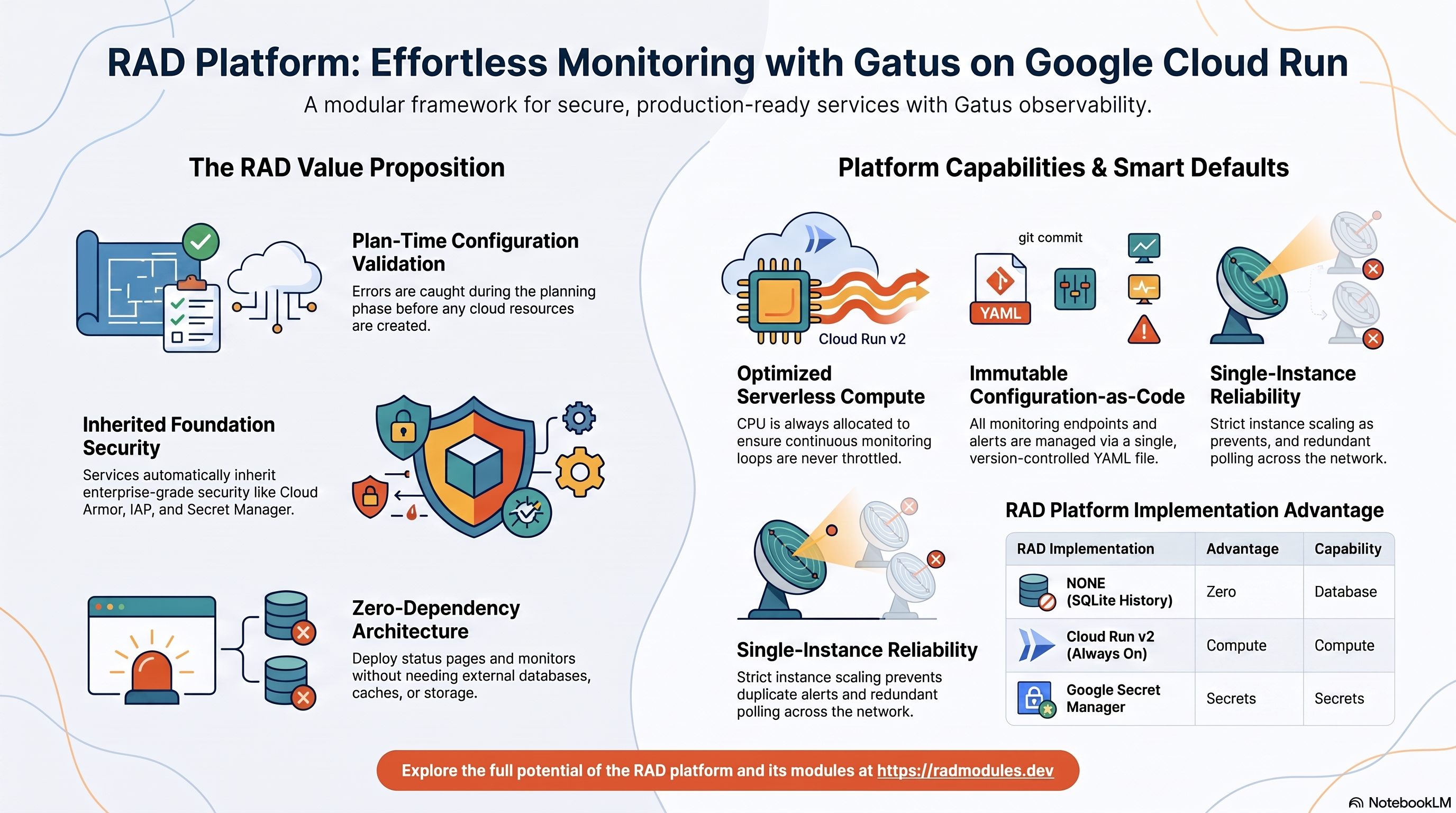
Gatus is an open-source, Apache 2.0-licensed developer-oriented status page and health-check monitor written in Go. It polls configured HTTP, TCP, DNS, ICMP, and other endpoints on independent per-endpoint schedules, evaluates simple result conditions (status code, response time, response body content, TLS certificate expiry), and serves a live public status page plus alerting — no external database required. This module deploys Gatus on Cloud Run v2 on top of the App_CloudRun foundation, which provisions and manages the shared Google Cloud infrastructure.
This guide focuses on the cloud services Gatus uses and how to explore and operate them from the Google Cloud Console and the command line. For the mechanics common to every Cloud Run application — service identity, ingress and load balancing, scaling and concurrency, CI/CD, Cloud Armor, IAP, Binary Authorization, VPC Service Controls, backups, and the deployment lifecycle — refer to the App_CloudRun foundation guide rather than repeating them here.
What Gatus costs on RAD, and how that compares
Running Gatus in your own Google Cloud project costs about US$50.72/month in Google Cloud charges, on top of a one-time 40-credit RAD module fee (36 credits — 10% lower — in a RAD-managed project). Gatus is a self-hosted, developer-oriented status page and health-check monitor (Go). If you deploy into a RAD-managed project, you can pause the whole thing for free and pick it back up later — see "Pause it for free" below.
Gatus is also available on GKE — see the GKE guide if you need Kubernetes-based orchestration; this guide covers the lower-cost Cloud Run option.
What you pay on RAD
| Own project | RAD-managed project | |
|---|---|---|
| Module fee | 40 credits (one-time) | 36 credits (one-time, 10% lower) |
| Build time | ~3–6 credits (one-time, per build) | ~3–6 credits (one-time, per build) |
| Google Cloud running cost | ~US$50.72/month, billed to your own Google billing account at list price | ~25 credits/day (~US$2.50/day), metered hourly at list price plus RAD's margin |
Default running cost in your own project
| Resource | US$/month (Google list price, us-central1) |
|---|---|
| Cloud Run, 1x vCPU / 0.5 GiB (alwaysOn) | US$44.72 |
| Cloud NAT and networking | US$5 |
| Cloud Storage (add-ons, backups) | US$1 |
| Total | US$50.72 |
How it compares
- There is no officially hosted/cloud version of Gatus to compare against, so the honest comparison is against self-managed infrastructure, not a competing SaaS.
- A bare VPS sized to roughly 1 vCPU / 0.5 GiB — a Hetzner CPX22 (2 vCPU/4GB, ~US$24/mo), a DigitalOcean 2 vCPU/4GB Droplet (US$24/mo), or GCP's own Compute Engine e2-standard-2 (2 vCPU/8GB, ~US$49/mo) — usually undercuts RAD's sticker price; a VPS a size or two smaller would undercut it further.
- What that lower price does not include is the admin's own time: patching the OS, rotating database backups, renewing TLS certificates and watching for downtime. RAD's managed Cloud SQL, Secret Manager and monitoring do that for you, which is the actual trade being made, not the sticker price.
- RAD is not claiming to be cheaper than a bare VPS in cash terms — it usually is not. The case for RAD is what's managed for you.
Pause it for free: delete a RAD-managed project, restore it when you need it
If Gatus is running in a RAD-managed project, you can stop paying for it entirely without destroying it. Deleting that project first unlinks its billing, then asks Google to delete the project outright — Google's own 30-day recoverable soft delete. Unlike deleting the Gatus module on its own, this does not tear down Cloud SQL, any VM or the compute resource one by one: the whole project simply stops, and nothing is charged while it waits, because billing is already unlinked.
Restoring, within 30 days and only by the project's owner, asks Google to undelete the project and reattaches its billing account, then asks you to run Update on each deployment to confirm everything came back. Because nothing was individually destroyed, that Update finds the same resources already there — it is a check, not a rebuild, and an Update never charges the module fee again. This costs only a handful of build-time credits in total — roughly 5–10 credits, under US$1, for a typical 2–3-deployment chain. The 36-credit module fee is not charged again.
What this needs: you must own the project (not one RAD only manages billing for), you must restore it yourself within 30 days — after that Google deletes it for good — and restoring is admitted like creating a new project, so your purchased credit balance must still clear the tier's floor (100 credits for the sandbox tier most study/demo use fits). Google says most services are fully working again within 36 hours of a restore.
One real gap: nightly backups are written to a bucket inside the project, and that bucket has Cloud Storage's soft-delete explicitly turned off, so it is very likely gone as soon as you delete the project — even though the project itself is recoverable for 30 days. If you have customised Gatus and want to keep that work, copy a backup out (to Google Drive, or a bucket outside the project) before deleting. For a default install with nothing irreplaceable in it, this does not matter.
Pay only while you use it, the other way: delete and redeploy
If Gatus is in your own project (or more than 30 days have passed on a RAD-managed one), the way to stop paying is to delete the deployment and redeploy later when you need it again.
A redeploy costs the module fee again, plus the builds: roughly 40 + ~3–6 credits (~US$4.45) in your own project, or 36 + ~3–6 credits on a RAD-managed one.
Deleting only saves money once Gatus would otherwise sit unused long enough to clear that redeploy cost against its own running cost: roughly about 3 days or more idle in your own project (against its ~US$50.72/month Google Cloud bill), or about 2 days or more idle in a RAD-managed project (against its ~25 credits/day).
Keep data first: nightly backups go to a bucket inside the deployment and are deleted with it, so copy the latest backup out before deleting if you want to keep it.
Lab sessions and Managed Environments
- Lab sessions, for training: a trainer runs a session for a class. Each participant gets the app in their own Google Cloud project for 15 minutes to 24 hours, within an allowance the trainer sets. Either the trainer funds every place, or each participant pays for their own. Everything is deleted when the session ends and unused credits go back to the trainer.
- Managed Environments, for consultancies: a partner runs the app for a client from a ring-fenced wallet it funds, and settles with the client directly. If the wallet runs low, billing pauses and the data is kept, so nobody receives an unexpected charge. At the end the partner hands the project over and the deployments become the client's own.
- Credits can be bought in more than 20 currencies, including XAF, XOF, NGN, GHS, KES and ZAR, by card, bank transfer or mobile money.
Sources (8 October 2026): Google Cloud Billing Catalog API list prices; radmodules.dev/pricing for RAD's own fees and daily-credit estimates; Google's project delete/restore docs for the pause/restore mechanics.
1. Overview
Gatus runs as a single Go container on Cloud Run v2. The deployment wires together a deliberately small set of Google Cloud services — Gatus has no database, cache, or object-storage dependency of its own:
| Capability | Google Cloud service | Notes |
|---|---|---|
| Compute | Cloud Run v2 | Single Go service, 1 vCPU / 512 MiB by default; CPU always allocated so the watchdog polling loop is never throttled |
| Database | None | database_type = "NONE"; optional history store is a local SQLite file, no Cloud SQL provisioned |
| Persistence | Ephemeral disk (default) or NFS (optional, with a caveat) | SQLite history at /data/data.db; see the WAL-journal caveat below before enabling NFS |
| Object storage | None | Gatus stores nothing in Cloud Storage |
| Cache / queue | None | No Redis; Gatus has no cache or queue dependency |
| Secrets | Secret Manager | No auto-generated secrets; only user-supplied secret_environment_variables |
| Ingress | Cloud Run URL / Cloud Load Balancing | Default run.app URL; optional external HTTPS load balancer + custom domain |
Sensible defaults worth knowing up front:
- No database is provisioned.
database_type = "NONE"— Gatus's optional history store is a local SQLite file. The database-related variables exist for completeness but are inert unless you deliberately opt in to an external database. - Configuration is entirely file-based. Every monitored endpoint, alert
integration, and storage setting lives in one YAML file baked into the image at
build time — there is no per-setting environment variable convention and no
runtime config-reload API. Change monitored endpoints by editing
modules/Gatus_Common/scripts/config.yamland redeploying. - The history store is ephemeral by default, deliberately. Gatus hardcodes
SQLite WAL journal mode (confirmed live: no config option or connection-string
parameter disables it), and SQLite's own documentation states WAL is unsupported
on network filesystems. Cloud Run offers only ephemeral storage or NFS for this —
neither is a genuinely safe home for a WAL-mode SQLite file, so the module
defaults to ephemeral rather than risking silent corruption. Deploy
Gatus_GKEwithstateful_pvc_enabled = true(a real block device) if persistent history matters. - CPU is always allocated (
cpu_always_allocated = true). Gatus's watchdog goroutine polls every configured endpoint on its own schedule, independent of inbound HTTP requests. Request-based billing would throttle CPU between page views and silently stall or skip scheduled checks — the monitoring loop is the product, the same rationale used for UptimeKuma. - Single instance by default (
min_instance_count = 1,max_instance_count = 1). Multiple instances would each independently poll every endpoint and duplicate alerts — there is no shared coordination between Gatus instances. - Public ingress is the default (
ingress_settings = "all") so the status page is publicly reachable. Enabling IAP requires Google sign-in and blocks unauthenticated viewing. - The health endpoint is
/health, which returns HTTP 200 as soon as the server binds its port. - Access control, if any, is configured in
config.yaml. Gatus ships with an open status page by default; optional basic-auth or OIDC protection is configured in thesecurityblock ofconfig.yamland requires a rebuild.
2. Google Cloud Services & How to Explore Them
All commands assume PROJECT and REGION are set. Service and resource names are
reported in the deployment Outputs.
A. Cloud Run — the Gatus service
Gatus runs as a Cloud Run v2 service. Each deployment creates an immutable revision; traffic can be split across revisions for safe rollouts. Because CPU is always allocated, the watchdog polling loop keeps running between inbound requests.
- Console: Cloud Run → select the service for revisions, traffic, logs, and metrics.
- CLI:
gcloud run services list --project "$PROJECT" --region "$REGION"
gcloud run services describe <service-name> --project "$PROJECT" --region "$REGION"
gcloud run revisions list --service <service-name> --project "$PROJECT" --region "$REGION"
See App_CloudRun for scaling, concurrency, execution environment, and traffic splitting.
B. Persistence — the SQLite history store
Gatus has no Cloud SQL instance. Its optional history store is a local SQLite
file at /data/data.db, baked into the image directory structure at build time. On
Cloud Run's default configuration this directory is ephemeral — history does not
survive a restart or redeploy.
- Console: Filestore → Instances (when
enable_nfs = true). - CLI:
# Confirm the injected environment on the running revision:
gcloud run services describe <service-name> --project "$PROJECT" --region "$REGION" \
  --format='value(spec.template.spec.containers[0].env)'
Before enabling NFS for durable history, read the WAL-journal caveat in §1 Overview and in Gatus_Common — Cloud Run has no block-PVC option, so NFS is the only optional persistence mechanism here and it carries a real corruption risk for a WAL-mode SQLite file. See App_CloudRun for the general NFS (Filestore) mount model.
C. Secret Manager
Gatus generates no secrets at deploy time — there is no database password or
encryption key to manage. Secret Manager is used only if you supply your own via
secret_environment_variables (for example a ${VAR} referenced inside
config.yaml's alerting configuration).
- Console: Security → Secret Manager.
- CLI:
gcloud secrets list --project "$PROJECT"
gcloud secrets versions access latest --secret=<secret-name> --project "$PROJECT"
See App_CloudRun for injection and rotation details.
D. Networking & ingress
The service is reachable at its run.app URL by default, which allows the public
access a status page typically needs. An external HTTPS load balancer with a custom
domain, Cloud CDN, and Cloud Armor can be layered on.
- Console: Cloud Run (service URL); Network services → Load balancing.
- CLI:
gcloud run services describe <service-name> --region "$REGION" --format='value(status.url)'
gcloud compute addresses list --project "$PROJECT"
See App_CloudRun.
E. Cloud Logging & Monitoring
Container logs flow to Cloud Logging; Cloud Run metrics flow to Cloud Monitoring, with optional uptime checks and alert policies. Gatus logs each endpoint check's result (success/failure, duration) as it runs.
- Console: Logging → Logs Explorer; Monitoring → Dashboards / Alerting.
- CLI:
gcloud run services logs read <service-name> --project "$PROJECT" --region "$REGION" --limit 50
3. Gatus Application Behaviour
- No first-deploy database setup. Gatus has no external database and no
migration step. It reads
config.yaml, initialises its SQLite history store (if configured), and starts serving immediately. There is no init job by default. - Ephemeral history store by default.
/data/data.dblives on the container's local writable filesystem with nothing mounted unless you opt into NFS. Every restart or redeploy resets check history (the status page itself and all currently-configured checks are unaffected — only the historical results/uptime percentages reset). - The watchdog polling loop needs allocated CPU. Each configured endpoint is
checked on its own independent interval by an in-process goroutine;
cpu_always_allocated = trueensures this keeps running between inbound page views. - Health path. Startup and liveness probes target
/health, which returns HTTP 200 as soon as the server binds port 8080. Verify:SERVICE_URL=$(gcloud run services describe <service-name> \
--project "$PROJECT" --region "$REGION" --format='value(status.url)')
curl -s -o /dev/null -w '%{http_code}\n' "$SERVICE_URL/health" # -> 200 - View the status page.
curl -s "$SERVICE_URL/" | head -20 # rendered HTML status page - Configuration changes require a rebuild. Gatus has no admin UI or API for
editing monitored endpoints. Edit
modules/Gatus_Common/scripts/config.yaml(add, remove, or modifyendpointsentries) and redeploy to apply changes. - Access is open until you configure it. By default the status page has no
authentication. Configure basic-auth or OIDC in
config.yaml'ssecurityblock and redeploy to restrict viewing.
4. Configuration Variables
Variables are grouped exactly as they appear on the deployment platform. Only settings specific to or notable for Gatus are listed; every other input is inherited from App_CloudRun with its standard behaviour.
Group 1 — Project & Identity
| Variable | Default | Description |
|---|---|---|
project_id | (required) | Target Google Cloud project. |
region | us-central1 | Region for the service and regional resources. |
Group 2 / 3 — Deployment Environment & Application Identity
| Variable | Default | Description |
|---|---|---|
tenant_id | demo | Short suffix that makes resource names unique per environment. |
application_name | gatus | Base name for the service, registry repo, and secrets. Do not change after first deploy. |
application_display_name | Gatus | Human-readable name shown in the Console. |
application_version | latest | Image version tag; latest maps to a pinned v5.36.0 base. Pin an explicit v5.x.y in production. |
Group 4 — Runtime & Scaling
| Variable | Default | Description |
|---|---|---|
deploy_application | true | Set false to provision supporting infrastructure only. |
container_image_source | custom | custom builds the wrapper image via Cloud Build; prebuilt deploys an image directly. |
cpu_limit | 1000m | CPU per instance. |
memory_limit | 512Mi | Memory per instance (gen2 floor is 512Mi). |
min_instance_count | 1 | Minimum instances. |
max_instance_count | 1 | Keep at 1 — replicas would each independently poll every endpoint and duplicate alerts. |
container_port | 8080 | Gatus listens on port 8080. |
container_protocol | http1 | HTTP/1.1 by default. |
cpu_always_allocated | true | Required so the watchdog polling loop is never throttled between requests. |
enable_cloudsql_volume | false | Off — Gatus has no database. |
enable_image_mirroring | true | Mirror the Gatus image into Artifact Registry. |
Group 5 — Access & Networking
| Variable | Default | Description |
|---|---|---|
ingress_settings | all | all is required for a public status page. |
enable_iap | false | Require Google sign-in. Blocks unauthenticated viewing. |
Group 6 — Environment Variables & Secrets
| Variable | Default | Description |
|---|---|---|
environment_variables | {} | Substitutions for ${VAR}-style references inside config.yaml (e.g. an alerting webhook token), not per-setting overrides. |
secret_environment_variables | {} | Map of env var → Secret Manager secret name (optional; none required). |
Group 11 — Storage & Filesystem
| Variable | Default | Description |
|---|---|---|
enable_nfs | false | Optional durable history mount. Caution: carries a WAL-on-network-filesystem risk — see §1. |
nfs_mount_path | /data | NFS mount path; matches the baked-in storage.path in config.yaml. |
storage_buckets | [] | Not required — Gatus uses no object storage. |
Group 12 — Database Backend
| Variable | Default | Description |
|---|---|---|
database_type | NONE | Gatus has no external database; leave NONE. |
application_database_name / application_database_user | gatus | Inert unless an external database is deliberately enabled. |
Group 13 — Jobs & Scheduled Tasks
| Variable | Default | Description |
|---|---|---|
initialization_jobs | [] | Gatus needs no init job; leave empty. |
cron_jobs | [] | Optional scheduled Cloud Run jobs. |
Group 14 — Observability & Health
| Variable | Default | Description |
|---|---|---|
startup_probe | HTTP /health 10s delay | Startup probe. Gatus becomes healthy within seconds. |
liveness_probe | HTTP /health 15s delay | Liveness probe. |
uptime_check_config | { enabled=false, path="/health" } | Optional Cloud Monitoring uptime check. |
Group 16 — Redis Cache
| Variable | Default | Description |
|---|---|---|
enable_redis | false | Not required — Gatus has no Redis dependency. |
All other inputs follow standard App_CloudRun behaviour.
5. Outputs
Returned on a successful deployment — the quickest way to locate and explore the running resources.
| Output | Description |
|---|---|
service_name | Cloud Run service name. |
service_url | Default run.app URL of the service. |
service_location | Region the service runs in. |
stage_services | Stage-specific service URLs (Cloud Deploy). |
load_balancer_ip / load_balancer_url | External HTTPS load balancer IP / URL (when enabled). |
database_instance_name / database_name / database_user | Database identifiers — empty for the default NONE engine. |
database_password_secret / database_host / database_port | Database endpoint fields — unused for NONE. |
storage_buckets | Created Cloud Storage buckets (none by default). |
network_name / network_exists / regions | VPC network, presence, regions. |
container_image / container_registry | Deployed image and Artifact Registry repo. |
monitoring_enabled / monitoring_notification_channels / uptime_check_names | Monitoring status, channels, uptime checks. |
initialization_jobs | Names of any setup jobs (none by default). |
deployment_id / tenant_id / resource_prefix | Naming identifiers. |
project_id / project_number | Project identifiers. |
cicd_enabled / github_repository_url / github_repository_owner / github_repository_name / cicd_configuration | CI/CD status and details. |
artifact_registry_repository / cloudbuild_trigger_name / cloudbuild_trigger_id | Registry and build trigger. |
vpc_sc_enabled / vpc_sc_perimeter_name / vpc_sc_dry_run_mode | VPC-SC status. |
audit_logging_enabled / artifact_registry_cmek_enabled | Audit logging and CMEK status. |
6. Configuration Pitfalls & Sensible Defaults
Risk: Critical (data loss / outage / security) — High (service degraded) — Medium (cost or partial degradation) — Low (minor).
Inherited plan-time validation. This module passes its configuration through the App_CloudRun foundation engine, which validates values and combinations at plan time — IAP with no authorized identities, a
gen1runtime with NFS/GCS mounts, an out-of-rangecontainer_port/timeout_seconds, a memory value below the gen2 floor. Invalid configuration fails the plan with a clear, named error before any resource is created, so most mistakes below are caught up front rather than at apply or runtime.
| Setting | Sensible value | Risk | Consequence if wrong |
|---|---|---|---|
enable_nfs (for durable history) | Leave false; use Gatus_GKE with stateful_pvc_enabled instead | Critical | Gatus hardcodes SQLite WAL journal mode, which SQLite's own documentation states is unsupported on network filesystems — NFS-backed history risks silent corruption over time. |
max_instance_count | 1 | High | Scaling beyond 1 has every replica independently poll every endpoint, duplicating alert notifications with no coordination between instances. |
cpu_always_allocated | true | High | Setting false lets Cloud Run throttle CPU between requests, silently stalling or skipping the watchdog's scheduled endpoint checks. |
ingress_settings | all | High | internal makes a public status page unreachable from outside the VPC. |
enable_iap | only when auth-gated | High | IAP requires Google sign-in for every request, blocking unauthenticated status-page viewing — usually not what a public status page wants. |
Gatus security block in config.yaml | Configure if the page has sensitive endpoint names | Medium | Left default, the status page (including all configured endpoint names and their up/down history) is publicly visible to anyone with the URL. |
container_port | 8080 | Medium | Overriding to a value Gatus is not listening on causes every health probe to fail. |
memory_limit | 512Mi | Low | The gen2 execution environment rejects values below 512Mi at apply time. |
application_version | Pin v5.x.y in prod | Low | latest maps to a pinned base (v5.36.0); pin explicitly to control upgrades. |
For the foundation behaviour referenced throughout — service identity, scaling and concurrency, ingress and load balancing, CI/CD, Cloud Armor, IAP, Binary Authorization, VPC-SC, backups, and image mirroring — see App_CloudRun. Gatus-specific application configuration shared with the GKE variant is described in Gatus_Common.
Related guides
- Hands-on lab: Gatus on Cloud Run — deploy it step by step, with the console screens and commands at each stage.
- Gatus on GKE Autopilot — the same application on Kubernetes, for when you need the other deployment target.
- Gatus Common — Shared Application Configuration — the configuration shared by both deployment targets.
- Deployed alongside Uptime Kuma on Google Cloud Run, Healthchecks on Google Cloud Run, Beszel on Google Cloud Run, Netdata on Google Cloud Run in the Monitoring & NOC solution.
Need RAD to do something it does not do yet? Request it on the roadmap, or vote on what is already there.