ACE Certification Preparation Guide: Section 1 — Setting up a cloud solution environment (~23% of the exam)
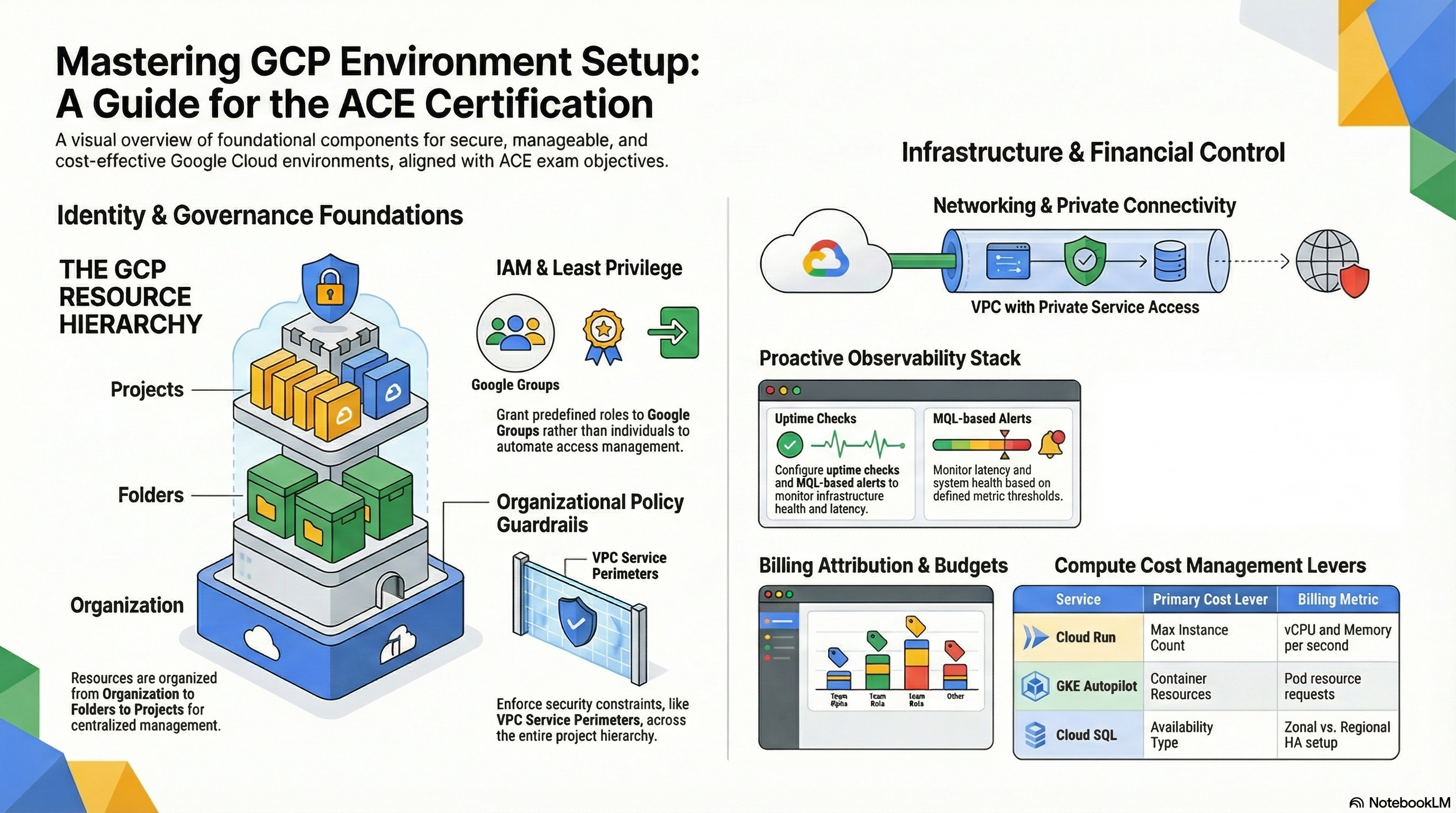
📚 Official exam guide: Associate Cloud Engineer certification — always confirm section weightings against the current Google Cloud exam guide.
This guide covers exam Section 1 using the RAD platform foundation modules as a hands-on lab. The module exercised here is almost entirely Services_GCP — the platform layer deployed once per project. Deploy the Baseline platform profile from the Lab Map before starting; add the Operations & security add-ons profile (specifically create_billing_budget = true) for subsection 1.2.
1.1 Setting up cloud projects and accounts
⏱ ~60 min · 💰 no additional cost beyond the baseline profile · ⚙️ Requires: default Baseline platform deployment
Why the exam cares — The exam tests whether you understand the project as the fundamental billing, IAM, and API boundary: how projects relate to folders and organizations, why APIs must be enabled before resources can be created, how identities (users, groups, service accounts) are granted roles, and how to check quotas before they bite you. Scenario questions often hinge on knowing that a project ID is immutable, that APIs are enabled per project, and that groups are preferred over individual user bindings.
How RAD implements it — Every module deploys into an existing project named by project_id (required, no default); the modules never create projects, folders, or organizations. On apply, Services_GCP enables roughly 45 service APIs when enable_services (default true) is set — the list includes compute.googleapis.com, run.googleapis.com, container.googleapis.com, sqladmin.googleapis.com, secretmanager.googleapis.com, cloudkms.googleapis.com, and more; additional_apis (default []) appends your own. Identity wiring:
| Variable | Default | Effect |
|---|---|---|
project_id | — (required) | Target project for all resources |
tenant_id | "demo" | Tenant suffix used in resource naming |
enable_services | true | Enables the ~45 required APIs at apply time |
additional_apis | [] | Extra APIs to enable |
support_users | [] | Emails that receive monitoring/budget notification channels |
resource_labels | {} | Labels merged onto every module-managed resource |
resource_creator_identity | platform deployer SA | Service account Terraform runs as |
Services_GCP creates five dedicated service accounts per deployment — cloudbuild-sa-{prefix}, clouddeploy-sa-{prefix}, cloudrun-sa-{prefix}, nfs-sa-{prefix}, and gke-sa-{prefix} — each bound to predefined roles only. Organization context is auto-discovered: the platform reads org_id from the project data source, and org-dependent features (VPC-SC, SCC notifications) skip gracefully when the project has no organization or the caller lacks org-level permission.
Try it
- In the portal, set
resource_labels = { environment = "dev", team = "platform" }and redeploy. In the console go to Cloud SQL > your instance and confirm the labels appear under the instance details. - Inspect the project and its enabled APIs from Cloud Shell:
Note the three identifiers in the
gcloud projects describe $GOOGLE_CLOUD_PROJECT
gcloud services list --enabled --filter="config.name:run.googleapis.com OR config.name:sqladmin.googleapis.com"describeoutput: project ID (immutable), project number, and display name (changeable). - List the service accounts the module created and inspect one binding:
gcloud iam service-accounts list --filter="email:cloudrun-sa"
gcloud projects get-iam-policy $GOOGLE_CLOUD_PROJECT \
  --flatten="bindings[].members" \
  --filter="bindings.members:cloudrun-sa" \
--format="table(bindings.role)" - Check a quota your deployment consumes: IAM & Admin > Quotas & System Limits, filter by Cloud SQL Admin API. CLI equivalent:
gcloud compute regions describe us-central1 --format="table(quotas.metric,quotas.usage,quotas.limit)"for Compute quotas. - You know it worked when the IAM policy query returns only narrow predefined roles (no
roles/editor) and the enabled-services list contains the APIs above.
Check yourself
Q1: A teammate deploys the Baseline platform profile into a fresh project and the apply fails with "API not enabled" errors for Compute Engine. They had set enable_services = false. What is the fastest fix, and why does the default avoid this?
A: Re-enable enable_services = true (or run gcloud services enable compute.googleapis.com ... manually). GCP refuses to create any resource whose API is disabled in the project; the module's default enables all ~45 required APIs up front precisely so that downstream resources (VPC, Cloud SQL, NAT) can be created in one apply.
Q2: You need 12 operations engineers to receive monitoring alerts. Should you list 12 addresses in support_users or one Google Group address?
A: Use one group address. The module creates one notification channel per entry, and IAM/notification management best practice is to bind groups, not individuals — membership changes in Cloud Identity / Google Workspace then propagate automatically without touching the deployment.
Q3: What is the difference between the project ID, project number, and project name?
A: The project ID is a globally unique, immutable, human-chosen string used in APIs and URLs; the project number is a globally unique, immutable numeric identifier assigned by Google (it appears in default service account emails); the project name is a mutable display label with no uniqueness requirement.
Beyond the modules — The exam also tests things the modules deliberately do not do:
- Creating projects and hierarchy: practice
gcloud projects create my-lab-project --folder=FOLDER_IDand browse IAM & Admin > Manage Resources to see Organization → Folder → Project inheritance. - Cloud Identity: user and group lifecycle is managed in admin.google.com, not in GCP. Know that IAM policies can bind
user:,group:,serviceAccount:, anddomain:principals. - Quota increases: find a quota in IAM & Admin > Quotas & System Limits and walk through (without submitting) the Edit Quotas increase request flow; quota increases are requests, not instant changes.
- Org policies: browse IAM & Admin > Organization Policies (e.g.
constraints/compute.vmExternalIpAccess). The modules do not manage org policy constraints.
⚠️ Exam trap — Enabling an API and granting IAM permission are independent: a user with roles/run.admin still cannot deploy to Cloud Run if run.googleapis.com is disabled in the project, and enabling the API grants no one any access.
1.2 Managing billing configuration
⏱ ~40 min · 💰 the budget itself is free; alert emails are free · ⚙️ Requires:
create_billing_budget = true(Operations & security add-ons profile)
Why the exam cares — The exam expects you to link projects to billing accounts, create budgets with threshold alerts, and export billing data for analysis. Decision criteria: budgets notify, they never stop spending; billing exports to BigQuery are the only way to analyze historical cost by label; the Billing Account Administrator role is separate from project IAM.
How RAD implements it — Services_GCP creates a real Cloud Billing budget when create_billing_budget (default false) is enabled. The billing account is auto-discovered from the project — there is no billing-account variable, and the module never links or unlinks projects. The budget is scoped with a budget_filter to the current project only.
| Variable | Default | Effect |
|---|---|---|
create_billing_budget | false | Creates the project-scoped budget |
budget_amount | 100 | Budget amount in the billing account's currency |
budget_alert_thresholds | [0.5, 0.9, 1.0] | One threshold rule per entry (50%, 90%, 100%) |
budget_alert_emails | [] | Merged with support_users into email notification channels |
The budget wires the email channels and keeps the default IAM recipients enabled, so Billing Account Administrators/Users also get notified. Separately, resource_labels (default {}) propagates onto every module-managed resource, which is what makes label-based cost filtering in Billing Reports and BigQuery exports possible.
Try it
- In the portal set
create_billing_budget = true,budget_amount = 50, and add your email tobudget_alert_emails. RedeployServices_GCP. - Verify in the console under Billing > Budgets & alerts — you should see "Budget for
<project-id>" with three threshold rules. CLI:BILLING_ACCOUNT=$(gcloud billing projects describe $GOOGLE_CLOUD_PROJECT \
--format="value(billingAccountName)")
gcloud billing budgets list --billing-account=${BILLING_ACCOUNT##*/} - Explore label-based cost attribution: Billing > Reports, open the Labels filter on the right and select a key you set in
resource_labels(data appears with up to a day's delay). - You know it worked when
gcloud billing budgets listshows your budget withthresholdRulesat 0.5, 0.9, and 1.0.
Check yourself
Q1: Your budget fired its 100% alert but resources keep running and costs keep accruing. Is something broken?
A: No. Budgets only send notifications (email and optionally Pub/Sub) — they never cap spending or stop resources. Automated cost response requires you to wire a Pub/Sub budget notification to your own automation (e.g. a function that disables billing), which the exam expects you to know is a custom build, not a checkbox.
Q2: Finance wants a monthly per-team cost breakdown of everything the RAD platform deploys. Which two pieces make this possible?
A: (1) Consistent resource_labels (e.g. team = "platform") on every resource, which the modules apply automatically, and (2) a billing export to BigQuery, configured at the billing-account level under Billing > Billing export, which you then query grouping by the label key. Billing Reports filtering by label works for ad-hoc views, but BigQuery is the answer for programmatic/chargeback reporting.
Beyond the modules — Not implemented by the foundation modules; practice these directly:
- Linking a project to a billing account:
gcloud billing projects link my-project --billing-account=0X0X0X-0X0X0X-0X0X0X(requires Billing Account User on the account + Project Billing Manager or Owner on the project). - Billing exports: enable the BigQuery export (standard usage cost) under Billing > Billing export; there is no Terraform in this repo doing it.
- Billing IAM: know
roles/billing.admin,roles/billing.user(can link projects), androles/billing.viewerand that they live on the billing account, not the project.
⚠️ Exam trap — Budget thresholds can alert on forecasted spend as well as actual spend; also, a budget scoped to a billing account is not the same as one scoped to a project — the module's budget uses a project filter, so other projects on the same billing account are not counted.
Need RAD to do something it does not do yet? Request it on the roadmap, or vote on what is already there.